Wrike logo.
    • For teams
      • Marketing

        Streamline proofing and reporting for seamless campaigns.

      • Creative & Design

        Create high-quality assets and get them approved in record time.

      • Product

        Accelerate your product process, from idea to delivery.

      • Client Services

        Exceed clients’ expectations with expert resources.

      • PMO

        Align strategy with execution and deliver results.

      • IT

        Execute initiatives, optimize workflows, and automate requests.

      • Operations

        Make work flow seamlessly with intuitive management tools.

      • HR

        Manage teams effortlessly with customizable HR features.

      • Legal

        Organize every file, case, and due date in one secure space.

      • Finance

        Centralize all financial tasks, from budgeting to invoicing.

      • See all teams

    • Workflows
      • Campaign Management

        Make marketing magic with end-to-end campaign management.

      • Agency Management

        Take full control of your agency management processes.

      • Client Service Delivery

        Get ahead of the competition with faster client services.

      • Product Lifecycle

        Watch your product lifecycle flow, from concept to customer.

      • Project Portfolio Management

        Manage your complete portfolio, from strategy to results.

      • Creative Production & Content

        Create, collaborate, proof, and approve all in one place.

      • Workflow Management

        Use custom statuses and automate your team workflows.

      • Project Management

        Plan Agile projects, track deadlines, and deliver results.

      • See all workflows

    • For industries
      • Technology

        Build solutions that matter, and deliver faster.

      • Manufacturing

        Enhance operations, accelerate production, and empower teams.

      • Professional Services

        Organize clients, streamline projects, and automate workflows.

      • Finance

        Deliver better, faster financials with automations.

      • Healthcare

        Collaborate cross-functionally in a secure setting.

      • Education

        Unite multiple disparate teams, departments, and colleges.

      • Construction

        Streamline building projects, from scoping to invoicing.

      • Media & Entertainment

        Choose one powerful platform for fast-paced work.

      • See all industries

    • Explore Wrike
      • Take a Product Tour

      • Book a Demo

      • ROI Calculator

      • Customer Stories

      • Start with Templates

    • Features
      • Dashboards

        Fuel better, faster, data-driven decisions with powerful analytics.

      • AI

        Learn about powerful AI and automations with Work Intelligence®.

      • Wrike Whiteboard

        Turn inspiration into execution with powerful visualization tools.

      • Gantt Charts

        Interactive project scheduling across teams.

      • Automation

        Define and trigger automated workflows to eliminate manual efforts.

      • Proofing

        Streamlined proofing and collaboration in one place.

      • Project Resource Planning

        Plan and allocate resources for timely delivery.

      • Project Views

        Get the full picture with customizable, intuitive project views.

      • Kanban Boards

        Instantly view project progress and create customized workflows.

      • Dynamic Request Forms

        Custom forms powered by conditional logic.

      • Approvals

        Keep approvers in the loop from start to finish.

      • Custom Item Types

        Tailor work items to fit your specific workplace.

      • See all features

    • Platform
      • Book a Demo

      • Start with Templates

      • Wrike AI

      • Integrations

      • Security

      • Mobile & Desktop Apps

    • Workflow-Powered Collaboration

      Sync with multiple teams to keep work flowing across your organization.

    • Industry-Leading Security

      We're dedicated to safeguarding data beyond industry standards and ensuring secure collaboration.

    • Pioneering AI and Innovation

      Put the power of data and AI to work for your organization.

    • Invested in Customer Success

      We support customers at every step of their journey from pre-sales to onboarding with 24/7 support.

    • Boundless Configuration

      Customize your workspace to suit the unique needs of every team in your organization.

    • Effortless Scalability

      Add new teams or adjust to rapid growth seamlessly with Wrike’s scalable platform.

    Need an extra team member?
    Build your own agent with Wrike and save 10 hours per week per project.
    Try AI agents
    • Go deeper
      • Resource Hub

        Top assets on productivity, collaboration, and more.

      • Wrike Blog

        Latest news and best practices on project management.

      • Educational Guides

        Guides and tools to unlock better work management.

      • Webinars

        Join our live or on-demand sessions to do your best work.

      • Customer Stories

        Explore Wrike’s case studies for key insights on customer success.

      • Developers

        Connect and build integrations with easy-to-use APIs.

    • Upskill and Connect
      • Training & Certifications

      • Help Center

      • Wrike's Community

      • Premium Support Packages

      • Wrike Professional Services

      • What's new

    Catch up on our most exciting product updates in 2025!
    2025 was another landmark year for Wrike, with some of our most exciting releases yet.
    Watch the video
  • Enterprise
  • Pricing
Contact Sales
  • Language selector dropdown with globe icon and list of available languages.
    English
    Dansk
    Deutsch
    Español
    Français
    Bahasa Indonesia
    Italiano
    Bahasa Melayu
    Nederlands
    Norsk
    Polski
    Português (BR)
    Svenska
    Русский
    日本語
    한국어
    中文 (简体)
    中文 (繁體)
Log in
Wrike logo.
Wrike logo.
  • Guide overview
    • Gantt Chart Basics
      • How to read a Gantt chart step by step
      • 1. Read the task list (vertical axis) first
      • 2. Orient yourself on the timeline (horizontal axis)
      • 3. Understand what the bars represent
      • 4. Check the fill or progress indicator
      • 5. Follow the arrows or lines between bars
      • 6. Look for diamonds on the timeline
      • 7. Find the critical path if it’s marked
      • 8. Check for a baseline
      • 9. Use the legend
      • Example: Reading a simple Gantt chart
      • Common mistakes to avoid
      • Put what you’ve learned to work
    • Project Management Basics
      • What are the project management basics?
      • What is a project?
      • What is project management?
      • What are the stages of project management?
      • Why is project management important?
      • What do project managers do?
      • Project manager certifications
      • Streamline your projects with Wrike
    • Project Management Charts
      • How to choose the right project management chart
      • The “pick in 30 seconds” checklist
      • 1. Gantt chart
      • 2. Kanban board
      • 3. Work breakdown structure
      • 4. PERT chart
      • 5. Critical path method (CPM)
      • 6. Milestone chart
      • 7. Burndown and burnup charts (for Agile teams)
      • 8. RACI chart
      • Common mistakes when using project management charts
      • Final thoughts
    • Project Management Methodologies
      • The top project management methodologies
      • A. The traditional, sequential methodologies
      • B. The Agile family
      • C. The change management methodologies
      • D. The process-based methodologies
      • E. Other methodologies
      • F. The PMBOK “method”
      • Empower your project management methodology with Wrike
    • Project Lifecycle
      • Key takeaways
      • What is the project lifecycle? 
      • The 5 phases of a project lifecycle
      • 1. The initiation phase
      • 2. The planning phase
      • 3. The execution phase
      • 4. The controlling and monitoring phase
      • 5. Project closure phase
      • Types of project life cycles
      • Predictive lifecycle
      • Iterative lifecycle
      • Incremental lifecycle
      • Agile lifecycle
      • Hybrid lifecycle
      • Who is involved across the project lifecycle?
      • Project manager
      • Project sponsor
      • Team members
      • Stakeholders
      • Functional managers or department leads
      • Why is project lifecycle management important?
      • Best practices in project lifecycle management
      • Start with clear goals and scope
      • Assign clear roles and decision ownership
      • Build a realistic project plan
      • Track progress continuously
      • Standardize workflows where possible
      • Document learnings at closure
      • Use one source of truth
      • Take full control of your project lifecycle with Wrike
    • Best Project Management Software
      • Here’s a list of the project management software we review fully in this guide:
      • The best 15 project management software platforms in 2026
      • 1. Wrike: Best task management software for cross-functional collaboration
      • 2. Asana: Best task management software for attractive visuals
      • 3. Monday.com: Best task management software for use case templates
      • 4. Adobe Workfront: Best task management software for Adobe integration
      • 5. Smartsheet: Best task management software for spreadsheet-style functionality
      • 6. ClickUp: Best task management software for mind mapping
      • 7. Airtable: Best task management software for data-centric teams
      • 8. Jira: Best task management software for development teams
      • 9. Trello: Best task management software for simple projects
      • 10. Notion: Best task management software for document storage
      • 11. Hive: Best task management software for user-led feedback
      • 12. Zoho Projects: Best task management software for the real estate industry
      • 13. Teamwork: Best task management software for teams looking to get started quickly
      • 14. Basecamp: Best task management software for small businesses and teams
      • 15. GanttPro: Best task management software for specialist Gantt charts
      • 10 additional PM software options
      • 1. MeisterTask
      • 2. Microsoft Project 
      • 3. ProWorkflow
      • 4. TeamGantt
      • 5. Accelo
      • 6. ProjectManager
      • 7. Planview AdaptiveWork
      • 8. Scoro
      • 9. Confluence
      • 10. LiquidPlanner
      • Choose Wrike for customizable and truly scalable project management software
      • FAQs
    • Team Collaboration Tips
      • Effective project collaboration tips for teams
      • The importance of collaboration in project management
      • How to set up a project team
      • What makes a successful project team
      • How to make the project kickoff meeting a success
      • Tips for effective team management
      • How to create a collaborative work environment
      • Project management collaboration tips and techniques
      • Tips for remote collaboration and virtual meetings
    • Agile Basics
    • Agile Project Management Tools
      • What are Agile project management tools?
      • How we evaluate and choose the top tools
      • The best Agile project management tools comparison chart
      • What are the 11 best Agile project management tools?
      • 1. Wrike
      • 2. Asana
      • 3. Monday.com
      • 4. ClickUp
      • 5. Smartsheet
      • 6. Adobe Workfront
      • 7. Jira [Atlassian] Work Management 
      • 8. Microsoft Project
      • 9. Teamwork
      • 10. Zoho Sprints
      • 11. ProofHub
      • How to pick the best Agile project management tool
      • Features to look for in Agile project management tools
      • Benefits of using Agile project management tools
      • Collaboration-boosting effects of Agile project management
      • How can an Agile project management tool help your company?
      • FAQs
      • Is Agile a project management tool?
      • How do Agile project management tools support software development teams?
      • Can Agile project management tools be customized for different project needs?
      • What are Agile methodologies, and how do they benefit Agile teams?
      • How do Agile tools improve collaboration in teams?
    • Project Management Frameworks
      • A. What is a project management framework?
      • B. What do Agile frameworks have in common?
      • C. The Scrum framework
      • D. Other popular Agile project management methods
      • Is Lean project management an Agile framework?
      • E. Agile epics defined
      • F. Project manager best practices for choosing the right framework
      • G. Free Agile project management tools
    • Resources
      • Project management training
      • Project management books
      • Leadership inspiration
    • Glossary
    • FAQ
      • Advanced Terminology
      • Agile Project Management
      • Basic Terminology
      • Methodologies
      • PM Software Features
      • PMI
      • Professional Development
      • Tools
    1. Home
    2. Project Management Guide
    3. FAQ
    4. Basic Terminology

    Constraints in project management

    10 min readLAST UPDATED ON APR 3, 2026
    Artem Gurnov
    Artem Gurnov Director of Account Development, Wrike
    See Wrike for PMO

    In any project, there are limitations and risks that need to be addressed to ensure success. The three primary constraints that project managers should be familiar with are time, scope, and cost. These are frequently referred to as the triple constraints or the project management triangle. 

    However, modern project management also considers three additional project constraints: quality, risk, and resources. Together, these six constraints provide a framework for achieving project success. 

    In this article, we’ll take a close look at these project constraints and show how interconnected they are. If you’re looking for a tool that can help you manage project risks and tasks in one place, start your journey with Wrike today.

    What are project constraints? 

    Project constraints are the limits or restrictions that influence how a project is planned, executed, and completed. They define the boundaries within which a project team must operate, shaping decisions about timelines, budgets, scope, and available resources. In simple terms, constraints represent the factors that determine what can realistically be delivered.

    These limits matter because every project decision involves trade-offs. When one constraint changes, it usually affects others — for example, expanding the scope of work may require more time, a larger budget, or additional resources. Understanding these relationships helps project managers prioritize effectively and maintain balance throughout the project.

    Most projects are influenced by several interconnected constraints, including time, scope, cost, quality, risk, and resource availability. By identifying these limits early and managing them carefully, teams can make more informed decisions and keep projects aligned with their goals.

    One well-known framework for understanding constraints is the Theory of Constraints (TOC), which focuses on identifying the single most limiting factor, or bottleneck, that restricts a system’s performance. Instead of optimizing everything at once, TOC encourages teams to improve the constraint first, since it has the greatest impact on overall project flow and delivery speed.

    Constraints vs. assumptions vs. risks

    In project management, constraints, assumptions, and risks are closely related but serve different purposes. Constraints are the known limitations that shape how a project can be delivered. Assumptions are factors that are believed to be true for planning purposes, even if they have not been fully verified. Risks, on the other hand, are uncertain events that may occur and could affect the project’s outcome.

    Understanding the difference between these three concepts helps project managers plan more effectively, communicate expectations clearly, and prepare for potential changes. While constraints define the boundaries of the project, assumptions guide early planning decisions, and risks highlight uncertainties that require monitoring and mitigation.

    Concept

    Definition

    Example


    Constraints

    Known limits that restrict how a project can be planned or executed

    A fixed deadline, limited budget, or restricted team capacity


    Assumptions

    Factors believed to be true during planning but not yet confirmed

    Assuming a vendor will deliver materials within two weeks


    Risks

    Uncertain events that may impact the project positively or negatively

    A key supplier experiencing delays, or a critical team member becoming unavailable.

    The triple constraints of project management

    What makes or breaks a project’s success? It often comes down to three primary project management constraints:

    • Time constraint 
    • Scope constraint 
    • Cost constraint

    Time constraint

    The time constraint refers to the project’s schedule for completion, including the deadlines for each phase of the project, as well as the date for rollout of the final deliverable.

    When it comes to time constraints, proper scheduling is essential. According to the Project Management Body of Knowledge (PMBOK), the following steps should be taken for effective time management:

    • Planning: This includes defining the main goal(s) of the project team, how the team intends to achieve the goal(s), and the equipment and/or steps that will be taken to do so.
    • Scheduling: The project management team must plot out the realistic time frame to complete each phase of the project.
    • Monitoring: This step occurs once the project is underway and requires the project team to analyze how the past stages of the project performed, noting trends and impacts on future plans, and communicating these findings to all relevant stakeholders.
    • Control: In the control step, the team must, upon communicating the results of each phase of the project, move forward accordingly. That means if things are running smoothly, the team must analyze the factors contributing to that positive outcome so that it can be continued and replicated. If there has been a derailment, the team must know how and why the derailment occurred and correct it for future actions.

    A Gantt chart can help to visualize the project timeline and whether it is tracking to the proper constraints.

    Utilize a Gantt chart to keep your projects on track!

    Scope constraint

    The scope of a project defines its specific goals, deliverables, features, and functions, in addition to the tasks required to complete the project. 

    Defined upfront, the scope of the project should be clearly and regularly communicated to all stakeholders to ensure that ‘’scope creep’’ — the term used when changes are made to the scope mid-project, without the same levels of control — is avoided. To keep the scope in check, you can:

    • Provide clear documentation of the full project scope at the beginning of the project, including all requirements
    • Set up a process for managing any changes so, if someone proposes a change, there is a controlled system in place for how that change will be reviewed, approved or rejected, and implemented if applicable
    • Communicate the scope clearly and frequently with stakeholders

    Cost constraint

    The cost of the project, often dubbed the project’s budget, comprises all of the financial resources needed to complete the project on time, in its predetermined scope. 

    Keep in mind that cost does not just mean money for materials — it encompasses costs for labor, vendors, permits, quality control, and the financial impact of team members working on the project.

    A project’s budget includes both fixed and variable costs. There are a few ways to estimate the cost of a project, including:

    • Historical data: Looking at what similar projects cost in the recent past
    • Resources: Estimating the rate of cost for goods and labor
    • Parametric: Comparing historical data with updated, relevant variables
    • Vendor bid: Averaging the total charge of several solid vendor bids

    Remember: Effective cost control is paramount to the success of the project.
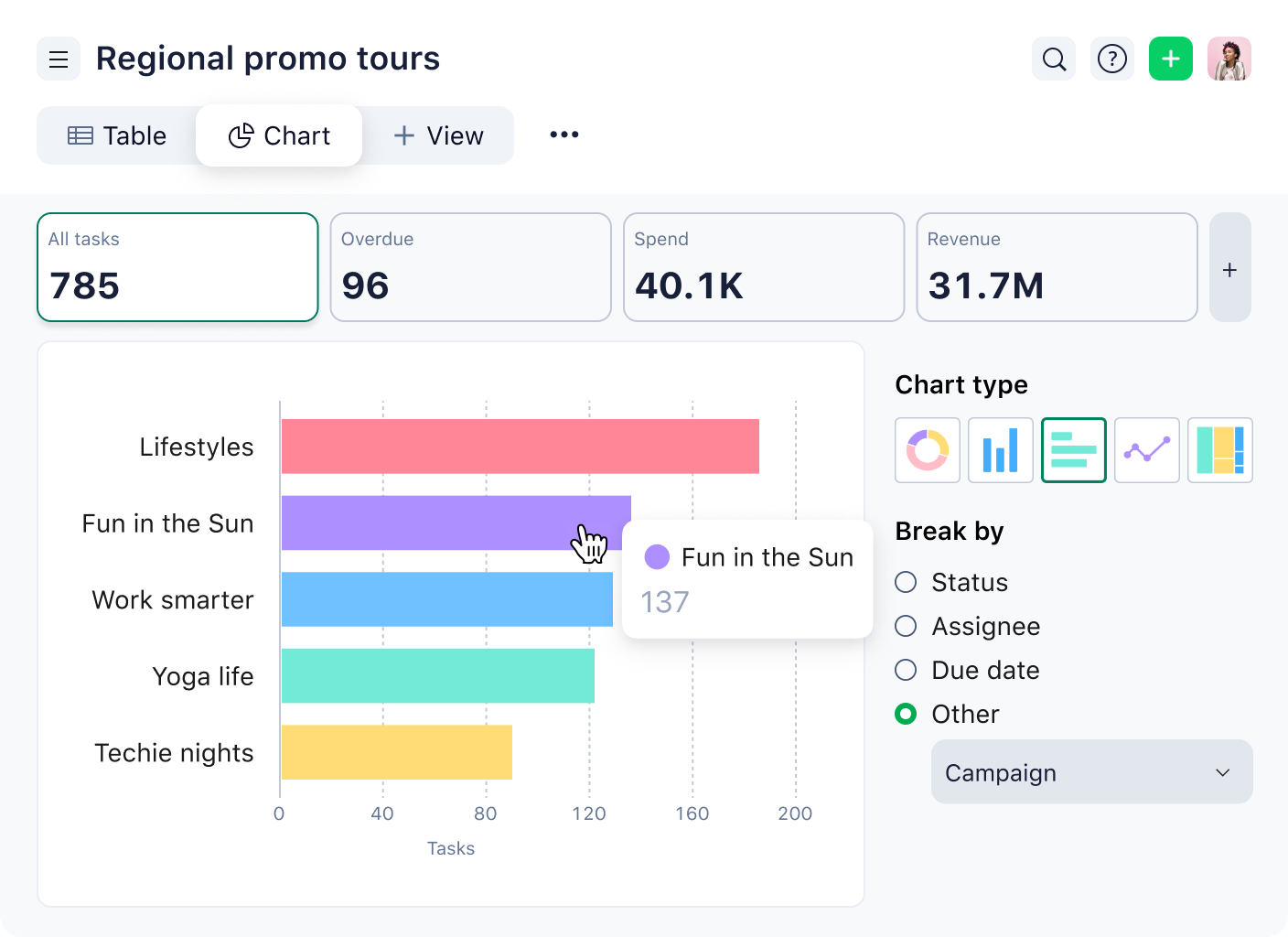
    Project timeline chart with task rows, dates, and colored progress bars.Project timeline chart with task rows, dates, and colored progress bars.

    Break down tasks effortlessly and discover how easy it can be to track progress

    Additional project constraints to consider

    Beyond time, scope, and cost constraints, successful project management also relies on additional constraints like risk, quality, and resource availability. Let’s explore each one in more detail:

    Quality constraint

    Sometimes, we neglect quality in our efforts to get things done on time and within budget. The quality constraint prioritizes meeting the required standards and specifications of the deliverables set during project planning. It ensures that the end product or service is of premium quality, satisfying stakeholder expectations. 

    Key activities include:

    • Establish clear quality goals at the start
    • Conduct regular quality inspections
    • Track key quality metrics
    • Gather and act on user feedback
    • Address defects quickly

    Risk constraint

    There are always uncertainties in life, and project management is no different. The risk constraint identifies, analyzes, and manages potential risks that could disrupt your project progress. That’s why risk management is so important — it helps you mitigate these threats, as well as capitalize on any opportunities. 

    Here are some examples of a typical project risk:

    • Budget overrun
    • Missed deadlines
    • Resource shortages
    • Technology failures
    • Regulatory issues
    • Stakeholder conflicts
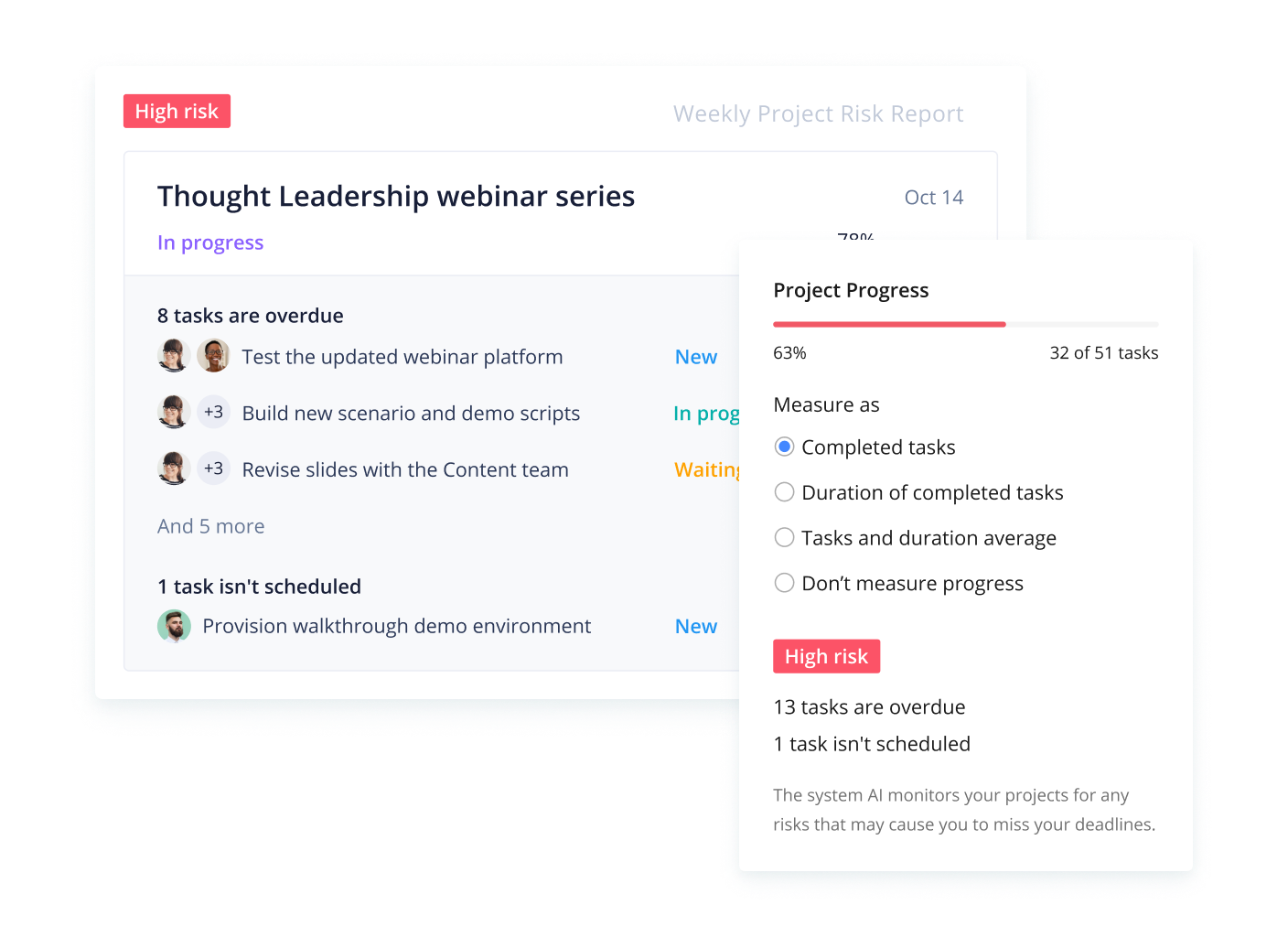
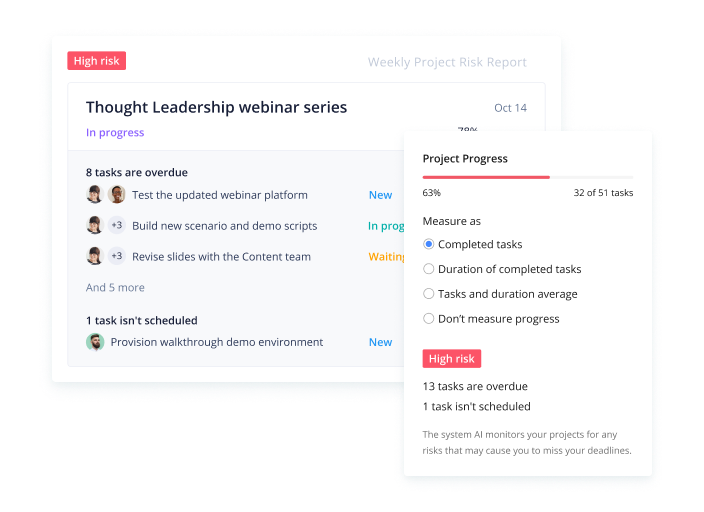
    Risk management tasks board in Wrike showing task statuses.Risk management tasks board in Wrike showing task statuses.

    Organize projects and evaluate their importance through the risk report

    Resource constraint

    Projects depend on available resources, such as people, tools, technology, and materials. The resource constraint encourages project managers to allocate and manage these resources efficiently to achieve project goals. Limited resources can threaten the ability to deliver a project on time and within budget, so careful planning and prioritization are key to ensuring you don’t come up short.

    Examples of constraints in real projects

    Project constraints take many forms and often reflect real-world constraints that teams must plan around. These constraints shape decisions about scope, timelines, budgets, and resources throughout the project lifecycle. Recognizing them early helps project managers set realistic expectations and avoid disruptions later in the project.

    • Schedule constraint: Must launch by June 30 for a regulatory deadline
    • Budget constraint: Capital expenditure capped at €200k
    • Resource constraint: Only two backend engineers are available at 50% allocation
    • Quality constraint: Deliverables must pass ISO or security audit requirements
    • Scope constraint: Minimum viable product (MVP) must include SSO and billing features
    • External constraint: Vendor lead times, legal approvals, or procurement rules that affect delivery timelines

    How to identify constraints early in project management (step-by-step)

    Identifying constraints early helps project managers plan realistically and avoid surprises later in the project. By clarifying what limits the project and documenting those limits clearly, teams can make better decisions when priorities shift or trade-offs become necessary. The following steps provide a simple way to surface and manage constraints before they create problems.

    • Step 1: Ask the constraint questions
    • Step 2: Document constraints in a single place
    • Step 3: Validate constraints with stakeholders

    Step 1: Ask the constraint questions

    The first step is to identify the boundaries that already exist for the project. These often come from business priorities, regulatory requirements, or stakeholder expectations. Asking a few direct questions early can quickly reveal the most important constraints.

    Key questions to ask include:

    • What is non-negotiable — the launch date, budget, scope, quality standards, or compliance requirements?
    • What constraints must be protected at all costs?
    • What areas can change if needed, such as scope, timeline, or resources?
    • What external factors (vendors, legal approvals, or procurement rules) could limit delivery?

    Clarifying these points early helps the team understand where flexibility exists and where it does not.

    Step 2: Document constraints in a single place

    Once constraints are identified, they should be documented so everyone involved in the project can see and reference them. Many teams use a constraint register, which is simply a table listing each constraint, its owner, and its impact on the project.

    A constraint register makes it easier to track decisions, communicate priorities, and evaluate trade-offs throughout the project lifecycle.

    Constraint

    Description

    Owner

    Impact if changed


    Schedule

    Launch must occur before regulatory deadline

    Project manager

    Delays could cause compliance issues


    Budget

    Total budget capped at $200k

    Finance lead

    Scope reductions may be required


    Resource

    Only two backend engineers available

    Engineering manager

    Timeline may need adjustment


    Quality

    Product must pass security certification

    QA lead

    Additional testing may be required

    Step 3: Validate constraints with stakeholders

    After constraints are identified and documented, they should be reviewed with key stakeholders. This step is critical because it ensures everyone agrees on the project’s priorities and understands the trade-offs that may occur.

    During this discussion, project leaders should confirm:

    • Which constraints are fixed
    • Which constraints are flexible
    • Who is responsible for approving changes
    • How trade-offs will be handled if priorities conflict

    Getting explicit agreement early helps prevent “surprise” trade-offs later in the project, when decisions become more difficult and costly.

    Starter template: Project constraint checklist

    Teams can use the following quick template to identify constraints at the start of a project.

    Constraint checklist

    • Project deadline or launch date
    • Budget or funding limits
    • Required scope or minimum deliverables
    • Quality or compliance requirements
    • Resource availability (people, tools, materials)
    • External limitations (vendors, legal approvals, procurement rules)

    Using a simple checklist like this ensures constraints are identified early and clearly communicated before project execution begins.

    How to manage constraints (trade-offs without chaos)
    Learn strategies to manage constraints in this video

    Managing project constraints is less about eliminating limitations and more about making informed trade-offs. Since time, cost, scope, and other constraints are interconnected, adjusting one often affects the others. A structured approach helps teams make those decisions intentionally rather than reacting to problems as they arise.

    Prioritize constraints

    The first step is determining which constraints are most important for the project’s success. Not every constraint carries the same weight, so teams should clearly define priorities before work begins.

    A simple rule is to classify each constraint into one of three categories:

    • Fixed constraints: These cannot change. Examples include regulatory deadlines, contractual budgets, or compliance requirements.
    • Flexible constraints: These can be adjusted if necessary to keep the project on track. For example, scope or resource allocation may be modified.
    • Target constraints: These are goals the team aims to meet but may adjust if higher-priority constraints require it.

    By defining these categories early, project teams can resolve conflicts faster when priorities compete

    Use a trade-off matrix

    Because constraints influence one another, project managers often rely on a simple trade-off framework to evaluate options when changes occur.

    Example trade-offs

    • If time is fixed: Reduce scope or increase resources and budget
    • If cost is fixed: Reduce scope or extend the schedule
    • If scope is fixed: Increase costs or extend the timeline

    This approach clarifies decision-making by showing stakeholders how changing one constraint affects the others.

    Control changes

    ​​Changes are inevitable during most projects, but unmanaged changes can quickly disrupt schedules and budgets. A structured change process helps keep constraints balanced.

    Every change request should clearly state:

    • Which constraint is changing (time, scope, cost, quality, resources, or risk)
    • Why the change is necessary
    • What impact it will have on the other constraints

    By documenting the trade-offs associated with each change, teams can make informed decisions and avoid unexpected disruptions later in the project.

    Overcome constraints with Wrike

    With the right tools and techniques, project managers can turn constraints into opportunities for creativity and collaboration. Wrike provides a comprehensive set of features and functionalities that can help project teams overcome constraints and deliver successful projects on time, within budget, and to the satisfaction of stakeholders.
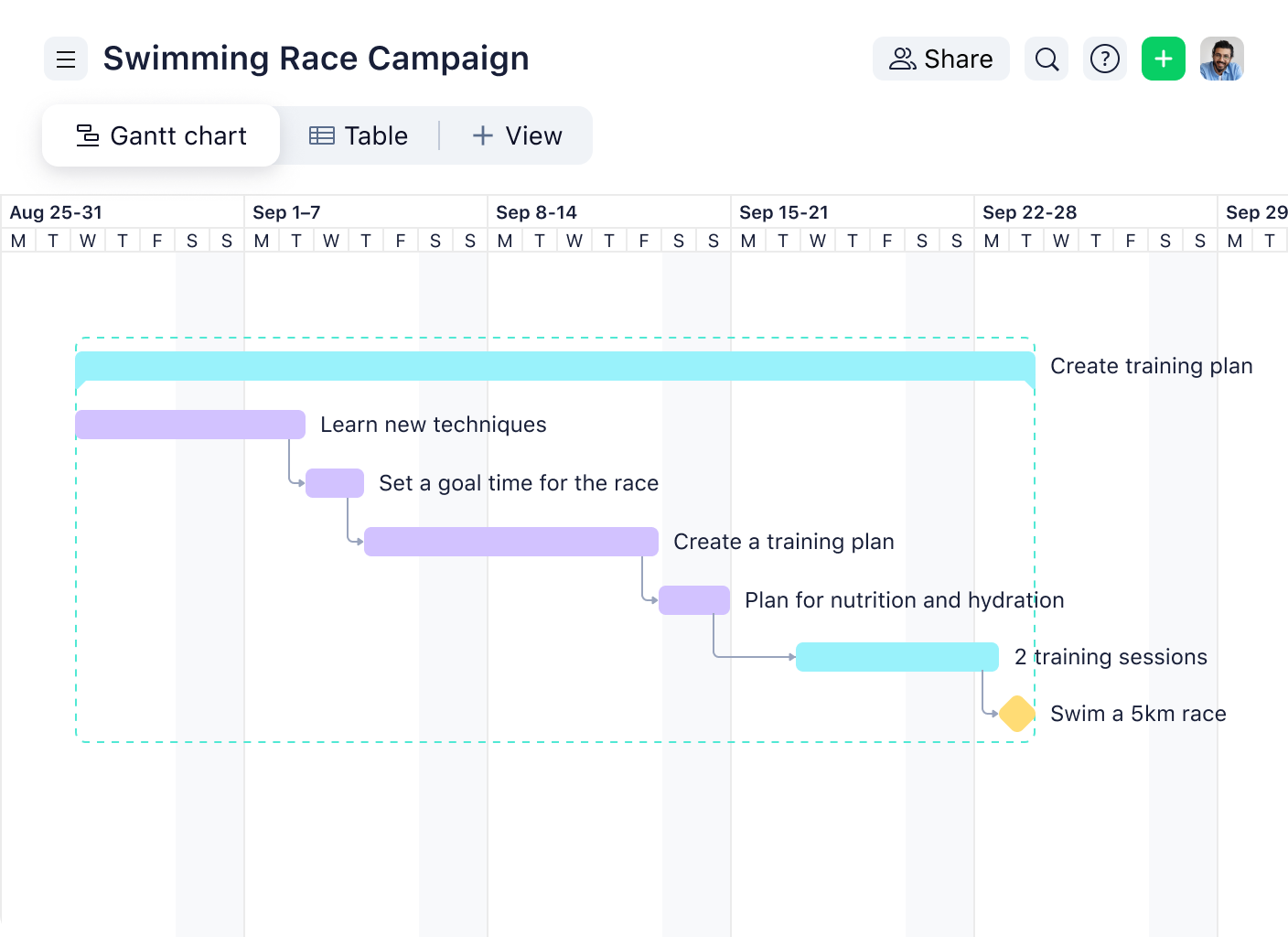
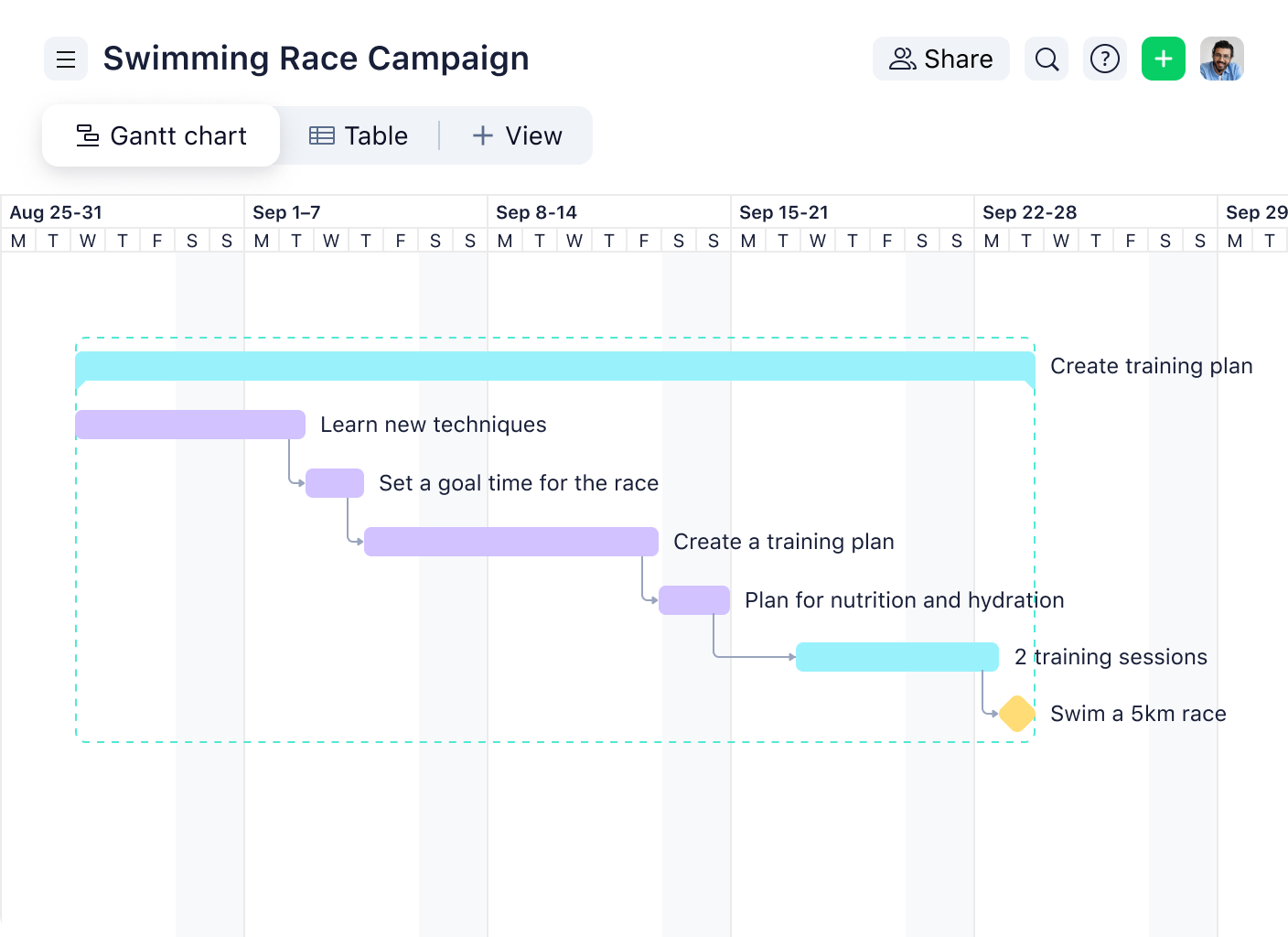
    Wrike Gantt chart for swimming race tasks and timelines.Wrike Gantt chart for swimming race tasks and timelines.

    With Wrike’s Gantt charts, you can have any tasks easily organized to reach your goal

    With Wrike, you can:

    • Plan and track timelines using Gantt charts to align all project phases with your constraints
    • Improve team communication with built-in collaboration tools
    • Allocate and monitor resources efficiently without overloading team members
    • Manage project risks by creating custom workflows that adapt to changing needs
    • Gain real-time visibility into project progress through advanced reporting dashboards
    • Manage incoming changes using custom request forms 

    Ready to turn constraints into catalysts for growth? Start your two-week trial with Wrike.

    Project constraints FAQs

    Yes, constraints can change mid-project, but any change should be controlled and documented. Adjusting one constraint (such as scope or schedule) will impact others, so teams should evaluate trade-offs, communicate with stakeholders, and formally approve changes before proceeding.

    Time is often the most common constraint, as projects are typically tied to deadlines, market windows, or contractual commitments. However, cost and resource constraints are also common, especially in complex or long-running projects.

    Managing competing constraints requires prioritization and clear trade-offs. Teams should define which constraints are fixed and which are flexible, then use a structured approach (such as a trade-off matrix) to decide how changes in one area will impact others. Clear communication with stakeholders is essential to align on decisions.

    Limited resources can slow down project progress by reducing the number of tasks that can be completed at once. If key team members, tools, or materials are unavailable, schedules may need to be extended or scope adjusted to maintain realistic delivery timelines.

    Constraints are typically documented in a constraint register or project plan. This includes listing each constraint, its impact, owner, and any dependencies. Keeping constraints in a centralized, accessible location ensures teams can track changes, manage trade-offs, and make informed decisions throughout the project.

    Basic Project Management
    • Project Charter
    • Project Management Stakeholders
    • What is a Project?
    • Work Breakdown Structure
    • Project Objectives
    • Project Baseline
    • Project Management Scheduling
    • Project Management Work Packages
    • Project Management Scope
    • Scope Creep
    Advanced Project Management
    • What is PERT?
    • S-Curve
    • Network Diagram
    • SMART
    • Risk Management
    • Cost Estimation
    • Feasibility Study
    • Monte Carlo Analysis
    • Project Integration
    • Cost Management
    PMI
    • Milestones
    • PDU
    • PMI Project Management
    • What To Do With Certification
    • Certification
    • Become Certified
    • PMP Certification
    • Best Certification
    Software Features
    • Critical Success Factors
    • Capacity Planning
    • User Role Access Permissions
    • Time Tracking
    • Budget Tracking
    • Request Forms
    • Work Assignments
    • Version Control
    • Dependency Managements
    • Project management Milestones
    Tools
    • Project Management Software
    • Project Management Tools
    • Project Management System
    • Gantt Charts
    • Product
      • Product tour
      • Pricing
      • Wrike AI
      • Templates
      • Apps & Integrations
      • Task Management
      • Gantt Charts
      • Security
      • Wrike API
      • Compare
      • Features
    • Solutions
      • Enterprise
      • Marketing
      • Creative
      • Project Management
      • Product Development
      • Business Operations
      • Professional Services
      • IT Management
      • Students
      • All Teams
      • All Use Cases
    • Resources
      • Help Center
      • Community
      • Blog
      • Webinars
      • Interactive Training
      • Support Packages
      • Wrike Status
      • Find a Reseller
      • Google Project Management Tools
      • CA Notice at Collection
    • Company
      • About Us
      • Leadership
      • Careers
      • Our Customers
      • Events
      • Newsroom
      • Partner Program
      • Collaborate - User Conference
      • Wrike Engineering
      • Contact Us
    • Guides
      • Project Management Guide
      • Professional Services Guide
      • Workflow Guide
      • Kanban Guide
      • Agile Guide
      • Scrum Guide
      • Marketing Project Management Guide
      • Collaborative Work Management Guide
      • Digital Marketing Guide
      • Go-to-Market Guide
      • Remote Work Guide
      • Return to Work Guide
      • Product Management Guide
      • Goal Setting Guide
    • Latest in Wrike Blog
      • Project management software for architects: 10 best tools in 2026
      • 10 top project management platforms integrated with Slack and Google Workspace
      • Document workflow management: Tips, examples, and software
      • Document workflow software: 10 reliable options
      • Workflow apps for every business process: 17 options
      • Wrike is a Trusted Seller: What that means for your buying journey
      • Document workflow automation: Examples, benefits, and a step-by-step guide

    Subscribe to Wrike news and updates

    Stay informed with the latest news and updates by subscribing to our marketing emails.
    Logo AICPALogo BSILogo CSA STAR

    Enterprise-Grade Security.
    Uptime Over 99.9%

    ©2006-2026 Wrike, Inc. All rights reserved. Patented. Privacy Policy. Terms of Service. Your Privacy Choices

    Wrike logo