Key takeaways:
- What are the main differences between Asana and Monday.com? Asana offers flexible layouts with customizable tasks, while Monday.com uses a familiar spreadsheet view but has scalability limitations.
- How do their automation features compare? Both platforms provide rule-based automations at the project level, but Wrike excels with advanced automation capabilities and AI suggestions.
- Who are the ideal users for each platform? Asana targets small to mid-sized organizations, Monday.com suits mid-sized businesses, and Wrike caters to enterprises needing flexibility.
- What are the main integration capabilities? Asana and Monday.com support over 200 integrations each, while Wrike offers 400+ for extensive connectivity.
- How does pricing vary among the tools? A paid Asana plan starts at $10.99/user/month when billed annually, rising to $24.99/user/month for an Advanced plan when paid annually or $30.49/user/month if paid monthly. Monday.com plans start at $12 /user/month when paid annually or $14/user/month when paid monthly, while its Pro plan is $19/user/month or when paid annually and $24/user/month when paid monthly. Both platforms offer custom enterprise plans and free plans with specific limitations.
- How does pricing vary among the tools? Asana starts at $10.99/user/month, Monday.com from $9/user/month, and Wrike offers competitive pricing with a free plan for unlimited users.
Asana and Monday.com are both popular work management tools with a wide range of features and integrations. There’s a good chance either platform can handle most of what you need them to do in terms of managing projects, tasks, and workflows.
However, they still have important differences that can affect their viability for your team. In this post, I’ll give you a detailed breakdown of both Asana and Monday.com, looking at their key features in terms of:
- Visibility, with a side-by-side comparison of how these tools track project tasks.
- Customization, with a rundown of the options to build a workspace.
- Automation, breaking down the ways these tools accelerate a team’s repeatable workflows.
- Reporting, with a detailed look at the analytics capabilities of both platforms.
This should give you a deeper understanding of each platform’s strengths, potential cautions, and use cases.
In the final part of this post, I’m also going to tell you about our own work management platform, Wrike. Major brands like Siemens Smart Infrastructure, Walmart Canada, Sony Pictures Television, and The Estée Lauder Companies use Wrike to build, connect, automate, and scale their work. If you’re still weighing your options, it’s also worth considering whether Wrike fits the bill for your company.
Asana vs. Monday.com vs. Wrike: Quick comparison
|
Asana |
Monday.com |
Wrike |
|
|
Free trial |
Yes, for 30 days |
Yes, for 14 days |
Yes, for 14 days |
|
Pricing |
From $10.99 per user per month. 2 users can use the free plan. |
From $9 per user per month. 2 users can use the free plan. |
From $10 per user per month. Teams of any size can use Wrike’s free plan. |
|
Integrations |
200+ |
200+ |
400+ |
|
Best for |
Small and mid-size organizations that want simple, intuitive, easy-to-set-up, and good-looking task management, rather than project management. |
Mid-sized businesses that want a familiar spreadsheet-style tool with sleek integrations. |
Enterprises that want a completely flexible solution to match the way they work. |
|
Support |
There’s no phone support or live chat. Users may find it challenging to speak to a real person. |
Live chat support is available 24/7, while phone support is available only for billing queries. |
Wrike’s support team is on hand via phone, web form, or chat. |
|
Potential Cautions |
The limited support offering is a frequently cited issue among reviewers. |
The complexity of its pricing structure is a recently cited issue that can complicate budgeting and procurement for broader deployments. |
Wrike’s customizations can take a while to set up in order to get the best results. |
Asana vs. Monday.com: In-depth comparison of 4 key features
When selecting (and using) a project management tool, the devil is in the details. Both Asana and Monday.com will help you see and manage your tasks — that’s what they’re built for. What you need to understand before you make an investment is how they do that.
In this section, we’ll take you through four functionalities that you should expect from any work management tool:
- Visibility
- Customization
- Automation
- Reporting
1. Visibility: How Asana and Monday.com compare
Every task or project management tool will let managers and teams set up and oversee their work. However, the visualization they use will inevitably differ — and it’s up to you to decide which one you prefer to work with.
Monday.com: A familiar view
Monday.com’s main view is arranged with columns and rows, with rows representing tasks and columns representing the key information. You can use Monday.com to build tables, timelines, charts, and other visuals to display this headline information in different ways.
This view can ease the potential learning curve for companies that are used to spreadsheets for managing projects.
Although the free plan only includes board view, Monday.com now offers Kanban boards, Gantt charts, and project dashboards.
Asana: A flexible layout
Asana’s user interface bases project overviews on a flexible dashboard. Users can move between calendars, boards, and list views to check in on tasks. For up-to-date visibility, Asana auto-populates when the tab is opened or refreshed. This makes it easier for teams to locate the latest information on their project’s KPIs.
It’s easy to create and allocate new projects at any time if you work with this tool. Tasks can only have one assignee in Asana, but to bring more visibility to an individual team member’s view, there’s also the option to set collaborators. Collaborators can work actively on the task, follow the progress, and take over if needed.
For more information on how Wrike displays project information from every angle, check out Wrike’s new project dashboards.
2. Customization: How Asana and Monday.com compare
If a project management platform isn’t customizable, it forces a team into a rigid way of working that they’re not comfortable with. This can create obstacles to adoption, as well as frustration and friction down the line.
Let’s see how these tools compare in terms of customization.
Monday.com: A wide range of customizable templates and widgets
Monday.com does templates well. The tool has a wide range of project templates that can be customized to a team’s needs. Users can change the visuals, color-code data, and rename tasks and subtasks to match their business’s terminology.
Another handy feature is the number of data visualization widgets in Monday.com. There are over 30 to choose from to track budget, display time-tracking data, assess team members’ capacity, and more. This is similar to how dashboard-building works in Wrike. With our tool, you can adjust the way a widget filters your project data to follow exactly the metrics you need to.
You can also build custom fields in Monday.com’s project overviews, though it’s important to know that the more you increase the number of fields in the overview, the harder it is to locate the information you should be able to see at a glance.
Asana: A flexible structure that has scalability issues
Asana is a flexible option with a reputation for being customizable. Like Monday.com, most of the customization features are based on templates.
Asana also lets users add additional information for every task, including billing rates, estimated hours, or priority stages. Asana has introduced a formula functionality for custom fields, too.
However, Asana restricts tasks and projects to having only one assignee. This can be an issue for large, matrixed organizations where complex deliverables require concurrent departmental ownership.
As a result, these larger teams might resort to manual workarounds for cross-functional projects (or a platform like Wrike that supports shared tasks across the organization with multiple assignees and collaborators).
3. Automation: How Monday.com and Asana compare
Next, let’s take a look at the tools’ automation features, including the ways they use AI project management tools to streamline repetitive work.
Monday.com: Sleek automations
Monday.com’s automations can be set up across different integrated tools (Monday and Asana both include 200+ integrations, compared to Wrike’s 400+). For example, if you want to send a Slack message when a task has been completed, you can automate the process. Other integrations include Jira, Trello, Zoom, and Microsoft Teams.
Like Wrike and Asana, Monday.com uses rule-based automations. These are automations in which an action is taken based on a certain trigger. Typically, users don’t need to be able to code to set up a rule-based automation like this.
One weakness of Monday.com is that you can’t set up automations at the space level. Rather, they’re managed entirely at the board level. If you want processes to be automated consistently for different teams, it may become laborious to apply the automation across your different workspaces.
Asana: Simple automations to save you time
Asana’s automations are pretty similar to those in Monday.com. You can set up rule-based automation use cases across apps and integrations to suit your business needs. Again, this is handy if you want to save time on repetitive manual tasks.
Interestingly, Asana doesn’t currently support account-level automation. That means you can’t set up rules that apply across your organization. Instead, these are managed at the project level. As a result, you may have to spend a lot of time repeatedly setting up automations.
4. Reporting: How Asana and Monday.com compare
Project managers and organization leaders want to use their project management platform to track progress, manage project budgets and resources, and understand their teams’ performance. Robust reporting features should be a given in any project management software. Let’s see how Asana and Monday.com stack up in this context.
Monday.com: Plenty of widgets, but few advanced features
Reporting is one of Monday.com’s more significant weaknesses, particularly at the portfolio level. This is a real drawback, particularly if you’re an enterprise working at scale.
Monday.com’s Enterprise plan unlocks some additional dashboard customizations. However, even on the highest tier plan, you can only view 50 project boards per dashboard. This won’t be enough for the largest organizations, and can mean managers still have to perform calculations for reports and budgets manually.
Asana: An intuitive tool to see basic project data
Asana’s main reporting tool is called Universal Reporting. Like many of Asana’s core features, it’s intuitive and aesthetically pleasing, and it’s known for its ease of use.
With this tool, users can build custom charts to show the most useful data. For instance, charts can be customized by task assignee, time period, and more to create simple reports. That being said, many of those customization options are not available with a free version of Asana.
Like Monday.com, while it does the simple stuff well, Asana doesn’t perform well with more advanced reporting. For instance, there is no native budgeting in the tool, with Timesheets and Budgets only available as an add-on, which increases costs and complexity. Plus, there are no resource management analytics at the individual project level, only across projects at the portfolio level.
Verdict: Asana vs. Monday.com
Both Asana and Monday.com will do most of what a project manager needs them to do, at least for a simple project or a small team. Ultimately, it comes down to:
- The integrations you need
- The templates you want to start with
- The customization options and how you prefer your workspace to look
- Your main use cases and team needs around project visibility, reporting, customization, and automation
For example, while Monday.com offers more project management templates to help teams in a wider range of industries get started, Asana invites new users to start with prebuilt, automated workflow templates, which may help them to start tracking their work more quickly. Further, while both platforms offer around 200 integrations, you’ll have to look in detail to see if those integrations include all the tools your team uses.
At the time of writing, annual paid plans for both tools are similarly priced, though Monday.com stays more affordable as a company scales. However, for organizations that seek multipurpose solutions, Monday’s separate pricing for use-case accelerators can complicate budgeting and procurement processes in comprehensive deployments.
Monday.com offers a free 14-day trial, then:
- Free plan for up to 2 users
- Basic plan: $9 per user per month
- Standard plan: $12 per user per month
- Pro plan: $19 per user per month
- Custom enterprise pricing
Asana offers a 30-day free trial, then:
- Free plan for up to 2 users
- Starter plan: $10 per user per month
- Advanced plan: $24.99 per user per month
- Custom enterprise pricing
One area where both platforms fall short seems to be scalability.
Monday.com limits the number of boards that can be translated into your portfolio view, and it’s laborious to apply automations beyond an individual project. To make matters worse, neither platform has a strong reputation for customer service. If your project work is complex, if you’re responsible for a project portfolio, or if you need collaboration features to bring together teams from across your organization, this could quickly lead to frustration.
This means while Asana and Monday.com are both solid project management platforms, it’s also worth considering Wrike.
4 reasons to consider Wrike over Asana and Monday.com
Wrike is a robust, all-in-one project management platform with competitive advanced customization and automation features. Indeed, some of the most successful enterprises in the world choose Wrike, including:
- Siemens Smart Infrastructure: “Wrike provides a flexible system infrastructure that is easily configured to meet our business needs.” Read the full case study.
- Walmart Canada: “Having that visibility within Wrike of the entire pipeline in one place, with real-time data that’s consistently there, is one of the biggest benefits and something we’ve never had before.” Read the full case study.
- Sony Pictures Television: “Wrike is an incredibly intuitive tool that allows easy recording, reporting, and project management – while not being too scary for creatives to use.” Read the full case study.
- The Estée Lauder Companies: “Each of our 30 brands has its own way of working. Wrike gives us consistency across our enterprise so we can report properly, but also allows for individualization.” Read the full case study.
In the next part of this post, I’ll look at how Wrike stacks up in terms of visibility, customization, automation, and reporting.
1. 360° visibility on every project
Wrike is built to give teams, organizations, colleagues, and leaders visibility over their project progress in a flexible, customizable way.
Just like in Asana and Monday.com, users can see tasks, milestones, and due dates in a tailor-made Kanban, Gantt, or Calendar view. What’s more, all these project views are fully automated. If a team member updates a task in one view, the others will change to match. This gives you real-time, 360° visibility of every one of your project tasks — even on complex projects — so nothing falls through the cracks.
For enhanced visibility, Wrike also pulls data from across your project and displays it in intuitive project dashboards, like the one below. 
From a dashboard, you can click straight through to a task or team member. You don’t just see a task title, you see who’s accountable, who’s at capacity, and what needs to happen to resolve an emerging issue before it derails your project.
And, alongside project dashboards, every user can have their own personal dashboard where they can see to-do lists of tasks they need to perform, their priorities, any task dependencies, and more. This provides an individual window into the organization’s entire workflow. 
Cross-tagging allows a shared task to appear in the workspaces of multiple projects or subteams, and each team can contribute to the task without duplicating it. This keeps everyone updated (including with automated notifications), prevents issues with versioning or missed feedback, and keeps your workspace organized, even at scale.
2. Complete workspace customization for every team
I’m confident in saying Wrike is one of the most customizable project management tools out there. From unique workflows that fit your team’s repeatable tasks, to tailor-made workspaces with the overviews and integrations you need, Wrike is flexible on every level.
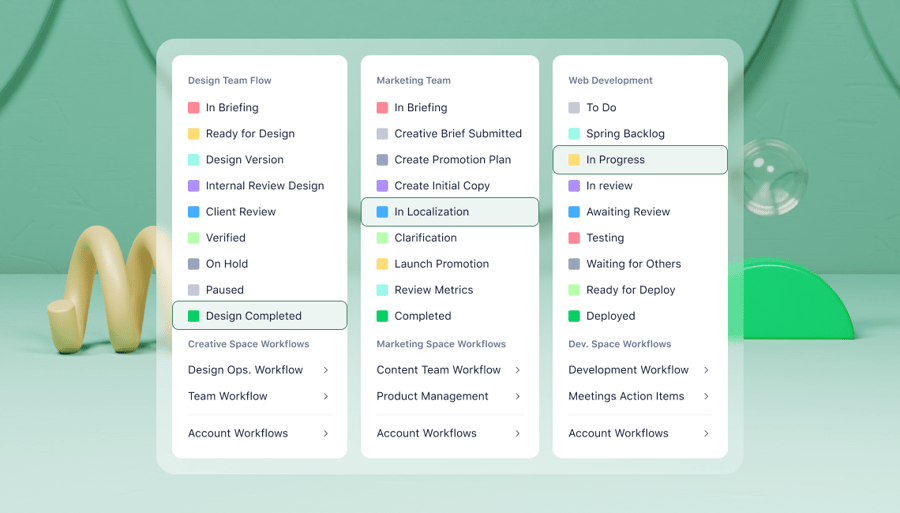
Take workflows, for example. Some task management tools are built around a very basic workflow — think “Backlog, In Progress, In Review, Approved.” When your team works with a more complex process with lots of research and preparation, or multiple layers of approval, these standard workflow stages don’t give you an accurate view of your progress.
With Wrike, you can build your workflow from the ground up and use templates and custom item types to ensure all the work you complete goes through the same essential checks before it gets the stamp of approval. 
3. Smooth automations for every workflow
Wrike offers some of the most sophisticated automation features available. Not only can you use Wrike to automate entire workflows, but our cutting-edge AI also suggests additional processes to automate for greater efficiency.
Just like Asana and Monday.com, Wrike supports automations across its integrations. This way, you can boost team collaboration by centralizing your processes through Wrike.
Additionally, Wrike lets you automate workflows from start to finish. For instance, using a dynamic request form, your design team can collect all the information they need when another department requests work. Then, using that information, Wrike will set up the entire workflow, from ideation through to approval — including setting up and assigning tasks, establishing dependencies, and more.
As I mentioned, Wrike also uses AI to suggest new processes to automate. While you work, it tracks your most frequently repeated tasks and then offers a way to automate them. This way, you can identify new opportunities to increase your efficiency.
- Custom analytics dashboards to support decision making
- Intelligent work management features to break down silos and automate routine tasks
- Generative AI for drafting, editing, and summarizing content — including creating forms and automations with natural language prompts
- Wrike Copilot to answer queries, analyze projects, identify risks, and more
- AI inbox prioritization to surface the most important messages and action items, including a morning digest to help you start your day
4. Detailed reporting to inform every management decision
Wrike’s advanced analytics bring the best of business intelligence technology into your work management platform.
With our project reporting software and native reporting tools, you’ll have the following:
- Prebuilt report templates and customizable views, including pie and bar chart views, line graphs, pivot tables, maps, and much more
- Customizable, interactive, and shareable analytics dashboards
- Advanced filtering and formulas
- The ability to drill down to Wrike data
As is normal with Wrike, all of these analytics, views, and dashboards are highly customizable, and they take data from all of your items, including custom item types. Plus, you don’t need to leave Wrike to get the deepest insights — it’s all at your fingertips right where you work.

Our report generation can also be automated — for example, to send a progress report to the project manager ahead of a weekly team meeting, or to update a client on the progress of their work without having to schedule a call. Compared to the hours it takes to comb through spreadsheet data to uncover the insights you need, this saves time and reduces the risk of human error in report creation.
Intuitive, robust project management with Wrike
Asana and Monday.com are both powerful and popular project management tools, but for advanced customization and automation functionality at scale, Wrike is the most robust and intuitive option for teams.
You can try Wrike for free for 14 days, no credit card required. Contact our customer service team to set up a demo, and we’ll respond within 24 hours.
Frequently asked questions (FAQs) about Asana vs. Monday.com
Why should I use project management software?
Project management software helps you work more efficiently, make key decisions, and collaborate across teams by giving you an overview of aspects of a project like task load, task ownership, progress, and budget utilization.
Is Asana better than Monday.com?
Asana can be a better option than Monday.com for some use cases, but that depends on your requirements in terms of collaboration, customization, and automation capabilities (as well as pricing). Wrike is also a great option for teams that need a high level of flexibility and customization, as well as for enterprise project management.
What’s the best project management software for teams?
Wrike is the best project management software for teams. Our platform includes detailed task tracking and reporting abilities, extensive customization features, and tools to power cross-departmental projects.
What’s the best free project management software?
Wrike’s Free plan for unlimited users is the best project management platform for teams getting started. Our Free plan includes web, desktop, and mobile apps for project and task management, and helps you monitor your project from multiple angles with a Board and Table view.