
Wrike logo.
    • For teams
      • Marketing

        Streamline proofing and reporting for seamless campaigns.

      • Creative & Design

        Create high-quality assets and get them approved in record time.

      • Product

        Accelerate your product process, from idea to delivery.

      • Client Services

        Exceed clients’ expectations with expert resources.

      • PMO

        Align strategy with execution and deliver results.

      • IT

        Execute initiatives, optimize workflows, and automate requests.

      • Operations

        Make work flow seamlessly with intuitive management tools.

      • HR

        Manage teams effortlessly with customizable HR features.

      • Legal

        Organize every file, case, and due date in one secure space.

      • Finance

        Centralize all financial tasks, from budgeting to invoicing.

      • See all teams

    • Workflows
      • Campaign Management

        Make marketing magic with end-to-end campaign management.

      • Agency Management

        Take full control of your agency management processes.

      • Client Service Delivery

        Get ahead of the competition with faster client services.

      • Product Lifecycle

        Watch your product lifecycle flow, from concept to customer.

      • Project Portfolio Management

        Manage your complete portfolio, from strategy to results.

      • Creative Production & Content

        Create, collaborate, proof, and approve all in one place.

      • Workflow Management

        Use custom statuses and automate your team workflows.

      • Project Management

        Plan Agile projects, track deadlines, and deliver results.

      • See all workflows

    • For industries
      • Technology

        Build solutions that matter, and deliver faster.

      • Manufacturing

        Enhance operations, accelerate production, and empower teams.

      • Professional Services

        Organize clients, streamline projects, and automate workflows.

      • Finance

        Deliver better, faster financials with automations.

      • Healthcare

        Collaborate cross-functionally in a secure setting.

      • Education

        Unite multiple disparate teams, departments, and colleges.

      • Construction

        Streamline building projects, from scoping to invoicing.

      • Media & Entertainment

        Choose one powerful platform for fast-paced work.

      • See all industries

    • Explore Wrike
      • Take a Product Tour

      • Book a Demo

      • ROI Calculator

      • Customer Stories

      • Start with Templates

    • Features
      • Dashboards

        Fuel better, faster, data-driven decisions with powerful analytics.

      • AI

        Learn about powerful AI and automations with Work Intelligence®.

      • Wrike Whiteboard

        Turn inspiration into execution with powerful visualization tools.

      • Gantt Charts

        Interactive project scheduling across teams.

      • Automation

        Define and trigger automated workflows to eliminate manual efforts.

      • Proofing

        Streamlined proofing and collaboration in one place.

      • Project Resource Planning

        Plan and allocate resources for timely delivery.

      • Project Views

        Get the full picture with customizable, intuitive project views.

      • Kanban Boards

        Instantly view project progress and create customized workflows.

      • Dynamic Request Forms

        Custom forms powered by conditional logic.

      • Approvals

        Keep approvers in the loop from start to finish.

      • Custom Item Types

        Tailor work items to fit your specific workplace.

      • See all features

    • Platform
      • Book a Demo

      • Start with Templates

      • Wrike AI

      • Integrations

      • Security

      • Mobile & Desktop Apps

    • Workflow-Powered Collaboration

      Sync with multiple teams to keep work flowing across your organization.

    • Industry-Leading Security

      We're dedicated to safeguarding data beyond industry standards and ensuring secure collaboration.

    • Pioneering AI and Innovation

      Put the power of data and AI to work for your organization.

    • Invested in Customer Success

      We support customers at every step of their journey from pre-sales to onboarding with 24/7 support.

    • Boundless Configuration

      Customize your workspace to suit the unique needs of every team in your organization.

    • Effortless Scalability

      Add new teams or adjust to rapid growth seamlessly with Wrike’s scalable platform.

    Need an extra team member?
    Build your own agent with Wrike and save 10 hours per week per project.
    Try AI agents
    • Go deeper
      • Resource Hub

        Top assets on productivity, collaboration, and more.

      • Wrike Blog

        Latest news and best practices on project management.

      • Educational Guides

        Guides and tools to unlock better work management.

      • Webinars

        Join our live or on-demand sessions to do your best work.

      • Customer Stories

        Explore Wrike’s case studies for key insights on customer success.

      • Developers

        Connect and build integrations with easy-to-use APIs.

    • Upskill and Connect
      • Training & Certifications

      • Help Center

      • Wrike's Community

      • Premium Support Packages

      • Wrike Professional Services

      • What's new

    Catch up on our most exciting product updates in 2025!
    2025 was another landmark year for Wrike, with some of our most exciting releases yet.
    Watch the video
  • Enterprise
  • Pricing
Contact Sales
  • Language selector dropdown with globe icon and list of available languages.
    English
    Dansk
    Deutsch
    Español
    Français
    Bahasa Indonesia
    Italiano
    Bahasa Melayu
    Nederlands
    Norsk
    Polski
    Português (BR)
    Svenska
    Русский
    日本語
    한국어
    中文 (简体)
    中文 (繁體)
Log in
Wrike logo.
Wrike logo.
  • Guide overview
    • What is Collaboration in the Workplace?
      • What is team collaboration in the workplace?
      • On-site vs. remote collaboration
      • Benefits of collaboration in the workplace
      • Examples of workplace collaboration
      • How to improve team collaboration in the workplace
      • 1. Align all team members behind common objectives
      • 2. Build workflows that reflect how your team actually works
      • 3. Engage in group problem solving and feedback sessions
      • 4. Recognize and reward collaborative behavior
      • 5. Support your workforce with coaching
      • 6. Adopt tools built to support workplace collaboration
      • The importance of workplace collaboration software
      • Start improving collaboration in the workplace today
    • What Is an Enterprise Collaboration System?
      • What Is an Enterprise Collaboration System?
      • What is enterprise collaboration?
      • How can enterprise collaboration boost productivity?
      • What are the challenges of enterprise collaboration?
      • The importance of collaboration tools
    • Introduction to Collaborative Teamwork
      • Introduction to Collaborative Teamwork
      • What makes for effective collaboration?
      • How to foster productive collaboration
      • Inspire teamwork with Wrike
    • Collaborative Work Skills
      • Top Collaborative Work Skills
      • What are the most effective collaboration skills?
    • Best Collaboration Tools
      • How we evaluate and test collaboration tools
      • Best collaboration tools comparison chart
      • What are the 20 best collaboration tools?
      • 1. Wrike
      • 2. Slack
      • 3. Zoom
      • 4. Trello
      • 5. Podio
      • 6. Smartsheet
      • 7. Bit.ai
      • 8. Microsoft Teams
      • 9. Evernote Business
      • 10. Teamwork
      • 11. Ryver
      • 12. Flock
      • 13. GoToMeeting
      • 14. Microsoft 365 (formerly Microsoft Office 365) 
      • 15. Asana
      • 16. Dropbox Business
      • 17. Monday.com
      • 18. Webex
      • 19. Basecamp  
      • 20. Wimi
      • Benefits of collaboration tools
      • What are the most important features for team collaboration software? 
      • Choosing the right collaboration tool for you
    • Collaborative AI in the Workplace
      • What is collaborative AI in the workplace?
      • Why collaborative AI changes what teams can accomplish
      • Five models of human-AI collaboration at work
      • 1. Individual intelligence
      • 2. Collective intelligence 
      • 3. Automated intelligence
      • 4. Augmented intelligence 
      • 5. Augmented collective intelligence (ACI)
      • Six principles for making human-AI collaboration work
      • 1. Addition principle: More is more
      • 2. Relevance principle: Match capability to problem type
      • 3. Substitution principle: Efficiency ≠ Intelligence
      • 4. Diversity principle: The power of different
      • 5. Collaboration principle: Learning to speak robot
      • 6. Explanation principle: No black boxes
      • How Wrike supports human-AI collaboration 
      • Building an intelligent future  
    • Benefits of Collaboration in the Workplace
      • Benefits of Collaboration in the Workplace
      • The impact of COVID-19 on collaboration
      • What are the benefits of collaboration?
    • Challenges of Collaborative Working
      • Challenges of Collaborative Working
      • Establishing strong leadership
      • Process sinking vs. process syncing
      • Fostering a collaborative work ethos
    • Tips for Successful Collaboration in the Workplace
      • Tips for Successful Collaboration in the Workplace
      • The 3 C’s of collaboration
      • Inspiring effective collaboration
    • Effective Collaboration Strategies
      • Effective Collaboration Strategies
      • 5 strategies for effective collaborative project management
    • Cross-functional collaboration
      • Key takeaways
      • What is cross-functional collaboration?
      • What are the benefits of cross-functional collaboration?
      • When to use cross-functional (and when not to)
      • Why cross-functional collaboration breaks down 
      • Common mistakes to avoid in cross-functional collaboration
      • Metrics that reveal cross-functional collaboration problems early
      • The cross-functional operating model (the minimum viable system): 5 key elements
      • Roles and responsibilities in cross-functional collaboration that prevent chaos
      • 10 best practices for cross-functional collaboration 
      • 1. Write goals as outcomes 
      • 2. Define what “done” means
      • 3. Limit work in progress (WIP)
      • 4. Make dependencies visible
      • 5. Standardize intake
      • 6. Document decisions
      • 7. Create one source of truth
      • 8. Align on communication norms
      • 9. Protect focus time
      • 10. Measure flow and rework
      • Key skills for effective cross-functional collaboration 
      • Cross-functional collaboration examples
      • Example 1: Product launch (product, marketing, sales, and support)
      • Example 2: IT rollout (IT, security, ops, and finance)
      • Example 3: Customer onboarding improvement (sales, CS, implementation, and support)
      • How Wrike supports cross-functional collaboration
      • Cross-functional collaboration in Wrike: Align and deliver
    • FAQ
      • Collaborative Work Basics
      • Collaborative Work Best Practices
      • Collaborative Work Methods
      • Collaborative Work Tools
      • Importance Of Collaboration
      • Types Of Collaborative Work
    • Glossary
    1. Home
    2. Guide to Collaborative Work Management

    How collaborative AI changes what teams can accomplish in 2026

    8 min readLAST UPDATED ON APR 2, 2026
    Rachael Kealy
    Rachael Kealy Content Marketing Manager, Wrike

    Most conversations about AI at work land in one of two places. Either AI replaces people, or it sits in the background as a smarter search bar. Collaborative AI is neither.

    Just as the calculator didn’t replace mathematicians, AI won’t replace the people doing the work (fingers crossed). What it does, when it’s built into how teams actually operate, is combine human and machine intelligence in ways that change what’s possible.

    According to Wrike's “Age of Connected Intelligence” report, 82% of employees now use some form of AI, whether that’s generative tools, copilots, or agents. While Deloitte’s State of AI in the Enterprise puts the next wave in even sharper focus, reporting that a staggering 74% of companies plan to deploy agentic AI within two years. 

    Most organizations are somewhere in the middle of this shift, with adoption outpacing the structures needed to support it. In this guide, we break down how collaborative AI works, the principles that distinguish effective adoption from wasted effort, and how teams can start applying it through the tools they already use.

    What is collaborative AI in the workplace?

    Collaboration in the workplace has been around for a while, but collaborative AI is when human judgment and machine intelligence work on the same task at the same time, each filling the gaps the other leaves behind.

    It’s closer to a working relationship than your standard AI tool use. AI acts as a participant, contributing analysis, generating options, and learning from the humans it works alongside.

    This subset of AI has a name, augmented intelligence, where human and machine work on the same problem, each doing what the other can’t. People bring context, judgment, and accountability. The system brings speed, pattern recognition, and a tolerance for complexity that would exhaust any one person doing it alone. 

    Teams using AI-powered project management, smart reporting, or AI-assisted planning are already inside collaborative AI environments, whether they call it that or not. Most of us have moved past the “should we even do this?” phase. The harder question, the one worth actually sitting with, is whether the AI integration makes the team collectively smarter or just makes individuals faster.

    Why collaborative AI changes what teams can accomplish

    The modern team is no longer a collection of people using tools, but a hybrid ecosystem where the line between human and artificial intelligence (HI+AI) has finally blurred, creating a single, superhuman output.
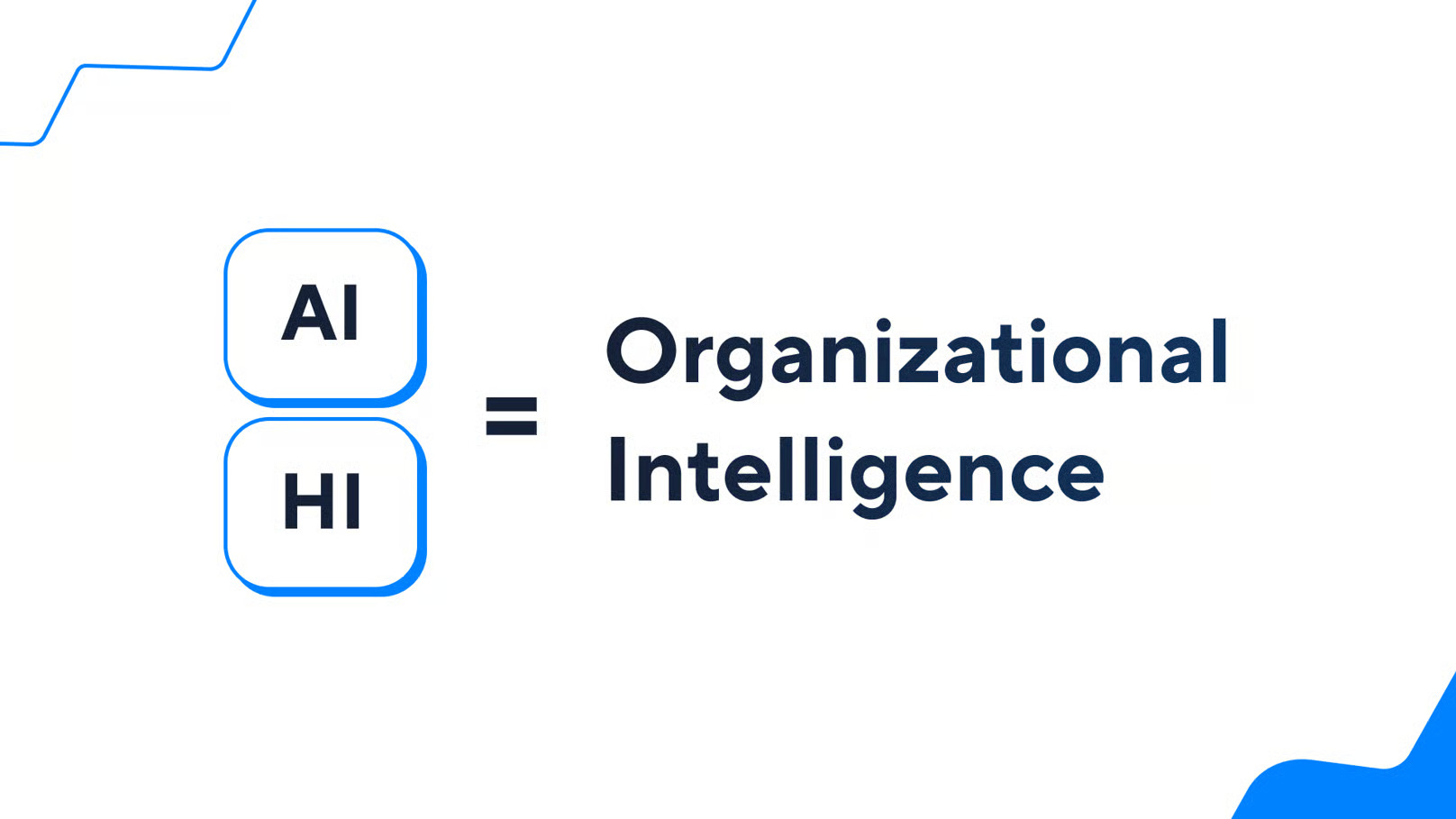
    Human and artificial intelligence (HI+AI) working togetherHuman and artificial intelligence (HI+AI) working together

    Organizational intelligence is the collective ability of a group to acquire knowledge, make sense of it, and act on it well. A room full of smart people with bad processes and no shared context will lose to a moderately talented team that communicates well and learns from their mistakes.

    AI changes organizational intelligence in two ways:

    1. The addition effect: AI lets a group consider more variables and explore more options than they ever could working on the same problem alone. The team can now attempt problems it would have previously had to simplify or abandon.
    2. The reinstatement effect: Most knowledge workers spend a significant portion of their day on work that requires very little of what makes them valuable. AI absorbs that work, and people get their cognitive capacity back.

    The convergence of these two changes creates a shift that pushes the boundaries of team potential far beyond any previous human limitation.

    Five models of human-AI collaboration at work

    Collaboration isn’t binary. Instead, it exists on a spectrum, and where a team sits on that spectrum determines what they can actually produce. Here are the five models of human-AI collaboration:

    1. Individual intelligence

    Individual intelligence is a person working alone, with no AI in the loop. This model is often underestimated (especially during an AI hype phase). For work that requires deep contextual knowledge, long-term relationship management, or the kind of ethical judgment that can’t be reduced to a decision tree, individual human intelligence remains the right tool. The mistake is applying it to work that doesn’t need it.

    2. Collective intelligence 

    Collective intelligence is multiple humans working on a shared problem. The research on this goes back decades, and the consistent finding is that group performance has less to do with the talent of individual members than with how the group is structured. Diversity of perspective, psychological safety, and clear communication channels matter more than raw ability. AI is absent here, but the architecture of cross-functional collaboration shapes everything.

    3. Automated intelligence

    As Agent Smith said in The Matrix, “Never send a human to do a machine’s job.” Automated intelligence is a machine working without a human in the loop. This is the model most people picture when they hear AI, and it’s the least interesting one. It covers things like invoice processing, anomaly detection, and routine status updates. 

    The logic is simple: if a task is high-volume, well-defined, and repeatable, a human shouldn’t be doing it. The value of automation is that it returns human attention to work that actually requires it.

    4. Augmented intelligence 

    Augmented intelligence is when a human and an intelligent system are working on the same problem together, each contributing what the other can’t. The human brings judgment, while the system brings computational depth, pattern recognition across datasets, and the ability to generate options faster than a team could brainstorm in a week. 

    This is the dominant model for knowledge work today, and the research consistently shows it outperforms either humans or AI working on the same problem in isolation. When we talk about collaborative AI at Wrike, this is mostly what we mean.

    5. Augmented collective intelligence (ACI)

    This is where it gets genuinely interesting. Augmented collective intelligence is when entire teams of people and multiple AI systems operate as a single, coordinated unit, each handling the type of work for which they’re best suited. 

    Bots manage structured, high-volume, low-ambiguity tasks. Humans handle the work that resists definition, such as novel problems, stakeholder dynamics, and decisions that carry moral weight. Wikipedia runs a version of this at scale. Bots account for roughly 40% of monthly edits, each specialized in a narrow function, while human editors govern everything that requires discretion and contextual judgment.

    Six principles for making human-AI collaboration work

    Most organizations select a tool and implement it into existing workflows without asking whether those workflows were designed to support it, and then, to their dismay, it underperforms. These six principles, drawn from Vegard Kolbjørnsrud’s research on organizational intelligence and human-machine teaming, are a blueprint for building a company where humans and AI actually make each other better.. 

    1. Addition principle: More is more

    Adding actors with higher levels of intelligence — human or digital — increases organizational intelligence. Adding a greater number of intelligent actors — human or digital — does the same.

    Kolbjørnsrud, Designing the Intelligent Organization

    If you add a smart person or an AI to a team, the team gets smarter. If you add several smart people or AI tools to the team, the organization’s total “brainpower” goes up. Intelligence is an asset you can accumulate. 

    2. Relevance principle: Match capability to problem type

    The type of intelligence must match the nature of the problems to be solved.

    Kolbjørnsrud, Designing the Intelligent Organization

    Machine intelligence has a distinct profile. It excels at pattern detection across large datasets, prediction under stable conditions, and high-speed rule application at scale. Human intelligence handles ambiguous and ill-defined problems, brings ethical judgment to decisions with competing values, and generates solutions that require genuine novelty.  

    3. Substitution principle: Efficiency ≠ Intelligence

    The substitution principle argues that simply swapping a human for AI doesn’t make the “brain” of the company better; it just makes the gears turn faster.

    Replacing intelligent humans with intelligent machines does not make an organization more intelligent, but rather more efficient.

    Kolbjørnsrud, Designing the Intelligent Organization

    Replacing a human with AI delivers measurable cost and speed benefits, and those benefits are real. What substitution doesn’t produce, by itself, is organizational intelligence. Organizations that pursue AI primarily as a headcount-reduction strategy tend to reach the same cognitive ceiling with a smaller team sitting beneath it. 

    4. Diversity principle: The power of different

    A team of ten identical geniuses is less effective than a diverse team. The same applies to AI. An AI that thinks differently from a human adds more value than one that merely mimics a human.

    Increasing the diversity of intelligent actors, such as hiring people with different knowledge, skills, and mindsets as well as deploying different forms of artificial intelligence, improves an organization’s ability to solve complex problems and adapt.

    Kolbjørnsrud, Designing the Intelligent Organization

    Essentially, a team of humans plus an AI tool that does what humans already do well produces a faster team, but a team of humans plus an AI tool that does what humans genuinely can’t do produces a smarter one. 

    5. Collaboration principle: Learning to speak robot

    For this to work, humans and machines need to be able to communicate easily. We shouldn’t have to be coders to use AI; AI should meet us where we are (using voice, gestures, VR).

    Organizational intelligence requires collaborative skills from both human and digital actors.

    Kolbjørnsrud, Designing the Intelligent Organization

    But communication flows both ways. Humans need to be AI-literate, know how to ask the right questions, and understand how to interpret what the AI tells them. The collaborative work skills teams need to succeed have officially expanded. 

    6. Explanation principle: No black boxes

    If an AI makes a decision, like denying a loan, we need to know why. If we can’t explain the AI’s logic, then we can’t trust it, we can’t fix its biases, and we can’t learn from it.

    Intelligent organizations seek explanations and act responsibly.

    Kolbjørnsrud, Designing the Intelligent Organization

    Intelligent organizations shouldn’t blindly follow the black box; they should use human ethics and judgment to ensure the technology isn’t doing harm.

    How Wrike supports human-AI collaboration 

    The models and principles above only matter if they have somewhere to land. Every decision about task allocation, transparency, and accountability needs to be reflected in the tools teams use every day. Wrike is the system of record that brings people, context, and intelligent automation together.

    Here’s how Wrike can enhance human-AI collaboration:

    • AI-assisted work management: Wrike’s AI surfaces task priorities, flags at-risk items, and generates summaries so teams spend less time on coordination and more time on decisions that actually require them. This is the substitution and reinstatement effect working in tandem: AI absorbs the overhead that doesn’t need a human, and humans redirect that recovered attention toward the judgment calls that do.
    • Cross-functional visibility: Dashboards, shared workspaces, and reporting tools give everyone a clear view of what AI-assisted processes are producing and where human review is needed. Without it, hybrid teams can’t coordinate, and the collaboration principle breaks down.
    • Workflow automation: Rule-based handoffs, status transitions, and notifications run automatically. When the machine owns that work, people can stay focused on the ambiguous, high-context problems that resist automation and actually need their input.
    • Customizable structure: Custom item types, intake forms, and flexible project structures let teams design workflows that reflect their specific human-AI task allocation. Wrike's flexibility means the work structure matches the nature of the problem, whether that’s individual intelligence, augmented intelligence, or a fully hybrid augmented collective intelligence (ACI) setup.

    The challenges of collaborative work existed long before AI, but having the right tool can significantly ease that burden.

    Building an intelligent future  

    We’re at an early and genuinely interesting moment. The research is clear that human-AI collaboration outperforms both individual intelligence and automated intelligence, but most organizations are still figuring out what that actually means for how they structure work.

    The teams that pull ahead will do so by thinking more carefully about how to build the organizational conditions that enable both humans and AI to contribute at their highest levels.

    Wrike AI is where that combination comes to life. It delivers the visibility, the automation, and the flexibility to design workflows around how your team actually thinks. The goal is to make teams genuinely smarter, and that’s a goal worth building toward.

    Collaborative Work Basics
    • What are collaboration goals and objectives?
    • What is collaborative goal setting?
    • What are collaborative work groups?
    • What are the disadvantages of collaboration?
    • What is collaborative work leadership?
    Collaborative Work Best Practices
    • How to increase collaboration between teams
    • Common collaboration problems
    Collaborative Work Methods
    • Collaboration methods and techniques
    • Remote collaboration best practices
    • Team collaboration best practices
    • Collaborative exercises for teams
    • Collaborative brainstorming
    Collaborative Work Tools
    • The advantages of online collaboration
    • The best collaboration tools for students
    • The best collaboration app for teams
    • The best team collaboration platform
    Importance of Collaboration
    • Why is collaboration important in leadership?
    • How to measure collaboration
    • The importance of collaborative work communication
    • The value of collaboration in business
    • Importance of collaboration
    • Product
      • Product tour
      • Pricing
      • Wrike AI
      • Templates
      • Apps & Integrations
      • Task Management
      • Gantt Charts
      • Security
      • Wrike API
      • Compare
      • Features
    • Solutions
      • Enterprise
      • Marketing
      • Creative
      • Project Management
      • Product Development
      • Business Operations
      • Professional Services
      • IT Management
      • Students
      • All Teams
      • All Use Cases
    • Resources
      • Help Center
      • Community
      • Blog
      • Webinars
      • Interactive Training
      • Support Packages
      • Wrike Status
      • Find a Reseller
      • Google Project Management Tools
      • CA Notice at Collection
    • Company
      • About Us
      • Leadership
      • Careers
      • Our Customers
      • Events
      • Newsroom
      • Partner Program
      • Collaborate - User Conference
      • Wrike Engineering
      • Contact Us
    • Guides
      • Project Management Guide
      • Professional Services Guide
      • Workflow Guide
      • Kanban Guide
      • Agile Guide
      • Scrum Guide
      • Marketing Project Management Guide
      • Collaborative Work Management Guide
      • Digital Marketing Guide
      • Go-to-Market Guide
      • Remote Work Guide
      • Return to Work Guide
      • Product Management Guide
      • Goal Setting Guide

    Subscribe to Wrike news and updates

    Stay informed with the latest news and updates by subscribing to our marketing emails.
    Logo AICPALogo BSILogo CSA STAR

    Enterprise-Grade Security.
    Uptime Over 99.9%

    ©2006-2026 Wrike, Inc. All rights reserved. Patented. Privacy Policy. Terms of Service. Your Privacy Choices

    Wrike logo