

What is lead time? (Definition, examples, and why it matters)

Key takeaways
- What is lead time? Lead time is the duration between the start and completion of a process, especially relevant in manufacturing and project management.
- How does lead time differ from cycle time? Lead time encompasses the entire process duration, while cycle time measures the time taken to complete a specific task within that process.
- How can lead time be calculated? Lead time can be determined by formulas that include order delivery dates, manufacturing time, procurement, and shipping times, tailored to specific industries.
- What strategies can minimize lead time? Optimizing the supply chain, managing supplier relationships, identifying dependencies, and automating processes can help streamline lead times.
- Why is accurate lead time crucial? Accurate lead time calculations help in effective planning, resource allocation, and setting realistic expectations with stakeholders, avoiding delays.
Lead time is one of the most important metrics in business operations, yet it’s often misunderstood. It influences how quickly teams can fulfill requests, adapt to change, and keep business processes running. When lead time is too long or unpredictable, it becomes harder to effectively manage resources or maintain customer satisfaction.
This guide breaks down what lead time means, how to measure it, and strategies to reduce it across different industries.
What is lead time?
Lead time refers to the total time required to complete a process from the initial request to final delivery. It begins when an order is placed or a task is initiated and ends when the output is received or fulfilled.
In business operations, lead time is used to track and manage the duration of key workflows. It may include sourcing raw materials, carrying out the production process, and delivering the finished products. In supply chain and procurement, it covers the time between raising a purchase order and receiving the goods.
What is the importance of lead time?
Reducing lead time has a direct and measurable impact on business processes, profitability, and customer satisfaction. Below are key reasons why lead time is important across business functions:
Improves planning and scheduling
Clear visibility into each stage of the lead time allows teams to build more accurate project schedules and allocate resources effectively. This is especially important in project management, where aligning tasks with realistic expectations helps avoid overruns and delays.
Enhances customer satisfaction
Reliable and fast delivery improves customer satisfaction by meeting expectations without delays or excuses. When a customer places an order, they expect an accurate delivery date.
Strengthens inventory management
An accurate lead time supports better stock-level decisions and reduces the risk of overstocking or running out of goods. It enables proactive inventory management by ensuring that restocking cycles align with usage and demand trends, especially when managing important raw materials.
Increases efficiency in production
Long or unpredictable lead times can disrupt the manufacturing process and unnecessarily extend production time. By measuring and monitoring each phase of production, teams can identify delays and reduce lead time across the full cycle.
Minimizes costs linked to delays
Every delay in the supply chain increases overhead, ties up capital, and limits flexibility. Unplanned supply delays or extended procurement time can stall operations and lead to costly downtime. Managing the entire lead time helps businesses respond faster and avoid the ripple effects of late inputs.
Builds competitive advantage
Faster manufacturing lead time and streamlined operations allow businesses to respond quickly to market demands. A shorter cumulative lead time often results in higher order volumes, giving the company an edge over competitors with slower fulfillment cycles.
Components of lead time
Lead time is made up of different stages. Understanding the individual elements that make up lead time helps teams identify complex processes and where improvements can be made. While the exact breakdown varies across industries, these are the key components of lead time.
| Component | Description |
| Pre-processing time | Time spent preparing materials, plans, or inputs before work begins |
| Processing lead time | Time actively spent on production, service, or task execution |
| Post-processing time | Time required after work is completed, including packaging, testing, or approvals |
| Procurement time | Time needed to source and receive raw materials or supplies |
| Shipping time | Time taken to deliver the final product to the customer or end user |
| Wait time | Idle time between stages, often due to queues, approvals, or resource constraints |
| Requested order lead time | The time frame the customer expects the order to be fulfilled in |
| Actual order lead time | The real time it took from order placement to delivery |
Types of lead time
Different lead time types capture different parts of the order and delivery process. Identifying the types of lead time gives teams better control and decision-making power. Below is a breakdown of the most common types.
Customer lead time
Customer lead time is the total time between when a customer places an order and when the product or service is delivered. This includes all internal processing, manufacturing, packaging, and shipping steps up to the point of delivery.
Material lead time
Material lead time refers to the time it takes to acquire all necessary raw materials from external suppliers. This starts from the moment a purchase order is submitted to a vendor and ends when the materials are received and ready for use.
Production lead time
This covers the period required to complete the production process once all materials are available. It begins when manufacturing is scheduled and continues until the finished products are ready for shipment.
Cumulative lead time
Cumulative lead time is the total time required to complete a product or service from start to finish, assuming no materials are on hand. This is often used in supply chain management to assess the planning time required to respond to a new order from scratch.
Delivery lead time
Delivery lead time starts when the product leaves the facility and ends at the customer’s location. This includes shipping time, potential customs clearance, and final handling. It is especially important in global logistics and last-mile delivery.
Here’s a breakdown that compares the different types of lead time:
| Lead time type | Start point | End point | Controlled by | Domain |
| Customer lead time | Receives order | Delivers product to customer | Both supplier and carrier | Sales and fulfillment |
| Material lead time | Submits purchase order | Receives material | Supplier | Procurement and sourcing |
| Production lead time | Materials available | Product ready for shipment | Internal teams | Manufacturing operations |
| Cumulative lead time | No materials available | Completes product | Internal + external teams | Supply chain |
| Delivery lead time | Dispatch from warehouse | Arrival at customer location | Logistics providers | Distribution and shipping |
How to calculate lead time
Lead time is most useful when accurately measured. Businesses that take the time to calculate it correctly can optimize processes and reduce excess inventory. Below is a breakdown of how to approach calculating lead time, the standard formula, and an example of how it works in business operations.
Lead time calculator
A lead time calculator helps automate and standardize the measurement of time between input and delivery. It is useful in systems involving multiple suppliers or stages in the manufacturing process.
Project management software often includes lead time calculators that track when a customer places an order and when the final product is shipped. These calculators often include historical data such as the cycle time and delivery date. This visibility allows teams to improve decision making and reduce lead time across business units. To use these tools effectively, it’s important to understand the basic formula behind lead time calculations.
Lead time formula
Ramakrishna Baliwada, Warehouse & Inventory Manager, shared on LinkedIn:
”To use lead time analysis effectively for inventory management, start by measuring how long it takes from placing an order to receiving the goods. Use this information to set appropriate safety stock levels, ensuring you have enough inventory to cover delays.”
Hence, the most common lead time formula, which says:
Lead time (LT) = Order delivery date − Order request date
This calculation can be applied across different contexts, including manufacturing, software development, and supply chain management. In more complex workflows, the lead time formula may incorporate other, more nuanced pieces of the manufacturing process. Here are a few other examples:
LT = Manufacturing time + procurement time + shipping time
- (Most commonly used by manufacturers responsible for producing products)
LT = Procurement time + shipping time
- (Most commonly used by retailers responsible for securing and delivering products)
The above types of equations use the basic approach of taking every single part of the process and simply adding them together.
Example of lead time calculation
Below is a simplified example of how to calculate lead time for a manufacturing company.
Scenario: A company receives an order on June 1. Here’s how the timeline unfolds:
| Step | Description | Date | Time elapsed |
| Receives order | Customer places an order | June 1 | — |
| Orders raw materials | Vendor confirms on material availability | June 2 | 1 day |
| Delivers raw materials | Receives all supplies | June 5 | 3 days |
| Pre processing begins | Setup and preparation start | June 6 | 1 day |
| Processing time | Production run | June 7-9 | 3 days |
| Post processing time | Inspection, packaging, and approvals | June 10 | 1 day |
| Shipping time | Ships finished products to customer | June 11-13 | 3 days |
| Final delivery | Completes and delivers order | June 13 | — |
Lead time (LT) = June 13 – June 1 = 12 days
In this case, the total lead time is 12 calendar days, covering every phase from order receipt to final delivery.
Factors affecting lead time
Lead time is influenced by multiple internal and external factors. These factors include:
Supplier performance
Late shipments, low inventory levels, or miscommunications with vendors can extend a supplier’s lead time. Even minor supply delays can affect the availability of raw materials, pushing back the entire schedule.
Production efficiency
A slow or inconsistent production process increases manufacturing lead time. This leads to manual handling, which extends the processing time required to produce goods or services.
Equipment and system downtime
Unexpected machinery downtime or system outages can halt operations entirely, delaying orders and disrupting the manufacturing process.
Inventory availability
Insufficient stock or poor inventory management causes delays while waiting for replenishment. For example, a Deloitte 2024 report shows that the average lead time for production materials was 79 days in April 2024. This reflects an improvement from the peak of 100 days in July 2022, but it remains above pre-pandemic levels, which averaged around 65 days in 2019. The data reinforces how persistent delays in material availability can continue to affect production efficiency despite recovery efforts.
Project coordination
Poor communication or misalignment between teams causes breakdowns in handoffs, especially in project management settings. Unclear roles, missed deadlines, or poor visibility add unnecessary wait time across tasks.
External disruptions
Events like natural disasters, transport strikes, or geopolitical instability can cause delays in the supply chain lead time. Global shipping delays may extend up to 20 days due to ongoing geopolitical instabilities, affecting delivery and lead times.
Lead time in different industries
Lead time takes on different roles depending on the industry. The table below outlines how it functions in key operational areas and its importance.
| Industry | Application | Importance |
| Inventory management | Tracks how long it takes to replenish stock from the moment a reorder point is triggered | Helps prevent overstocking or stockouts by aligning customer orders and reorders with demand |
| Supply chain | Measures the total time to move goods from suppliers to end customers | Supports planning, reduces supply delay, and improves delivery reliability |
| Project management | Refers to the duration between initiating and completing tasks or milestones | Enables accurate scheduling, improves resource allocation, and limits overruns |
| Software development | Refers to the time from feature request or bug report to deployment | Helps teams manage backlogs and deliver updates efficiently to end users |
Why reducing lead time matters
Shortening lead time removes unnecessary processes across departments. Businesses that consistently reduce lead time gain better control over costs, output, and responsiveness. Here’s how reducing lead time can impact key performance indicators (KPI):
| KPI | Long lead time | Reduced lead time |
| Fulfillment accuracy | Frequent adjustments to confirmed order, customer complaints | Greater alignment with delivery promises and lower error rates |
| Operation costs | Ongoing overhead due to longer queues, idle resources, and time spent | Leaner workflows with reduced waste and less rework |
| Inventory levels | Higher holding costs due to too much inventory | Improved inventory management with quicker turnover |
| Production schedule | Frequent bottlenecks during pre-processing time and handoffs | Smoother flow with fewer delays between tasks |
| Quality control | Increased rework and last-minute inspection time pressure | More predictable output and fewer late-stage corrections |
7 strategies to reduce lead time
Reducing lead time means identifying delays at the source and making operational changes that lead to efficient processes. Here are seven strategies that can help you reduce lead time:
1. Pre-approve frequently ordered materials
Set up automatic approval workflows for materials ordered repeatedly. For example, if the same grade of raw materials is used weekly, route the purchase order through a pre-approved vendor list. This eliminates back-and-forth and removes delays caused by waiting for procurement sign-off.

2. Create a fast-track lane for small-batch orders
Segment orders based on complexity and size. Low-volume, standard orders should bypass full scheduling queues and go through a dedicated fast-track line. This avoids clogging the system with small jobs that could be completed quickly but end up delayed behind complex ones. You can allocate a specific machine or team shift per day to handle only fast-track orders with a target turnaround of 24–48 hours.
3. Set clear cut-off times
Many businesses receive orders continuously throughout the day, but process them only once. Establish and communicate a daily cut-off time (e.g., 2:00 p.m. local time), after which orders roll to the next day. This creates consistency and avoids unnecessary wait time caused by missed batch windows.
Pro tip: Use system logs to identify peak order entry patterns, then define and test cut-off windows that balance workloads without pushing production into overtime.

4. Cross-train operators
Lead time often increases when key operators are unavailable. Instead of halting production or shifting priorities, cross-train employees to run multiple machines or manage adjacent tasks. This reduces dependency and keeps the line moving. Build a skills matrix by workstation and assign at least two backups for every key process. Review it monthly during shift handovers.
5. Reorganize storage layout
Excess time is often lost just by moving between storage and the line. Relocate high-usage materials to be closer to the point of use, reducing processing time lost to motion. Apply the same logic to tools and packaging materials.
6. Review batch sizes and production triggers
Larger batch sizes can delay order completion, especially for mixed-product runs. Consider adjusting batch sizes based on demand frequency and setup time. Smaller batches may reduce idle inventory and improve flow, especially in manufacturing environments with long changeovers.
7. Strengthen supplier relationships
Maintaining strong relationships with key suppliers helps resolve issues faster when they arise. Open communication channels make it easier to confirm availability, negotiate faster turnaround, or adjust priorities during disruptions.
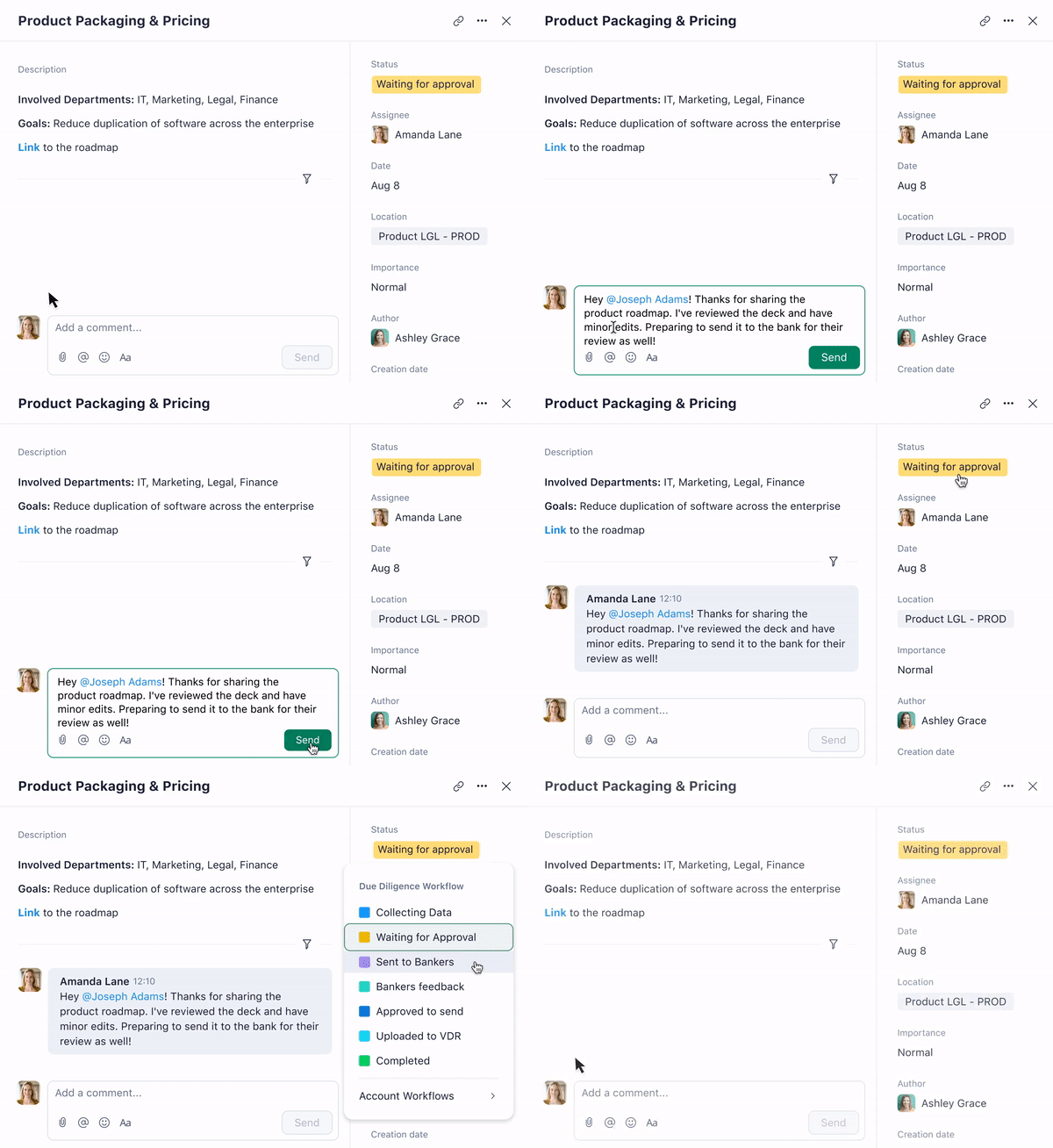
How Wrike helps you optimize lead time
Reducing lead time involves controlling each phase of work with the right project management tools and processes. Wrike supports this by giving teams the ability to plan, execute, and monitor every step in one central platform. You can automate tasks and eliminate manual handoffs that slow teams down.
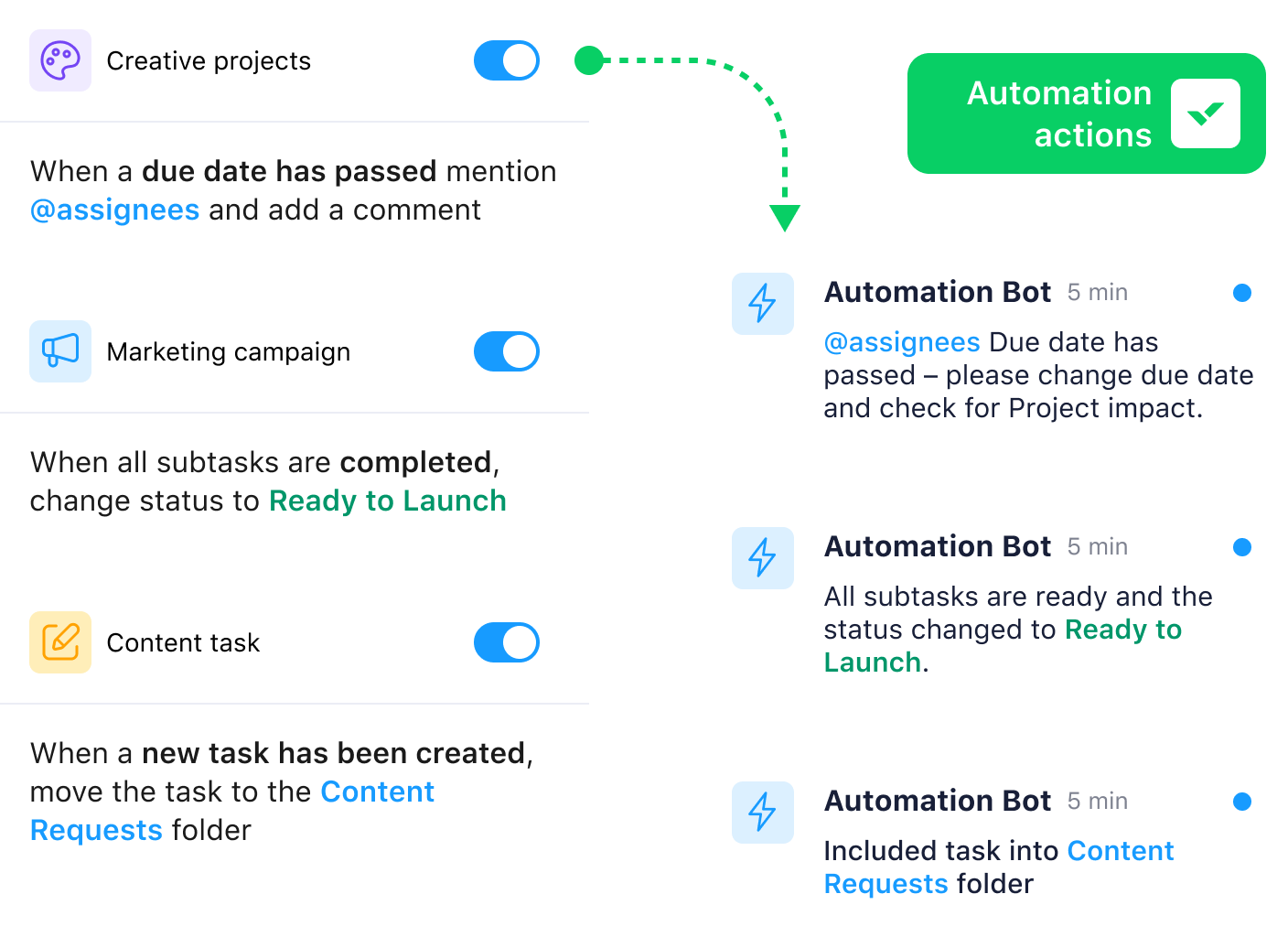
As project managers overseeing operations in manufacturing, supply chain, or procurement, Wrike can help you manage complex tasks from start to finish. Wrike offers prebuilt and customizable project templates that reduce setup time and ensure consistency across repeatable workflows.

In Wrike, we create project templates and end-to-end workflows to fit the reality in the countries … We created a flexible project template, where the project reflects the size and complexity of the customer project. And we also customized Wrike according to four different building disciplines: comfort, security, fire safety, and energy and performance services.

Shorten your lead time and deliver more predictable results with Wrike — start your free two-week trial today.
FAQs
Lead time is the total time from when a request is made to when the output is delivered. Cycle time measures only the time spent actively working on the task or production.
Lead time affects when stock should be reordered to avoid shortages or overstocking. Accurate lead time data improves inventory management, supports better forecasting, and reduces holding costs.
To reduce lead time, eliminate process delays, automate manual steps, standardize workflows, and improve supplier reliability. Review each stage of your workflow and address gaps that add unnecessary time.
