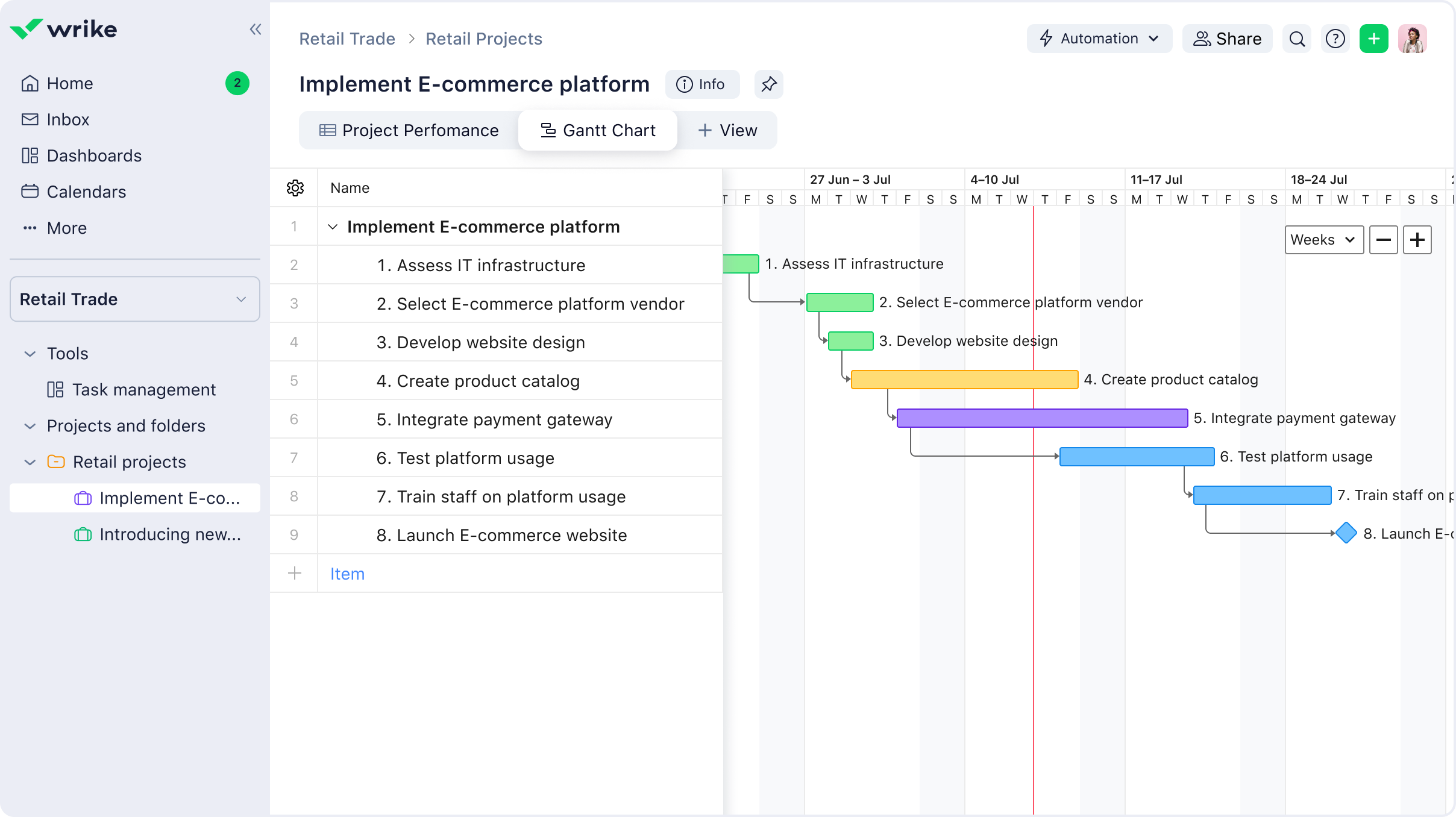
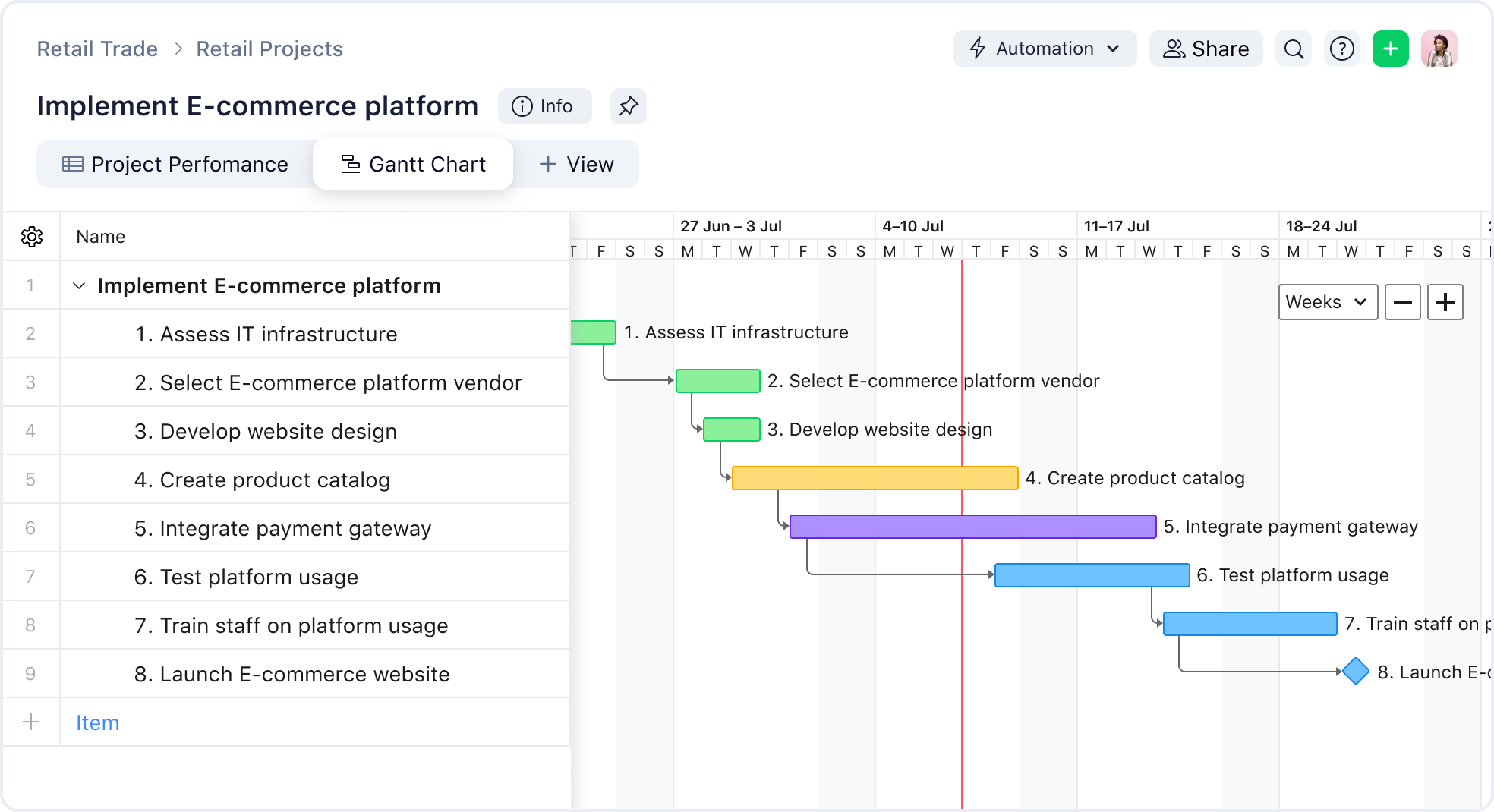
Wrike is your one-stop shop for retail management, with a clear system for organizing both physical and digital products. Oversee your e-commerce store, product lines, and go-to-market strategy all in one place.
With the retail trade template, you can:
Track your retail budget in real time with custom filters
Assign tasks to team members and monitor them with a dashboard
Implement the Waterfall framework to introduce new projects to your team
Find new ways to kick-start and execute retail trade projects on both the physical and digital level.
Manage your priorities in real time with dashboards
Visualize your retail project progress and shift priorities to adapt to changing scope or circumstances. Use key performance metrics to evaluate success and plan strategically.
Eliminate bottlenecks with smart automation
Use automation to quickly assign tasks and streamline the project process. Wave goodbye to bottlenecks — notify approvers instantly and trigger status changes to accelerate reviews.
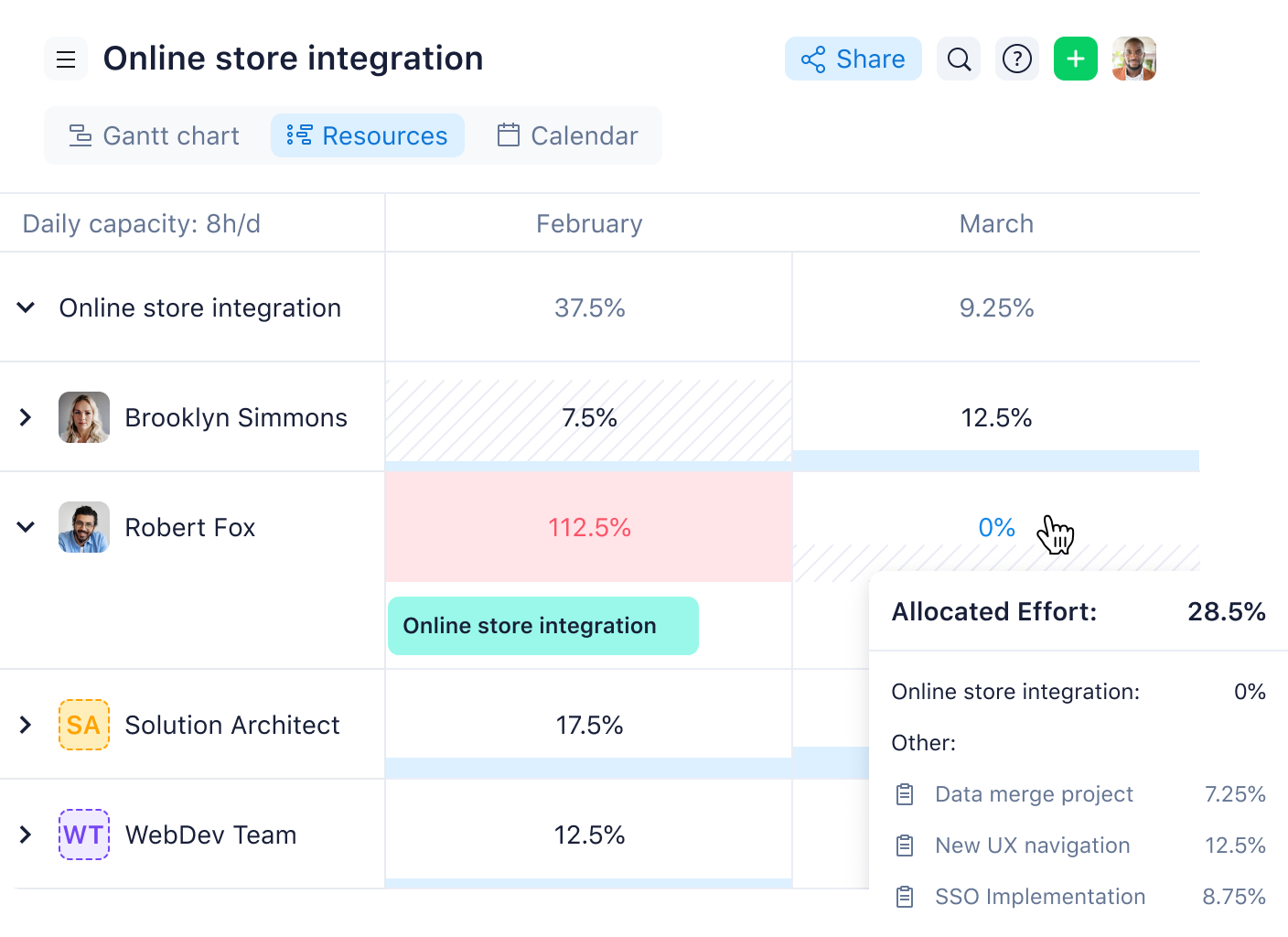
Align team budget and capacity with resource planning
Assess your budgetary needs for various retail projects across your portfolio. Reallocate resources as necessary to stay on track with timelines.
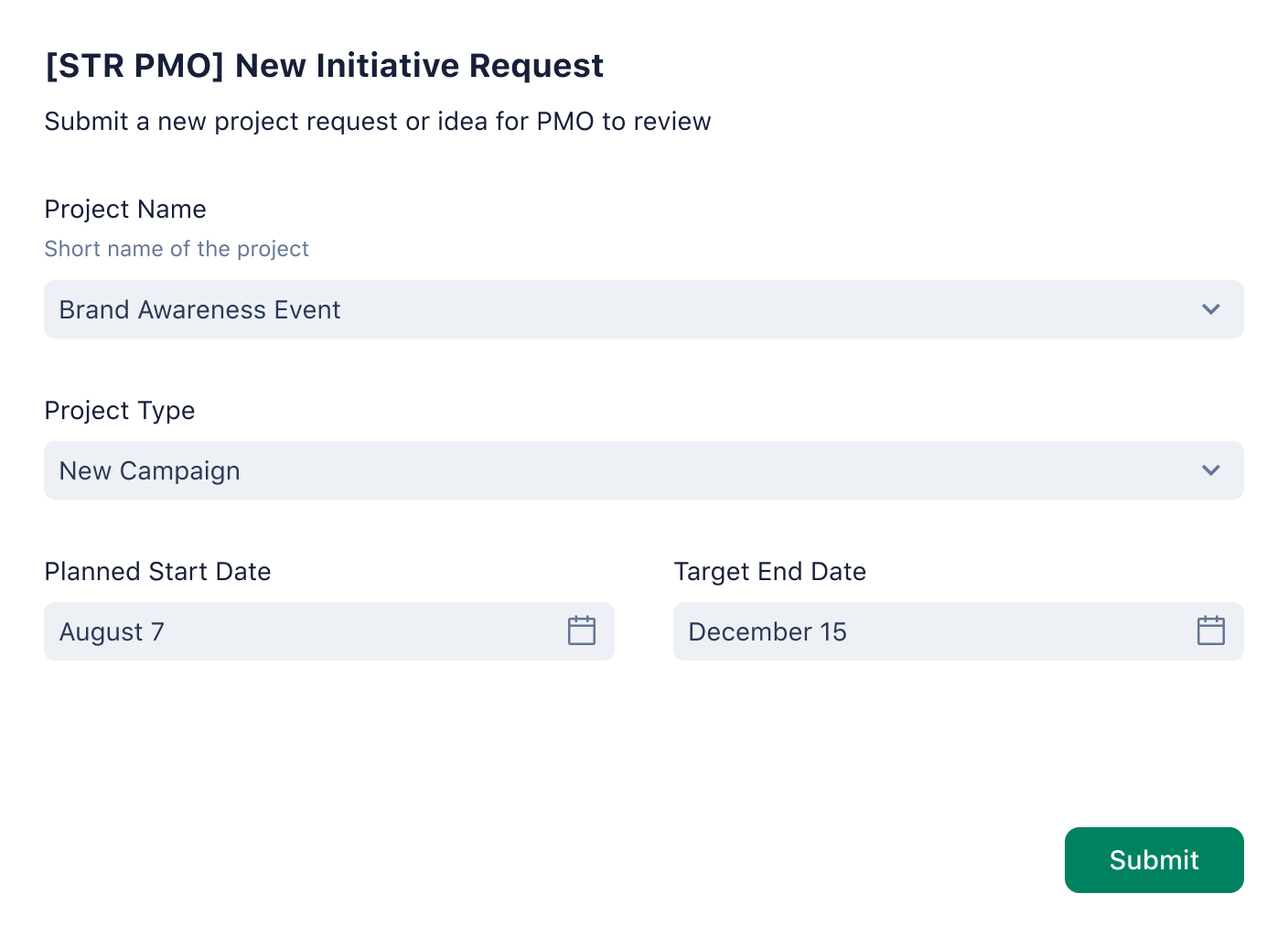
Organize incoming tasks with dynamic request forms
Standardize your work intake process with custom request forms to seamlessly add tasks to your project dashboard. Add required fields to get all the information you need.
Custom item types Submit requests for new retail projects and create them from scratch with custom item types. Find out more about custom item types.
Custom fields Track the progress of all retail projects and corresponding budgets with custom fields. Filter each project according to remaining spend, priority level, total budget used, and more. Learn more about custom fields.
Performance view Gain complete financial oversight with the Performance view. See at a glance how your retail projects are performing compared to initial budgetary estimates and make sure you’re on track to stay within your expected spend.
Gantt chart view Get a visual breakdown of everything related to project progress, from upcoming milestones to due dates and even task dependencies. Learn more about Gantt charts in Wrike.
Request forms Simplify your intake with custom request forms to make sure new priorities seamlessly integrate with your current projects. Learn more about Wrike request forms.
Project dashboard Use the project dashboard as a real-time overview of all your retail trade projects. Track progress as you go, and gain data insights to remove bottlenecks. Find out more about Wrike project dashboards.
How to use Wrike’s retail trade template
Our retail trade template can help you lock down your priorities and manage your projects with an intuitive Waterfall methodology.
With the retail trade template, you can use the Waterfall methodology to map out new projects, assign tasks, and manage your spend across your entire retail trade portfolio.
Enter your business email and build out your unique retail processes and workflows using the custom fields and item types provided in the template.
To implement an ecommerce platform, you must first identify the platform you’ll use and audit your IT infrastructure. From there, you can focus on design, setting up payment gateways, and eventually launching your ecommerce site.
Initial market research is an excellent starting point, as it will lay the groundwork for how you pitch your product. From there, you can start to ideate and develop prototypes, soliciting feedback along the way. When your product is ready for market, you can develop a GTM (go-to-market) strategy to ensure a successful launch.
You might be interested in these templates
Business Process Management
Review, improve, and monitor business processes with Wrike. Use the business process management template to optimize and adjust your operations.
Contract Management
Manage all your contracts. Get automatic notifications when new requests are submitted or on the verge of expiring. Track their status all in one place.
Services Scoping and Initiation Template
Kick-start your services scoping and initiation with Wrike. Use this template to capture key information and meet scoping objectives.
Business Process Management
Review, improve, and monitor business processes with Wrike. Use the business process management template to optimize and adjust your operations.
Contract Management
Manage all your contracts. Get automatic notifications when new requests are submitted or on the verge of expiring. Track their status all in one place.
How to install this template in your account
You can only access this template when you create a new space. You can access the use case templates gallery through the space creation wizard. When you opt to create a new space, the template gallery opens by default.
Click the “+” button in the upper-right corner of your workspace.
Select “Space.”
On the page that opens, hover over the use case you want and click “Preview.” Look for the “Retail trade” template in the list (use the search bar if needed).
Now, you can see more information about the use case. Click “Select” to create a space.
Yes, there are.
To use this template, you need to have at least the Business plan or up. Check our plans here.
You must have the required permission to create a public space in your account.
If the template contains account-level custom fields, custom item types, workflows, request forms, or automation, you must have the permission required to create those items.
This template is only available when the workspace language is set to English.
Check the prerequisites above. If you don’t match one of the prerequisites, talk to your space admin or your account owner. If you match all the prerequisites and you still can’t see the “Retail trade“ template, feel free to reach out to the Wrike support team.
Unlock the power of Wrike’s templates
Use our smart search tool to explore versatile templates, designed for easy customization and streamlined project management.
Wrike enhances its website search experience using Google's Vertex AI Search and Conversation generative AI service. Users are cautioned that generative AI might produce inappropriate, inaccurate, offensive, or unintended results, and are advised against submitting explicit, harmful, offensive, or illegal content as search input. Neither Wrike nor Google uses your search inputs to train its machine learning models or for advertising purposes, but search activities may be collected and/or stored via cookies in accordance with our Privacy Policy if you previously registered on our website. These cookies can be deleted through your browser settings. Wrike's search service is not designed to be used in connection with your personal data or any sensitive data of any kind, which users must refrain from inputting.