When business, team, and individual goals aren’t outlined effectively, your entire organization can have difficulty moving all work forward.
Does your company experience these issues?
Connecting individual work to company goals
Effectively aligning with the business on strategic planning
Monitoring progress throughout project life cycles
Eliminate these obstacles with Wrike’s OKR template
Connect specific work with high-level company objectives
Improve project and task execution
Keep track of individual, team, and company progress regularly
Why you need this template
Clarify goals
Are your goals simply too vague? Clearly record specific objectives and metrics for success, and determine which tactics and strategies will achieve them in Wrike.
Track progress
Does your team struggle to track progress, leaving no time to course-correct? Set up weekly, monthly, and quarterly check-ins with Wrike to monitor progress and adjust if things go off track.
Align teams
Is it difficult to see how your work affects strategic goals? Start with business objectives, then department, team, and individual goals. Link them together so everyone is aligned.
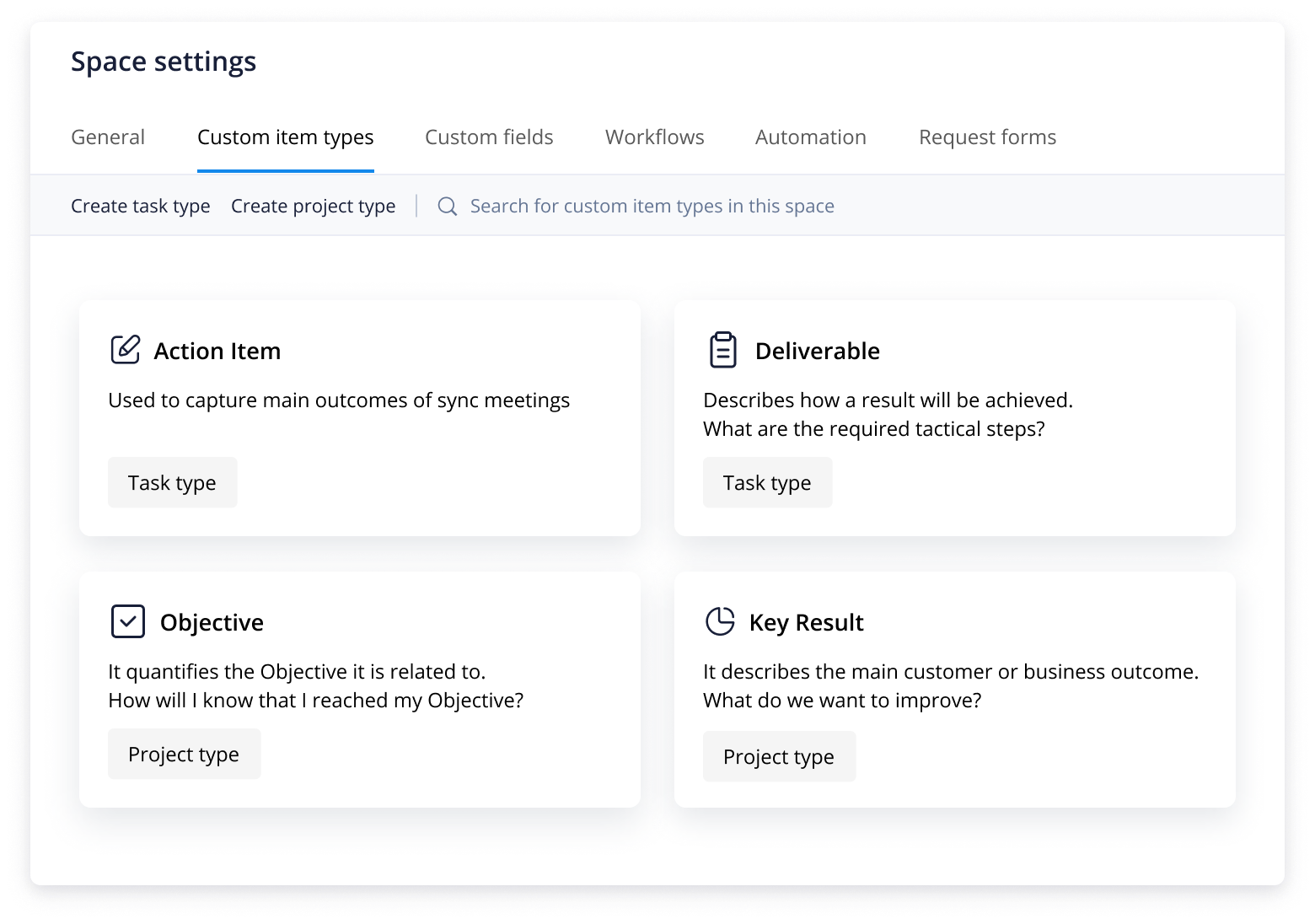
This template has multiple Custom Item Types to get you started, including Objectives, Key Results, Action Items, and Deliverables.
Companies often run into problems in strategic planning, such as setting unattainable targets, not making objectives clear to all stakeholders, executing work that doesn’t align to goals, or failing to track progress until the project has already derailed. Keeping OKRs organized and visible can be difficult, and teams often lack the structure for regularly monitoring progress against those OKRs. Wrike’s OKR template will help you create, organize, and monitor individual, team, and company goals.
Step 1: Build your OKR project
Hold an OKR planning session with your team to determine OKRs. Create new tasks in real time, add key details, and assign accountability for them. Organize them in a shared folder and create subtasks as necessary.
Create a public Space so all team members and stakeholders can have visibility into OKRs. Each team member can then consider their own contributions toward achieving team OKRs to further the company’s goals.
Step 2: Track your progress
This template comes with several Custom Item Types, which will help you get a jump-start on documenting and monitoring your progress.
These include:
Objectives and Key Results, which aid with clear documentation of your OKRs
Action Items, which you’ll use to assign tasks to team members
Deliverables, which will support OKRs for documentation
Step 3: Report OKR results
At the end of the quarter or year, it’s important to share OKR results to make adjustments for the next period. As you hit goals and mark subtasks as complete, the green progress bar will fill up, giving you a quick visual of how far you’ve come and how far you have yet to go.
Make Wrike work for you
Wrike can support your OKR planning, but did you know it could also help you streamline other parts of your work, from organizing meeting notes to employee time tracking?
Whether you work for a small organization or a large company, Wrike can be tailored to suit the way you work. You can easily design a workspace that suits your project or team.
Resources for OKR planning
Take a tour of Wrike’s blog posts, reports, and eBooks.
Blog post
Find out how to write achievable OKRs in six simple steps
eBook
Undertaking marketing planning? Here’s how to avoid common pitfalls
Report
Get a better understanding of how work complexity costs organizations resources
Yes, the OKR template is a completely free resource available for all Wrike users.
Setting up the OKR template is simple. Enter your email address and start building an OKR project and tasks for individual team members. These OKRs should include measurable and visible goals that can be assessed and reassessed at the end of a month, quarter, or year.
Check in with team members on the progress of their OKRs and use the template to record and update their status. For example, if your team member’s main OKR is to write four 10-page eBooks, then you can make each eBook a subtask. As these eBooks are completed and checked off, a green bar will fill up on the original OKR task, indicating percentage completion.
Use custom fields to track specific objectives or data. For instance, a sales team might use this feature to measure target completion for individual associates. At the end of the quarter, you can generate a report that reveals top-performing team members, sales averages, and ARR generated by individual associates.
Writing OKRs for project management is as simple as following our six-step process: 1. Build your team’s OKR template2. Create individual OKRs by setting up a template for each team member to use3. Discuss individual objectives and key results with managers to align goals from the bottom up4. Track and share progress, then make adjustments as needed to hit goals5. Assess performance and report on results6. Review results, celebrate successes, and learn from mistakes for the next project
How to install this template in your account
You can only access this template when you create a new space. You can access the use case templates gallery through the space creation wizard. When you opt to create a new space, the template gallery opens by default.
Click the “+” button in the upper-right corner of your workspace.
Select “Space.”
On the page that opens, hover over the use case you want and click “Preview.” Look for the “OKR” template in the list (use the search bar if needed).
Now, you can see more information about the use case. Click “Select” to create a space.
Yes, there are.
To use this template, you need to have at least the Business plan or up. Check our plans here.
You must have the required permission to create a public space in your account.
If the template contains account-level custom fields, custom item types, workflows, request forms, or automation, you must have the permission required to create those items.
This template is only available when the workspace language is set to English.
Check the prerequisites above. If you don’t match one of the prerequisites, talk to your space admin or your account owner. If you match all the prerequisites and you still can’t see the “OKR“ template, feel free to reach out to the Wrike support team.
You might be interested in these templates
Project management
Complex Project With Phases
An effective, phased approach to project management. This template breaks complex projects down into manageable phases, allowing you to assign due dates to tasks and track progress on a visual timeline.
Marketing
Marketing Campaign Management
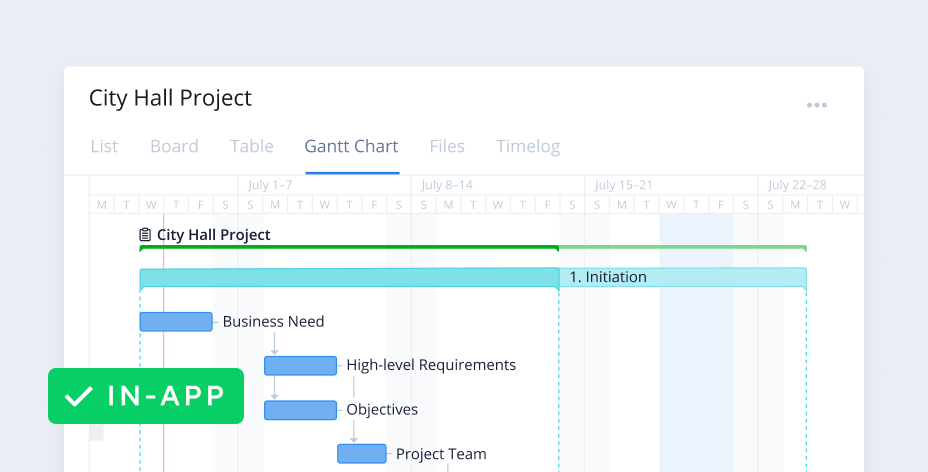
A basic template for classic, timeline-driven campaign planning. Organize marketing campaigns into actionable items, assign due dates, and track progress on a Gantt chart.
Agile teams
Actionable Meeting Notes Template
This simple meeting minutes template will help you properly document meetings and assign action items so your organization can make critical decisions.
Project management
Complex Project With Phases
An effective, phased approach to project management. This template breaks complex projects down into manageable phases, allowing you to assign due dates to tasks and track progress on a visual timeline.
Marketing
Marketing Campaign Management
A basic template for classic, timeline-driven campaign planning. Organize marketing campaigns into actionable items, assign due dates, and track progress on a Gantt chart.
Unlock the power of Wrike’s templates
Use our smart search tool to explore versatile templates, designed for easy customization and streamlined project management.
Wrike enhances its website search experience using Google's Vertex AI Search and Conversation generative AI service. Users are cautioned that generative AI might produce inappropriate, inaccurate, offensive, or unintended results, and are advised against submitting explicit, harmful, offensive, or illegal content as search input. Neither Wrike nor Google uses your search inputs to train its machine learning models or for advertising purposes, but search activities may be collected and/or stored via cookies in accordance with our Privacy Policy if you previously registered on our website. These cookies can be deleted through your browser settings. Wrike's search service is not designed to be used in connection with your personal data or any sensitive data of any kind, which users must refrain from inputting.