Key takeaways:
- What is resource leveling in Gantt charts? Resource leveling in Gantt charts means adjusting task dates, durations, and sequencing so the schedule reflects real resource capacity.
- How does resource leveling help projects succeed? Resource leveling helps projects succeed by balancing workloads, reducing over-allocation and bottlenecks, and making milestones and delivery dates more realistic.
- What are the main steps to leveling resources in a Gantt chart? The main steps include identifying resource constraints, analyzing task dependencies, adjusting task durations and start dates, optimizing task sequencing, and then monitoring and fine-tuning over time.
- When should you apply resource leveling? Apply resource leveling when the Gantt chart shows overlapping assignments, competing demands for the same specialists, fixed deadlines with limited capacity, or expanding scope.
- Which tools support resource leveling in Gantt charts? Platforms like Wrike, Microsoft Project, Primavera P6, and Smartsheet offer Gantt views, workload tools, and automation to level resources efficiently.
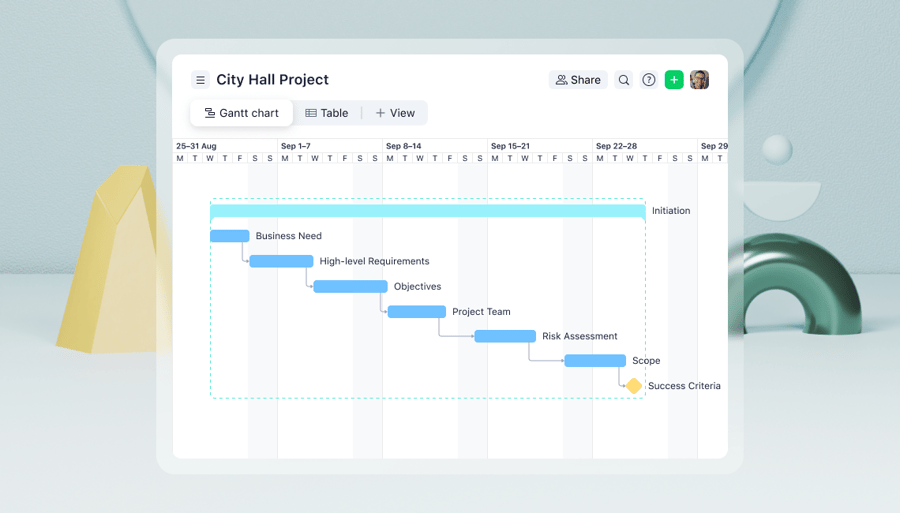
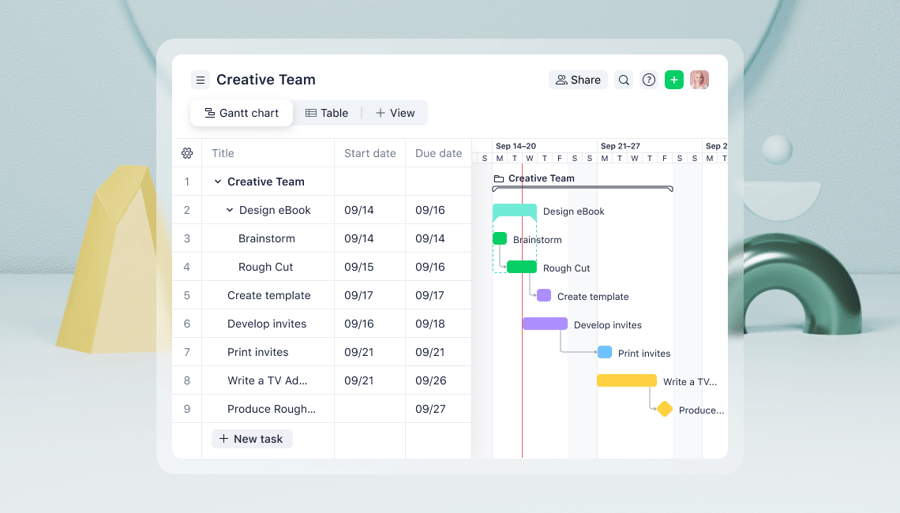
Project plans often look straightforward at the outset, but pressure builds as deadlines, dependencies, and limited capacity collide. A Gantt chart lays out the plan as a timeline of tasks, durations, and relationships, which makes pressure points easier to spot. Resource leveling builds on that view to rebalance work across people and teams.
Together, Gantt charts and resource leveling turn a static timeline into a realistic delivery plan. The chart surfaces where demand exceeds capacity, and leveling techniques adjust dates, durations, or assignments so the schedule matches available resources. The result is a more reliable plan that protects critical contributors and keeps milestones within reach.
In this guide, you’ll learn what resource leveling is, how it works within Gantt charts, and the practical steps to apply it to real project schedules. We’ll also cover tools, best practices, and common pitfalls so you can build timelines that reflect real capacity and deliver more predictably.
What is resource leveling in Gantt charts?
Resource leveling in Gantt charts is a scheduling technique that uses the timeline view to align your project plan with real-world resource capacity. By adjusting task start dates, durations, or sequencing directly on the Gantt chart, you smooth out overlapping work so no individual or team is overloaded, while still protecting key milestones as much as possible.
The benefits of resource leveling in Gantt charts
- Balances workloads across people and teams
- Reduces over-allocation and double-booking
- Lowers burnout risk and last-minute fire drills
- Improves schedule reliability and forecast accuracy
- Highlights true resource constraints for better planning
Integrating resource leveling into Gantt charts
Integrating resource leveling into Gantt charts empowers project managers to visualize resource allocation and make informed decisions. By leveraging specific techniques and employing software tools tailored for resource leveling, project managers can see to it that project timelines and resource availability are in sync.
When to apply resource leveling in Gantt charts
Resource leveling is most effective when a Gantt chart reveals a mismatch between planned work and actual capacity. While not every project requires leveling, certain conditions signal that your schedule needs adjustment to remain realistic and achievable:
- When resources are overallocated
- When multiple tasks compete for the same specialists
- When task dependencies limit flexibility
- When deadlines are fixed but capacity is constrained
- When projects grow in size or complexity
When resources are overallocated
Apply resource leveling when your Gantt chart shows individuals assigned to overlapping tasks that exceed their available hours. Overallocation often leads to burnout, missed deadlines, and rushed work, making it a clear indicator that timelines or assignments need rebalancing.
When multiple tasks compete for the same specialists
Shared resources such as developers, designers, or subject-matter experts frequently become bottlenecks in Gantt charts. Resource leveling helps redistribute work so critical contributors are not stretched across too many parallel tasks at once.
When task dependencies limit flexibility
If your Gantt chart includes tightly linked dependencies, especially along the critical path, small delays can cascade quickly. Resource leveling helps adjust non-critical tasks so dependent work can proceed without putting delivery dates at risk.
When deadlines are fixed but capacity is constrained
Projects with immovable milestones require careful capacity management. Resource leveling allows teams to shift or extend non-critical tasks so workloads align with available resources while protecting key deadlines.
When projects grow in size or complexity
As projects expand and involve more teams, assumptions made during early planning often break down. Resource leveling ensures that growing timelines continue to reflect real-world capacity, keeping the Gantt chart useful as a live planning tool rather than a static plan.
Resource leveling in Gantt charts: 5 steps
Resource leveling in Gantt charts empowers project managers to visualize resource allocation and make informed decisions. By leveraging specific techniques and using software tools tailored for resource leveling, project managers can ensure that project timelines and resource availability are in sync.
The five steps for resource leveling in Gantt charts include:
- Identify resource constraints
- Analyze task dependencies
- Adjust task durations and start dates
- Optimize task sequencing
- Monitor and fine-tune
1. Identify resource constraints
Start by identifying which team members are overbooked across tasks and projects. Look at each person’s actual hours or capacity, not just the length of their task list.
2. Analyze task dependencies
Review your Gantt chart dependencies to determine which tasks must occur in a specific order and which can be shifted. Pay special attention to critical path tasks that can’t slip without affecting the project’s end date.
3. Adjust task durations and start dates
Extend or compress task durations where possible to smooth out workloads and eliminate spikes in demand. Move non-critical tasks earlier or later to better align with resource availability.
4. Optimize task sequencing
Reorder tasks that don’t have hard dependencies to reduce conflicts and overlap. Group related work together to minimize handoffs and context switching for your team.
5. Monitor and fine-tune
Revisit the Gantt chart regularly as priorities shift or assumptions change. Re-level resources whenever new work is added or timelines move, so the plan stays realistic and achievable.
Resource leveling in Gantt charts: Tools and software
Several project management software solutions offer built-in resource leveling functionalities. These tools enable project managers to automate resource leveling within Gantt charts, making it easier to manage complex projects and optimize resource allocations. Popular software options include:
- Wrike’s Gantt chart software: Wrike is a collaborative work management platform with interactive Gantt charts, workload views, and automation. You can create dependencies and milestones, drag and drop to reschedule tasks in bulk, manage multiple projects, and import Microsoft Project files to level resources and keep timelines aligned with team capacity.
- Microsoft Project: Although its popular online version is retiring this year, Microsoft Project desktop remains a comprehensive project management tool that allows project managers to incorporate resource leveling into Gantt charts. It offers features such as resource allocation, task scheduling, and visualization capabilities.
- Primavera P6: Primavera P6 is a robust project management software widely used in industries such as construction, engineering, and manufacturing. It provides advanced resource leveling functionalities, allowing project managers to effectively manage resource allocation within Gantt charts.
- Smartsheet: Smartsheet is a cloud-based project management tool that offers resource leveling capabilities. It lets project managers create Gantt charts, allocate resources, and track project progress in real time.
Resource leveling in Gantt charts: Additional tips and tricks
While resource leveling can greatly enhance project success, it is important to navigate potential pitfalls effectively. Here are some tips and tricks for effective resource leveling:
Avoid common pitfalls
- Ensure clear communication with team members regarding task durations, priorities, and resource availability.
- Regularly monitor project progress and resource utilization to address potential bottlenecks promptly.
- Account for unexpected changes by building flexibility into the project plan and adjusting resource assignments as needed.
Maximize efficiency with resource leveling
- Utilize project management software with resource leveling capabilities to automate the process and streamline resource allocation.
- Consider the criticality and dependencies of tasks when adjusting durations and sequencing.
- Collaborate with team members to identify innovative strategies for resource optimization and workload balancing.
Put resource leveling into practice with Wrike
When Gantt charts and resource leveling work together, project plans become easier to trust. Timelines reflect actual capacity, workloads stay more balanced, and pressure points surface early enough to fix them without derailing milestones.
Wrike’s Gantt charts, workload views, and reporting features help teams apply resource leveling in one place. Tasks, dependencies, and capacity live in a shared view, so it is easier to adjust dates, rebalance assignments, and keep stakeholders aligned. Start a free trial now to build project schedules that are both realistic and easier to deliver.
Resource leveling in Gantt charts FAQs
What is an example of resource leveling?
A simple example is when a developer has several big tasks scheduled in the same week, while a designer has very little on their to-do list. Resource leveling would shift some of the developer’s work earlier or later, or bring design tasks forward, so both people have a steadier workload and the critical path still fits within the overall timeline.
What is a leveling Gantt?
A leveling Gantt is a Gantt chart after you’ve adjusted it for real resource constraints. The scope stays the same, but task dates, durations, and sequences are updated so key people aren’t double-booked, workloads are smoother, and the schedule reflects what the team can realistically deliver.
How to show resources in a Gantt chart
To show resources in a Gantt chart, link each task bar to the person or role responsible for it. In practice, that means adding assignees in the task table, including them in Gantt snapshots or exports, and using views like workload or resources alongside the Gantt chart to see how each person’s tasks line up across the timeline.
What are the 7 important elements of a Gantt chart?
Seven core elements that make a Gantt chart useful are:
- Project start date — when the overall work begins.
- Task list with clear names — each bar represents a specific task.
- Assigned resources — who owns each task.
- Task start and finish dates — the calendar window for each activity.
- Task duration — how long each task is expected to take.
- Dependencies — how tasks relate (what must finish before something else starts).
- Project end date and milestones — the final delivery date plus key checkpoint dates.