Key takeaways:
- Why should companies use PLM software? Companies should use PLM software to unify product processes, enhance collaboration, and meet efficiency targets while managing product data effectively.
- What are the most popular PLM tools? Popular tools include Siemens Teamcentre, Dassault Systèmes, Autodesk PTC, OpenBOM, Jira Product Discovery, Trace One, and Propel. Work management platforms like Wrike can also help teams plan, monitor, and collaborate across the product lifecycle more efficiently.
- What are the limitations of traditional PLM software? They often lack cross-functional visibility, restricting access to non-technical teams and complicating collaboration across departments.
- How does Wrike improve PLM processes? Wrike improves PLM processes by providing a central source of truth for clarity, visibility, and performance tracking for all the teams involved in product lifecycle management.
Businesses turn to product lifecycle management (PLM) software when:
- Their engineering and design teams need a unified way to manage product processes
- They want to build a digital thread that helps every team find the information, data, and resources they need
- They come under pressure from management and shareholders to develop better products more efficiently.
PLM software helps you do all these things by bringing together your key product development resources and data in one place to keep your teams on track. In this guide, I’ll explore the best PLM solutions that can help you do that (and much more).
However, many PLM tools have a significant limitation: they’re built almost exclusively for technical teams, without consideration of cross-functional oversight and collaboration among the departments involved in the product development process. This can lead to poor communication, delays, and missed deadlines.
That’s why I’ll start our list with Wrike: a comprehensive work management system that offers unparalleled visibility into the product lifecycle and effortless communication between engineers, manufacturers, product development teams, and the rest of your organization. Then, I’ll also cover eight additional PLM platforms, so you can make a well-informed decision.
Best product lifecycle management software: 9 tools to explore
Product lifecycle management isn’t a siloed process; it’s collaborative.
This means the right solution should provide a central source of truth to help information flow smoothly, decisions happen quickly, and teams stay aligned. It also means that to be effective, PLM software needs to support every team involved in bringing a product to market and every phase of the product lifecycle.
When evaluating PLM software, look for platforms that offer:
- Tools for true cross-functional collaboration: Many PLM systems are highly technical because they’re built for engineering teams, but this complexity often shuts out stakeholders in teams like finance or marketing, who also need access to current project data. A strong PLM platform bridges these gaps so everyone can access the same information without chasing updates or manually compiling additional reports.
- Tools that integrate with your broader manufacturing systems: PLM software often runs alongside CAD (computer-aided design), ERP (enterprise resource planning), or MES (manufacturing execution system) tools, but this patchwork stack can be expensive and difficult to maintain. Choosing a PLM system that integrates with the tools your teams already use simplifies workflows and improves visibility across the product lifecycle.
In the next section, I’ll break down several PLM tools. The first option I’ll cover is Wrike, our project management platform that works alongside PLM solutions to increase visibility and address the process and communication gaps many PLM tools can’t fully solve.
Here are all the tools I’ll discuss below:
- Wrike
- Siemens Teamcenter
- Dassault Systèmes
- Autodesk
- PTC
- OpenBom
- Jira Product Discovery
- Trace One PLM
- Propel
1. Wrike: Project management software for the complete product lifecycle
Wrike’s work management platform is an essential part of the PLM system in many major manufacturing and software development teams — including MTD, Sonance, and House of Design.

- Clarify your team’s workflows and communication channels to speed up collaboration
- Give enhanced visibility over the product development and manufacturing process
- Improve the way you measure and track performance
Let’s look at each of these in more detail.
Wrike clarifies your work processes to speed up collaboration
PLM software helps engineering teams manage product data and technical work, but it often leaves other departments in the dark. By centralizing your project management in Wrike, you close the gaps between engineers, quality teams, finance departments, and external stakeholders by providing a single, shared workspace.
With real-time collaboration tools, teams can share documents, define deliverables, assign tasks, and route approvals directly in the platform. Engineers can upload the latest CAD revision, quality teams can log validation test results, and marketing can begin drafting launch content as soon as you reach a milestone — all without waiting for email updates or status meetings. This keeps every group aligned on product development from concept to launch.

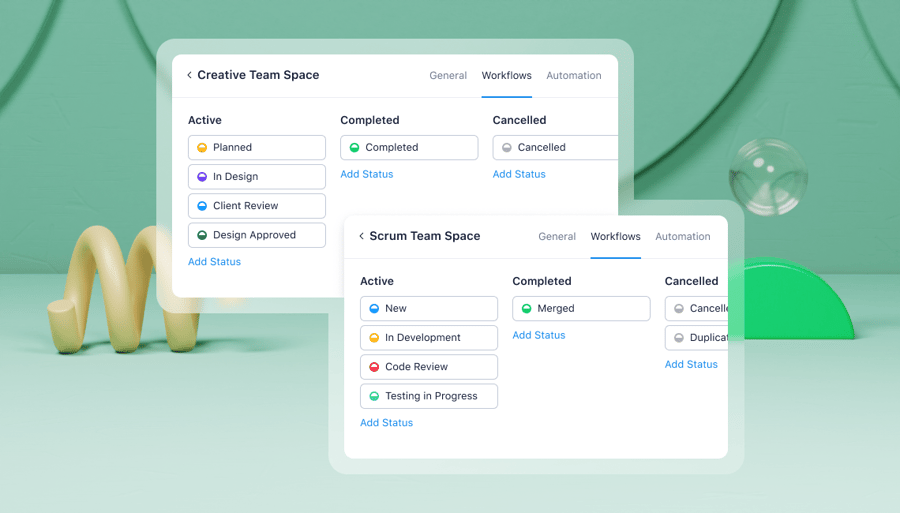
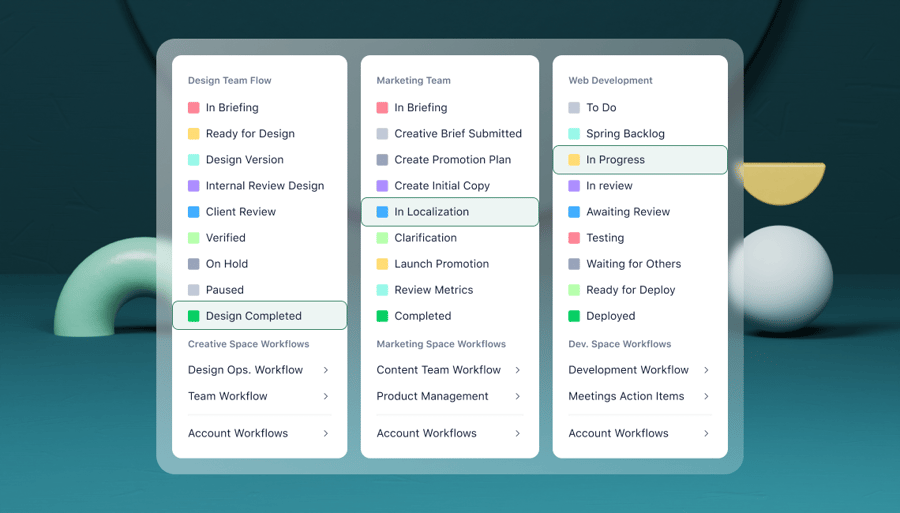
Wrike’s customizable, automated workflows help teams stay coordinated at each stage of the lifecycle.
With simple rule-based triggers, you can automate handoffs, like prompting a quality review after an engineering change, notifying the supply chain once a design is finalized, or alerting marketing when a planned release date shifts. These workflows can mirror your internal development process or be adapted from prebuilt templates, which ensures the right people are pulled in at the right time.
Because most product teams rely on a whole stack of software —PLM, ERP, QMS, CAD, supplier portals, and more — Wrike integrates with over 400 tools to keep information moving smoothly. This makes it easier to sync tasks with ERP schedules, attach compliance documentation from your QMS, or share design files from your PLM environment.
Wrike increases visibility throughout the product lifecycle
In many manufacturing organizations, teams still rely on manual check-ins to understand what’s happening in other departments. Engineers wait on updates from quality control, supply chain chases status information from procurement, and marketing depends on someone in product to confirm launch milestones. Even with a strong PLM system, this constant need for handoffs slows your progress, reduces efficiency, and strains collaboration.
Wrike fills these gaps by providing every team with a unified source of truth and clear, real-time visibility into the work that affects them. Team dashboards provide every team member with a snapshot of their priorities and a view of how their tasks fit into the bigger picture.

Repeatable processes can also be documented with blueprints, which act as flexible templates for recurring projects and task types across the organization. A blueprint for a prototype build, for example, can include standard steps for material sourcing, test scheduling, design review, and compliance checks. Once created, it can be quickly adapted to new deadlines, quantities, or assignees, making it much easier to standardize complex manufacturing processes.
Wrike also accommodates the unique structure of manufacturing projects through custom item types. Instead of forcing teams into a generic task or project model, you can organize your work with the terms they actually use – like “change order,” “BOM update,” “test report,” “line trial,” or “supplier review.”
To help teams understand how their work connects, cross-tagging reveals how tasks and projects influence other functions without duplicating information. A single change order, for instance, can be tagged in engineering, quality, and supply chain to show exactly where it sits in each workflow and how updates will ripple across the organization.
And because manufacturing work doesn’t stop at the office or the production floor, Wrike’s mobile and desktop apps let teams stay aligned from anywhere, receiving notifications, updates, and approvals even when they aren’t on site.

Wrike measures and reports on your performance
In PLM, you’re under constant pressure to deliver high-performing products that sell – and to do so efficiently. Wrike supports this by giving you clear visibility into progress, costs, and other critical data across your projects.
You can track project progress in the way that makes the most sense for your team. Personal dashboards help individuals keep their work organized, while Calendar views, Gantt charts, Kanban boards, and portfolio-level dashboards provide a broader view of everyone’s work. Whether you’re monitoring the status of an engineering change, a prototype build, or a product launch, you can see where each task stands at a glance.

Wrike’s detailed project reporting software is just as simple and flexible.
With Wrike, you can analyze team, individual, or product performance and understand where time and money are being spent by using built-in budgeting and time-tracking tools. For deeper analysis, it integrates seamlessly with many business intelligence platforms, enabling you to generate and share reports in seconds – whether it’s tracking manufacturing costs, monitoring product development cycles, or measuring marketing launch effectiveness.
Wrike’s workspaces give every team a single source of truth, ensuring the right people have access to the real-time data they need.
From engineers reviewing design updates to supply chain managers monitoring production schedules or marketing tracking launch assets, everyone stays informed and aligned, reducing delays and improving efficiency across the product lifecycle.
What’s more, the real-world results are clear to see.
- The product development division at MTD, an industrial machinery and equipment company, replaced a stack of external tools with one piece of software when they switched to Wrike. Using custom product development workflows, reports, cross-functional processes, and communication tools, they’re working with more confidence, full visibility, and smoother collaboration than ever before.
- Sonance, a technology company that uses Wrike in marketing, product management, engineering, and operations, has seen an 80% decrease in delays after product announcements since implementing Wrike.
- House of Design, a robotics and automation provider, uses Wrike to connect all the teams that build their products. In the three years since they started using Wrike, their team saved 16,600+ hours and $832,000 by creating a centralized project management space to drive efficiency and collaboration.
We know that we have the visibility... Honestly, I can’t imagine how else we would even begin to be able to record this information and put it out in an orderly way without the tool.
Ryan Cmich, Chief Products Engineer

2. Siemens Teamcenter: Software for experienced manufacturers
Siemens Teamcenter, developed by one of the world’s foremost manufacturing companies, is one of the biggest names in PLM software. This tool will handle all the PLM processes a team needs, whether that’s enterprise resource planning, CAD, or BOM (bill of materials) management.
Teamcenter is designed for manufacturers of all sizes, from startups to large enterprises, across various industries. It’s especially beneficial for well-established manufacturers due to its scalability and feature-rich interface, which offers extensive customization options. While the initial setup process might benefit from IT support, this ensures the software is configured for the best user experience.
3. Dassault Systèmes: PLM tool for automotive and aerospace teams
Another major player in PLM software is Dassault Systèmes. While it’s a favorite among companies in the automotive, aerospace, and defense industries, it’s increasingly used by other manufacturers outside these core sectors as well.
Dassault Systèmes’ major product is called 3DEXPERIENCE. This is a tool that combines PLM, design, simulation, and other essential manufacturing functionalities in a centralized platform. The platform is available as a cloud-based service, so it can be used on the go.
4. Autodesk: Scalable SaaS PLM tool
Autodesk is best known for its AutoCAD design software, but it also has a comprehensive product development platform, Autodesk Fusion, which includes PLM functionality. Those PLM capabilities can be operated separately from the rest of the Fusion platform. If engineering teams are working with CAD packages beyond Autodesk, this can be useful.
As it’s a SaaS tool – something unusual among PLMs – Fusion makes sense for manufacturers looking for ease of use, scalability, and low cost of entry. While it was originally known as a tool for SMEs, it performs well for larger manufacturers too.
5. PTC: User-friendly PLM software for electronics and tech
PTC (formerly Parametric Technology Corporation) is a widely known tool in the PLM space. Two of its main products are Windchill, an on-premise solution, and Arena, which is a cloud-based PLM service. Alongside its PLM functionality, it also has a quality management system to help ensure product compliance.
Arena is particularly known for its ease of use, which could make it a good fit for smaller businesses that want to avoid a steep learning curve. This software works well for businesses in the tech sector, including electronics, vehicles, and medical devices.
6. OpenBOM: Free and flexible PLM tool
If affordability is a priority, OpenBOM can be a good option for product lifecycle management. As the name suggests, OpenBOM began as a BOM management platform for inventory, data, and supply chain management. It now integrates with other tools, such as CAD platforms, to streamline data management and offer a more complete PLM solution.
The out-of-the-box features are easy to use, but OpenBOM is also designed to be customizable. For example, it operates with a flexible data model that includes custom objects to build a unique PLM system.
7. Jira Product Discovery: Centralized tool for PLM workflows
Jira Product Discovery can be used in PLM to capture and leverage customer insights and build roadmaps for the next phase of the product development process. Product Discovery is set up to centralize the unstructured work that happens in the ideation stages of the product lifecycle – like user feedback, product requirements and opportunities, and feature requests. It then goes on to create and share roadmaps and timelines to provide full visibility throughout the PLM process.
For teams already working in Jira, Product Discovery also connects with other Jira software to reduce the number of third-party tools a team needs to juggle.
8. Traceone PLM: End-to-end PLM software for specific industries
Built as a tool to enhance business processes and operations for product development, the Traceone PLM is aimed at a range of specialisms, including food and beverage, cosmetics and personal care, and chemical industries.
In the industries Traceone serves, consumer issues like improper labeling can lead to recalls and legal problems. So, this tool is also focused on helping users achieve better compliance, with regulatory requirements for product-related information and regular reports baked into the way it manages PML workflows.
9. Propel: Cloud-based PLM with supplier collaboration tools
Propel’s PLM software is part of a suite of products that includes QMS, PIM, and product value management software. For new product development, the tool includes BOM management and collaboration tools, for example, to view and markup a wide range of document formats and communicate changes. For supply chain management, Propel offers a branded space to simplify supplier collaboration. And in terms of business management, the platform provides a range of analytics features and integrations with CAD systems and enterprise project management tools.
Propel PLM also plays a role in many companies’ change management processes, helping reduce change time, increase design reuse, and significantly improve team time-to-market metrics.
Choose Wrike to manage your product lifecycle
In this guide, I’ve compiled some top PLM software options, but the bottom line is this: PLM tools are great for engineering departments, and there are plenty of options available for specific industries. However, product lifecycle data also needs to make its way to a range of other departments and stakeholders if you’re truly going to streamline your business systems and produce consistently high-quality products.
With Wrike, you can offer all your teams easier collaboration, deeper visibility, and more opportunities to improve efficiency across the product lifecycle.
Book a demo and find out what Wrike can do for your teams today.
Frequently asked questions (FAQs) about product lifecycle management software
What is product lifecycle management?
Product lifecycle management (PLM) is the strategic approach a team takes to managing their product’s journey from initial concept, through design and development, manufacturing, service, and end-of-life. PLM aims to optimize products, reduce errors, ensure product consistency and compliance, and shorten time-to-market.
What is PLM software?
PLM software gives teams a centralized space to store, organize, and control data relating to the product lifecycle. This includes feedback on customer needs, designs, specifications, bills of materials, and documentation. Ideally, PLM software should also streamline collaboration by making this information accessible and helping teams use the latest insights in their decision-making.
What are the benefits of PLM software?
PLM software benefits companies because it gives the team members involved in the product lifecycle a single source of truth to work from. This improves collaboration, reduces miscommunication, and helps teams bring products to market faster. PLM software can also enhance change management, improve product quality, and strengthen regulatory compliance.
What are the core functions of PLM software?
The core functions of PLM software include product data management to control CAD files, documents, versions, and access permissions. High-quality tools should also support BOM management, change and configuration management, workflow and process automation, and include collaboration tools to connect cross-functional teams.
Which tools are used for PLM?
PLM processes are managed by dedicated PLM platforms as well as integrated enterprise management tools. Popular tools for different use cases include Siemens Teamcenter, PTC Windchill and Arena, Dassault Systèmes 3DEXPERIENCE, and Propel. PLM software can also be integrated with tools such as CAD systems, ERP systems, and manufacturing or quality management software to link product design, production, and business operations.
How can you choose the right PLM software for your company?
To choose the best PLM software for your company, start by defining your needs in terms of product portfolio, design complexity, regulatory requirements, and collaboration. You should test and evaluate PLM software options based on scalability, integration with your existing systems, customization options, your team’s learning curve, and pricing.