Keeping track of key information in the scoping and initiation process can be overwhelming, but without proper organization and visibility, leads will slip through the cracks.
Critical information about leads and clients is lost in inboxes and not accessible to everyone
Team members spend too much time on lower-value leads and not enough on chasing the contracts that matter to your bottom line
Opportunities are missed because the scoping process isn’t laid out clearly
With Wrike’s services scoping and initiation template, you can overcome these obstacles easily.
Capture lead data quickly and efficiently with a custom-built request form
Easily schedule projects to push leads through a scoping process workflow
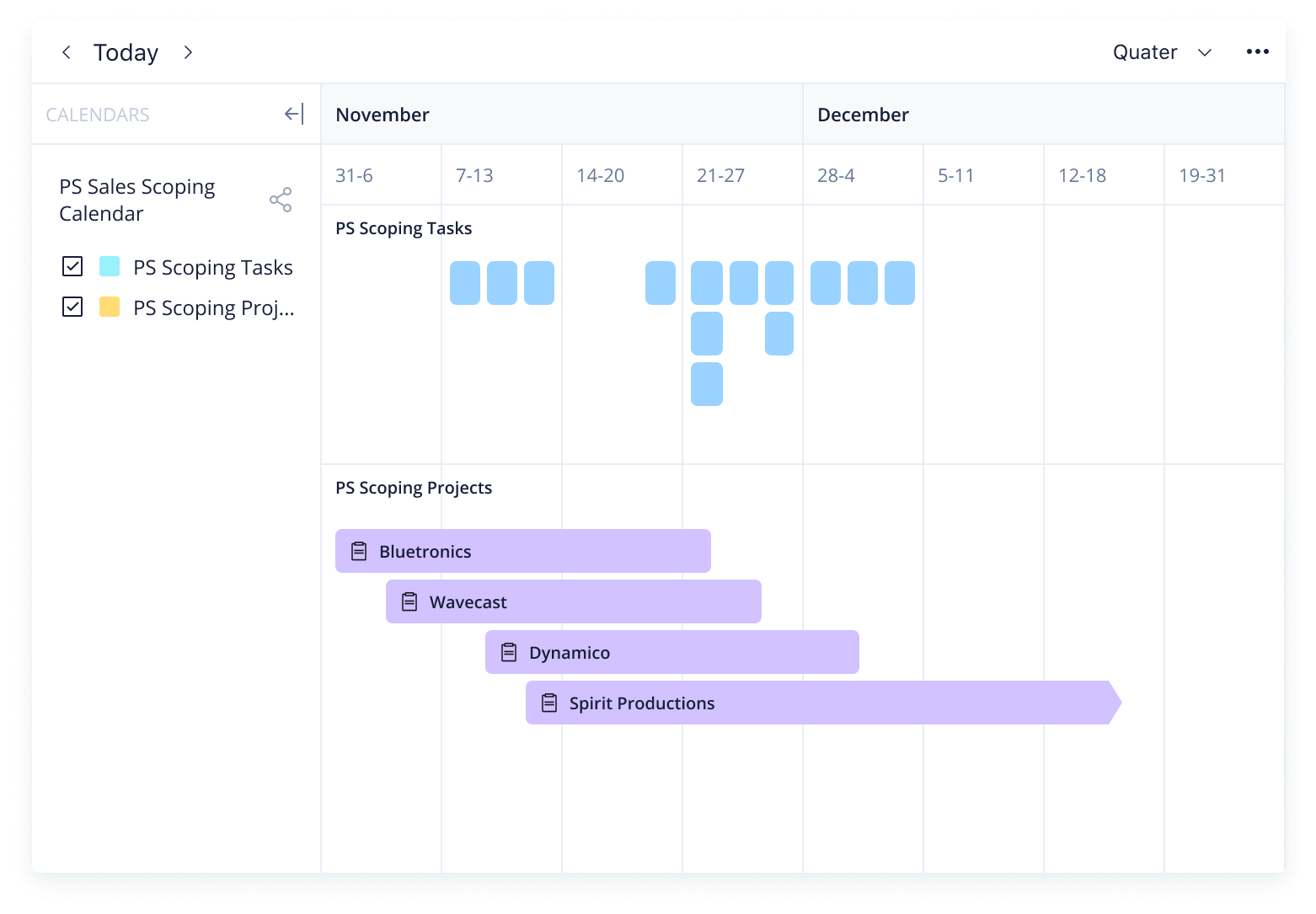
View scoping action items with a calendar or task view for clear visibility
Why you need this scope management template
Poor visibility
Achieve full transparency with a clear scoping workflow to keep all team members on the same page.
Disorganized communication
Keep lead details and deadlines in a single place, so potential clients receive detailed and accurate communications regularly.
Missed opportunities
Ensure each step of the scoping process is completed, so no leads go un-nurtured.
Need to overhaul your professional services scoping process? The scope management template from Wrike gives you the building blocks to set up a thorough scoping process.
Here are the features you can expect from the scope baseline template.
Capture the information you need with a pre-built request form
Visualize key scoping action items with customizable dashboards
Wrike’s scope management plan template is intuitive and simple to set up.
Step 1: Utilize the custom request form
Capture scoping information instantly with a pre-built request form that can be customized to your company’s needs.
Filling in company details such as company name, region, and estimated contract value will kick off the project scoping process.
Step 2: Set up your scoping project
Wrike’s scope management template provides a project structure to move through the scoping process.
The scoping process will include assigning a team, scheduling a client presentation call, drafting the SOW, and presenting it to the client.
Step 3: Create automated reports
Automated reports on leads won or lost will help team members understand where their efforts are paying off and where they need to be adjusted.
The task view included in the scope management plan example will keep team members and managers apprised of upcoming tasks.
Oversee scoping and initiation with Wrike
Interested in learning what else Wrike can help you with? Wrike’s powerful work management software offers a range of features to improve your professional services. Our customizable features include:
Whatever your industry, Wrike can be tailored to suit any project, team, or organization. Personalize your action plans, design your workspace to match your team’s processes, and improve the way you work.
Resources for professional services teams
case study
Arvig case study
Learn how Arvig reduces project time and increases productivity with Wrike.
free eBook
Professional services eBook
Find out how professional services can break the customer churn cycle with this eBook.
case study
Flashbay case study
Read about how Flashbay linked their global teams by using Wrike.
The scope management template is used for creating a successful scoping and initiation process that captures key information and shepherds leads to completion.
Any professional services team member or manager can benefit from the scope management template.
Wrike’s scope management template includes a pre-built request form to capture data, an intuitive workflow to ensure the process is followed, customized reports, and calendar views.
How to install this template in your account
You can only access this template when you create a new space. You can access the use case templates gallery through the space creation wizard. When you opt to create a new space, the template gallery opens by default.
Click the “+” button in the upper-right corner of your workspace.
Select “Space.”
On the page that opens, hover over the use case you want and click “Preview.” Look for the “Services Scoping and Initiation” template in the list (use the search bar if needed).
Now, you can see more information about the use case. Click “Select” to create a space.
Yes, there are.
To use this template, you need to have at least the Business plan or up. Check our plans here.
You must have the required permission to create a public space in your account.
If the template contains account-level custom fields, custom item types, workflows, request forms, or automation, you must have the permission required to create those items.
This template is only available when the workspace language is set to English.
Check the prerequisites above. If you don’t match one of the prerequisites, talk to your space admin or your account owner. If you match all the prerequisites and you still can’t see the “Services Scoping and Initiation“ template, feel free to reach out to the Wrike support team.
Unlock the power of Wrike’s templates
Use our smart search tool to explore versatile templates, designed for easy customization and streamlined project management.
Wrike enhances its website search experience using Google's Vertex AI Search and Conversation generative AI service. Users are cautioned that generative AI might produce inappropriate, inaccurate, offensive, or unintended results, and are advised against submitting explicit, harmful, offensive, or illegal content as search input. Neither Wrike nor Google uses your search inputs to train its machine learning models or for advertising purposes, but search activities may be collected and/or stored via cookies in accordance with our Privacy Policy if you previously registered on our website. These cookies can be deleted through your browser settings. Wrike's search service is not designed to be used in connection with your personal data or any sensitive data of any kind, which users must refrain from inputting.