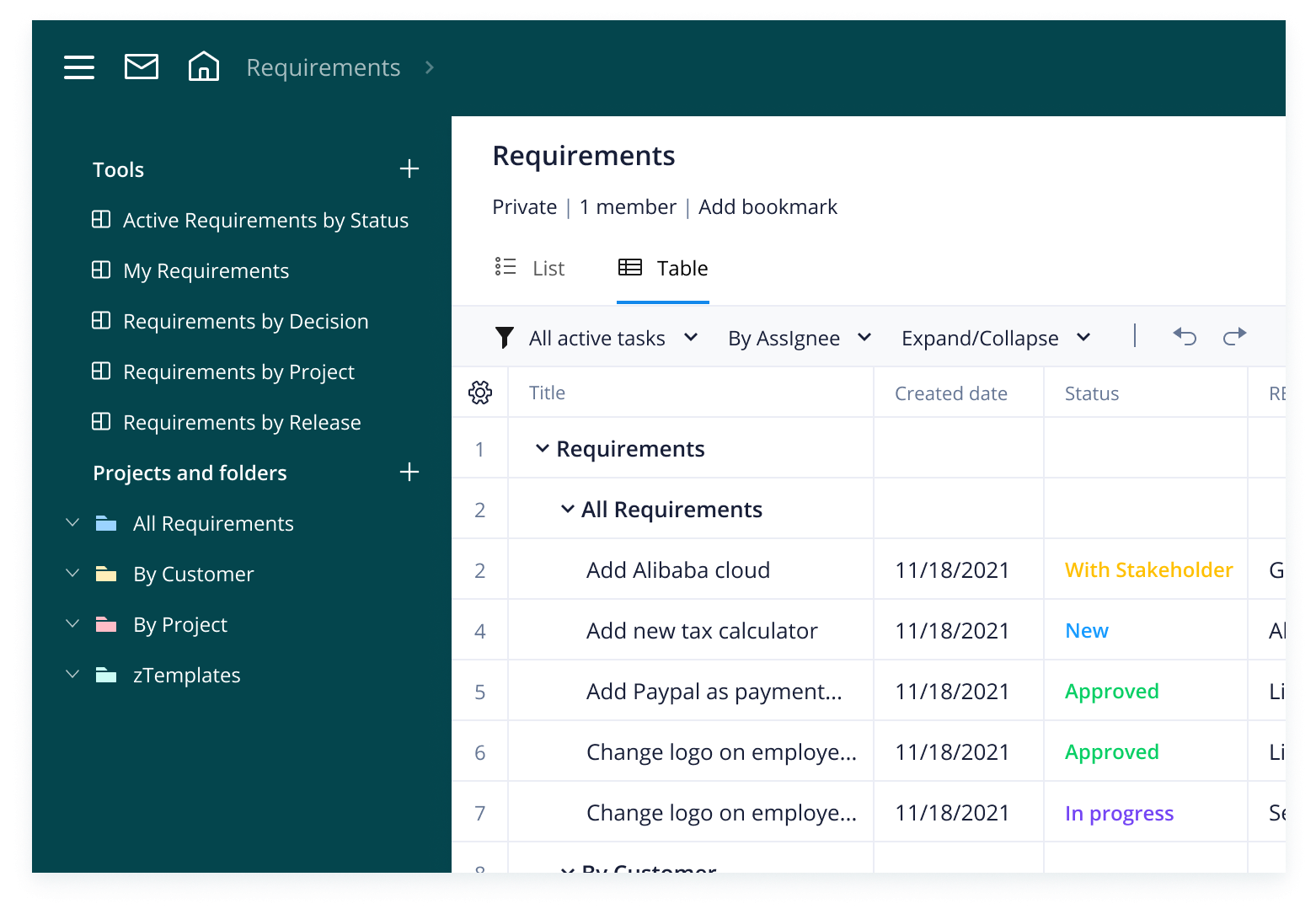
Ready to transform your requirements process? We’ve got you. It’s time to understand how you can use this Wrike template to implement an effective, end-to-end framework for managing project requirements.
Wrike’s requirements management template has a range of features to help you hit the ground running.
Kick-start the requirements process with request forms and blueprint tasks
Seamlessly organize all requirements into folders and projects
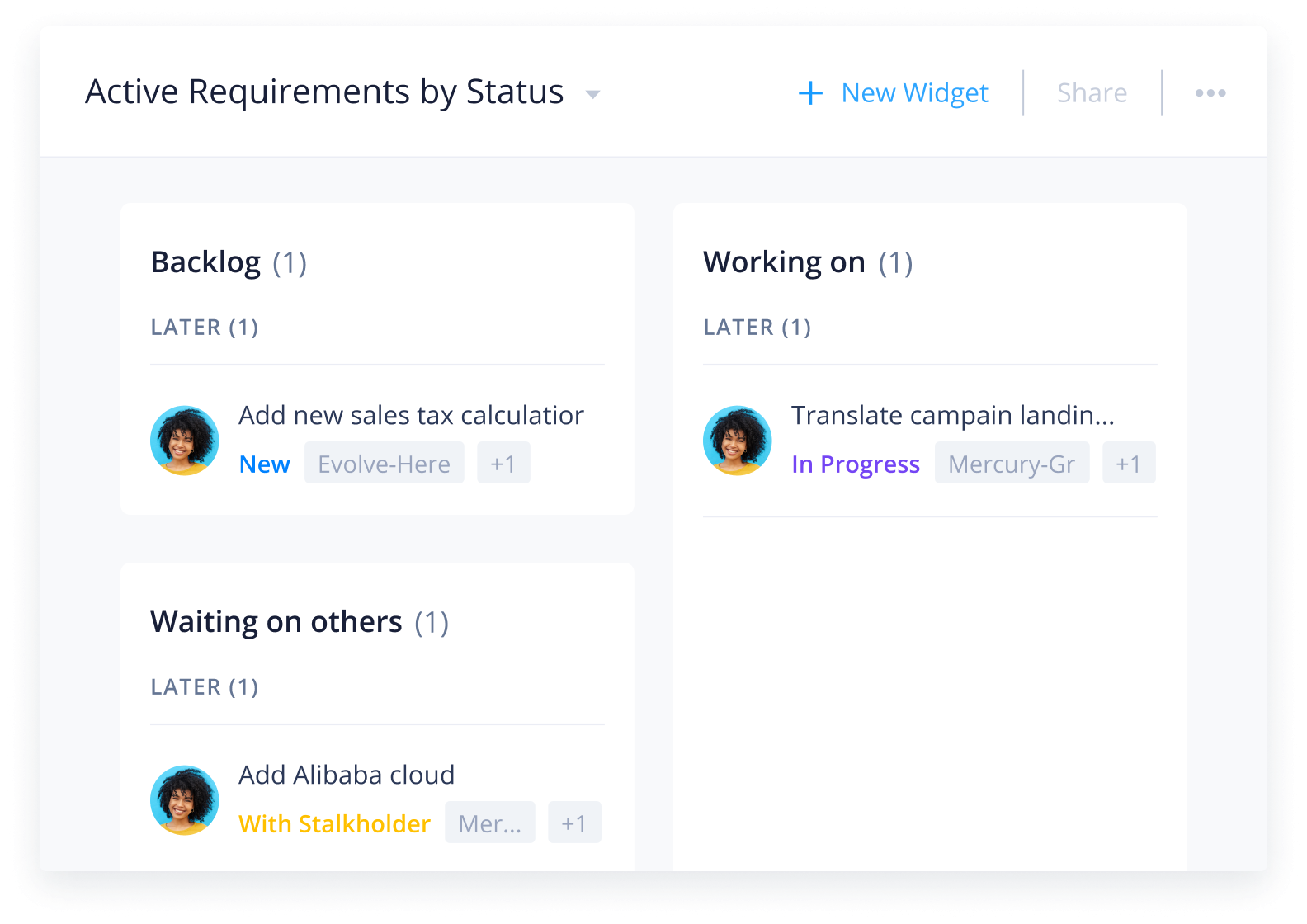
Track the status of all requirements in real time with high-level dashboards and reporting
Wrike’s templates are designed for seamless implementation, so you can focus on getting requirements over the line, not on setup.
Here’s how to kick-start your new requirements process:
Step 1: Collect requirements
How you collect and organize project requirements is the foundation for the rest of your project. Customizable request forms ensure that you collect all the information you need to manage requirements right from the start.
Your request form will automatically add all the necessary data into a Wrike task so you can have everything you need in one place.
Step 2: Manage requirements
Custom workflows and dashboards allow you to keep track of all requirement statuses. Use Wrike features to request review and approvals to keep requirements moving in the right direction.
Cross-tagging and folders allow you to easily categorize file requirements in the right place for easy project coordination.
Step 3: Complete requirements
Wrike facilitates reviewing requirements and approving or rejecting them.
Dashboards and reports provide visibility into the status of requirements, the workload of reviewers, and what needs to be done to complete tasks.
Make Wrike work for you
Interested in Wrike features that allow you to do even more? Wrike’s exceptional work management software has a range of tools to suit every team’s needs. Our dynamic features include:
Wrike can be tailored to suit any project, team, or organization. Customize your processes and design your workspace to match your team’s requirements. Our platform is built to work your way — not the other way around.
The requirements management template is a valuable tool for any team or manager who wants to transform their requirements process.
Yes, the requirements management template is suitable for any type of project. It includes many dynamic features, which means you can tailor it to fit Agile, Waterfall, Kanban, and hybrid projects.
Use the requirements management template to capture requirements with request forms, review and assess them with statuses and custom fields, monitor progress with dashboards, and get a full audit trail with native approvals.
How to install this template in your account
You can only access this template when you create a new space. You can access the use case templates gallery through the space creation wizard. When you opt to create a new space, the template gallery opens by default.
Click the “+” button in the upper-right corner of your workspace.
Select “Space.”
On the page that opens, hover over the use case you want and click “Preview.” Look for the “Project requirements management” template in the list (use the search bar if needed).
Now, you can see more information about the use case. Click “Select” to create a space.
Yes, there are.
To use this template, you need to have at least the Business plan or up. Check our plans here.
You must have the required permission to create a public space in your account.
If the template contains account-level custom fields, custom item types, workflows, request forms, or automation, you must have the permission required to create those items.
This template is only available when the workspace language is set to English.
Check the prerequisites above. If you don’t match one of the prerequisites, talk to your space admin or your account owner. If you match all the prerequisites and you still can’t see the “Project requirements management“ template, feel free to reach out to the Wrike support team.
Unlock the power of Wrike’s templates
Use our smart search tool to explore versatile templates, designed for easy customization and streamlined project management.
Wrike enhances its website search experience using Google's Vertex AI Search and Conversation generative AI service. Users are cautioned that generative AI might produce inappropriate, inaccurate, offensive, or unintended results, and are advised against submitting explicit, harmful, offensive, or illegal content as search input. Neither Wrike nor Google uses your search inputs to train its machine learning models or for advertising purposes, but search activities may be collected and/or stored via cookies in accordance with our Privacy Policy if you previously registered on our website. These cookies can be deleted through your browser settings. Wrike's search service is not designed to be used in connection with your personal data or any sensitive data of any kind, which users must refrain from inputting.