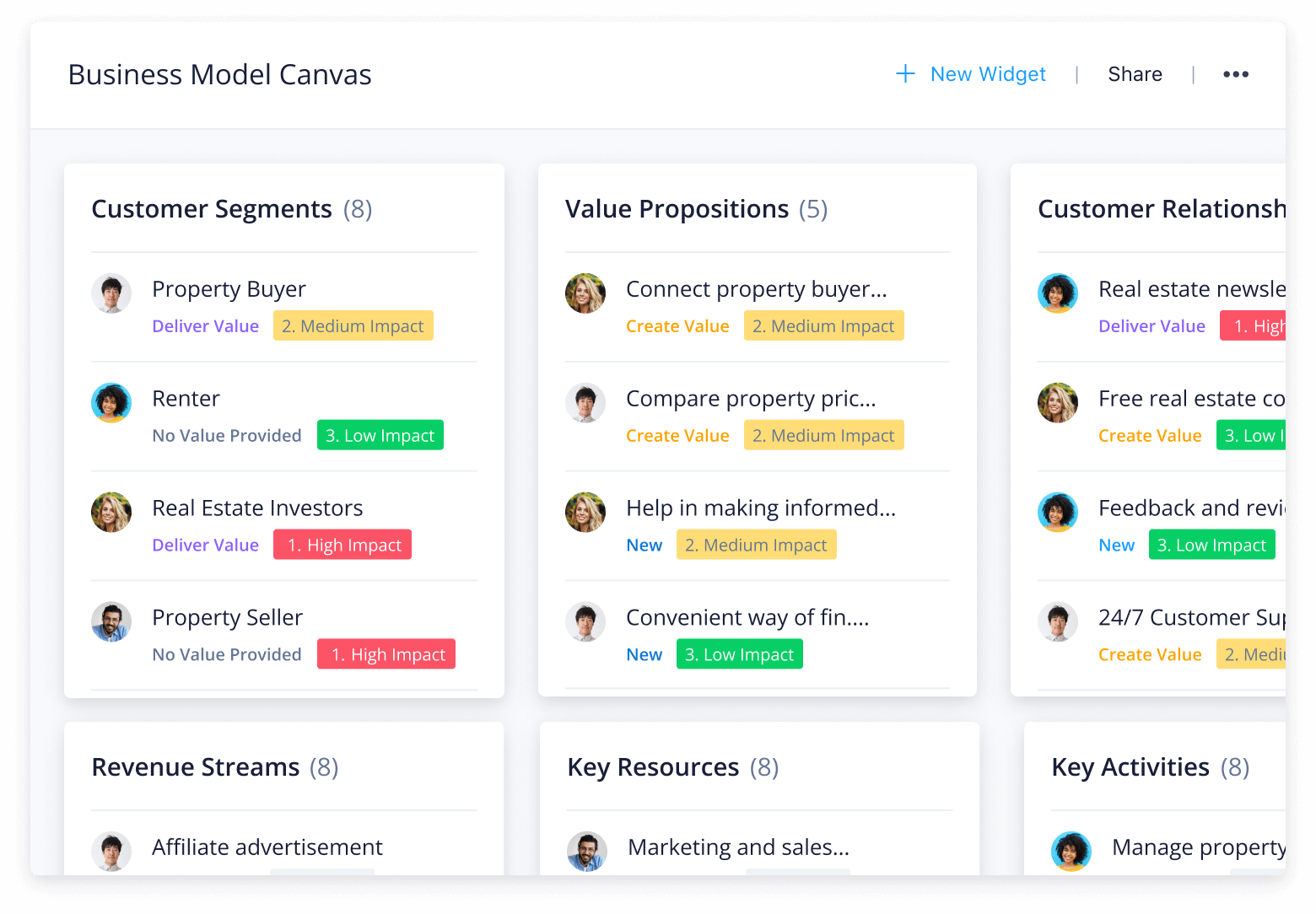
Explore the BMC template from Wrike and use it as a strategic tool. With clear visibility across your entire business model, you’ll gain a more detailed understanding of each aspect of your organization.
Does your team ever struggle with:
Clearly structuring business models?
Understanding varying connections?
Relaying information to stakeholders?
With Wrike’s business canvas template, you can eliminate these obstacles by:
Defining your entire business model in a visual and intuitive layout, showing you every strategic operation of your business to understand its value
Highlighting everything on one page, making it easy to understand how it all ties together to accomplish your ultimate goal
Sharing details with internal and external stakeholders so you can all stay in sync
Why you need this business model canvas template
Include every stakeholder
You can detail each important stakeholder in your business model template so that everyone in your team knows who is involved. Illustrate business leverages and make a note of unique responsibilities.
Monitor business resources
Attach your most important resources to your business canvas template so each team member can quickly access what they need to maintain a successful operation.
Understand every connection
Our business model canvas template gives you a detailed overview of every strategic element of your company in a single view. See how everything connects and works together to meet each of your business goals.
For your business to succeed, it’s critical that you have your eyes on everything and understand what’s going on at all times. Regardless of whether you’re an entrepreneur or senior manager, Wrike enables you to:
Organize all your work with a building blocks folder
Get a quick overview of all strategic business activities in a dedicated Wrike Space
See which tasks and projects have a high, medium, or low impact on your organization
Increase stakeholder visibility with real-time dashboards
Wrike’s business model template includes three primary components: dashboards, folders, and a request form.
Step 1: Input details
Locate the request form and find the business model canvas template. Enter your desired information into the building block and business idea fields along with the applicable level of impact — high, medium, or low.
Step 2: View the Building Blocks folder
This folder contains three subfolders where all work activities are divided (high, medium, and low impact). It is displayed in board view, which details the building blocks each item belongs to, along with the stage and value it brings to your organization.
Step 3: Track dashboard activity
Monitor the Business Model Canvas dashboard, which organizes all the business activities based on impact level.
View the Building Blocks Impact dashboard, which categorizes each business activity based on their respective form inputs. This dashboard also displays the impact of each category and if they create, deliver, or provide no value to your organization.
Allow Wrike to work for you
Our business canvas template provides you with everything necessary for monitoring strategic business operations while keeping all stakeholders updated.
Here are some other Wrike features that empower you to enhance collaboration, increase project visibility, and ensure smooth operations:
Our powerful work management solution is the most robust and intuitive platform for entrepreneurs, senior management, and any stakeholder who needs visibility into their entire organization’s operations. Experience the Wrike difference today.
Resources for strategic teams
Explore these case studies and infographics.
case study
Learn how House of Design uses Wrike as a single source of truth to master project visibility and drive efficiency
Blog post
Cross-Tagging in Wrike Opens Up Your Team’s Project Visibility (Infographic)
case study
Discover why Umpqua Bank relies on Wrike to consolidate communication and enhance vendor visibility
Building blocks are used to categorize business activities into high-level areas such as ‘Customer Relationships,’ ‘Revenue Streams,’ etc. These are pre-labeled, but you can add ideas to each category.
Labeling each business activity with high, medium, or low impact gives stakeholders a better indication of how important the task is to your organization’s overall operation.
Wrike users with a Business, Enterprise, or Pinnacle plan can take advantage of the business model canvas template.
How to install this template in your account
You can only access this template when you create a new space. You can access the use case templates gallery through the space creation wizard. When you opt to create a new space, the template gallery opens by default.
Click the “+” button in the upper-right corner of your workspace.
Select “Space.”
On the page that opens, hover over the use case you want and click “Preview.” Look for the “Business model canvas” template in the list (use the search bar if needed).
Now, you can see more information about the use case. Click “Select” to create a space.
Yes, there are.
To use this template, you need to have at least the Business plan or up. Check our plans here.
You must have the required permission to create a public space in your account.
If the template contains account-level custom fields, custom item types, workflows, request forms, or automation, you must have the permission required to create those items.
This template is only available when the workspace language is set to English.
Check the prerequisites above. If you don’t match one of the prerequisites, talk to your space admin or your account owner. If you match all the prerequisites and you still can’t see the “Business model canvas“ template, feel free to reach out to the Wrike support team.
Unlock the power of Wrike’s templates
Use our smart search tool to explore versatile templates, designed for easy customization and streamlined project management.
Wrike enhances its website search experience using Google's Vertex AI Search and Conversation generative AI service. Users are cautioned that generative AI might produce inappropriate, inaccurate, offensive, or unintended results, and are advised against submitting explicit, harmful, offensive, or illegal content as search input. Neither Wrike nor Google uses your search inputs to train its machine learning models or for advertising purposes, but search activities may be collected and/or stored via cookies in accordance with our Privacy Policy if you previously registered on our website. These cookies can be deleted through your browser settings. Wrike's search service is not designed to be used in connection with your personal data or any sensitive data of any kind, which users must refrain from inputting.