



- ClickUp is the more affordable option with a more extensive free plan, although it has a tiny storage limit.
- Monday.com is the more intuitive tool with a user-friendly interface and simple setup, but it supports fewer features and use cases.
- ClickUp offers more project views and customization options out of the box. This comes at the cost of a more cluttered UI.
- Monday.com has more native integrations. However, ClickUp’s integrations are available across all plans.
- Wrike offers unmatched work management flexibility for your specific needs and environment, while remaining simple to set up and intuitive to use.
Both ClickUp and Monday.com have earned their spots among the most widely used project management platforms. They handle the core requirements well, including task tracking, multiple project views, and team collaboration. Plus, they offer enough integrations and collaboration tools to fit into most existing tech stacks.
However, their messaging will ALSO ask you to consider replacing most of your stack with their tools – their end goal will be to establish themselves as your main platform for employees.
Here is how ClickUp and Monday.com differ in their approach:
- ClickUp is built to be a feature-rich, all-in-one tool with a wide range of capabilities at a price that’s hard to argue with. It offers more project views, native chat, and other tools that Monday.com doesn’t match. It’s the more versatile option, but comes with a steeper learning curve and a more cluttered interface.
- Monday is more simplified by design, offering fewer configurations and an easier-to-use interface that’s faster to adopt. It’s the better choice for teams that want straightforward onboarding and a polished interface instead of advanced features like resource management, work effort, or time tracking.
There’s no universally right or wrong answer. You’ll need to consider what your team needs and the most important features for your organization’s project management (as well as alternative solutions that might suit your needs and workflows better than either ClickUp or Monday.com).
This guide breaks down how the two tools compare across key features and categories, including pricing, integrations, and team fit, including a breakdown for enterprise, professional services, and creative teams.
ClickUp vs. Monday.com at a glance
|
ClickUp |
Monday.com |
|
|
Free plan |
Yes, unlimited users, unlimited tasks |
Yes, 2 users max, 3 boards |
|
Starting price (annual) |
$7/user/month |
$9/seat/month (3-seat minimum) |
|
Ease of setup |
Steeper learning curve due to the volume of features |
Faster to get started with intuitive boards and fewer features |
|
Project views |
15+ views, including Whiteboard and Mind Map |
8+ views, including Chart view |
|
Integrations |
50+ native, some available free plan |
200+ native, paid plans only |
|
Built-in chat |
Yes |
No |
|
Time tracking |
Available from $7 per user/month |
Available from $19 per user/month |
|
Cross-tagging |
No |
No |
|
AI |
Add-on ($9 per user/month on top of each plan) |
Included from Basic plan up ($9 per user/month) |
|
Support |
24/7 chat on all plans |
24/7 chat on paid plans |
With the basics out of the way, let’s go into detail about which teams and use cases each tool serves better.
Which tool is the better choice: ClickUp or Monday.com?
Neither work management tool is universally better than the other. Both have strengths and weaknesses, and the right choice entirely depends on what your team needs day to day, so here’s a breakdown for different teams, including:
- Enterprise organizations
- Service-based businesses
- Creative and design teams
ClickUp vs. Monday.com for enterprise organizations
ClickUp and Monday.com are well-suited for small to mid-sized teams. Still, as organizations grow, the number of departments, stakeholders, and complex approval chains increases, which can expose some inherent limitations.
Still, both platforms offer enterprise plans. Here’s how ClickUp and Monday.com compare on enterprise features:
For large teams, Monday.com offers:
- Bundled AI stack with six tools — including agent workforce, a meeting notetaker, and a vibe app builder — with custom AI credits
- Separate products for service (Monday service), development (Monday dev), and customer-facing teams (Monday CRM)
- Cross-team dashboards at the Pro plan and above
- SSO and SCIM provisioning
For large teams, ClickUp offers:
- Potential for all-in-one consolidation of project management, communication (e.g., chat and inbox), knowledge base, and time management tools
- Workload and resource management from the Business plan up
- Multi-step automations, even on lower tiers
- SSO and audit logs
In terms of workflows and work organization, ClickUp’s hierarchy, plus native Docs, whiteboards, and chat, built to replace multiple individual tools, make it more attractive to enterprises looking for an all-in-one, customizable approach. Again, that comes with a steep learning curve, so enterprises that prefer a cleaner UI with fewer customization options will find Monday.com a better fit.
Both platforms technically cover their bases when it comes to enterprise security (a topic we’ll discuss later in this guide). They have the necessary certifications and granular access controls. However, ClickUp experienced a data exposure incident in which researchers obtained 959 email addresses from the platform, raising concerns for large organizations with strict compliance requirements.
It’s also notable that customer reviews of ClickUp commonly cite scalability as a challenge. Recent development efforts have targeted this challenge, but the prevailing view is that it lags competitors like Wrike and Monday.com.
Lastly, if you need cross-team collaborations, reporting, or approval workflows, Wrike is worth a closer look as a true enterprise solution. Specifically, Wrike offers:
- Cross-functional dashboards and visibility: Teams work in their own spaces, while leadership and stakeholders get a real-time view across all projects without manual status updates
- Custom request forms: Route incoming work automatically to the right team and person, reducing admin overhead at scale
- Cross-tagging: Enables teams to view tasks in the context of their unique projects and wider company initiatives. Cross-tags can be used across tasks, subtasks, folders, milestones, phases, and projects
- 400+ integrations: Fits into the kind of complex tech stacks enterprise teams typically run
- Advanced compliance and security: Goes further than either alternative for regulated industries or organizations with strict data requirements
ClickUp vs. Monday.com for creative and design teams
Creative teams need tools that handle production workflows and the back-and-forth of feedback that comes with them. These are two things that most task tracking tools handle poorly, but Monday.com is a natural fit for creative work:
- Visual interface: Intuitive enough that most creatives adopt it without pushback.
- Workload views: See who’s stretched thin across multiple briefs without digging through tasks.
- Board structure: Maps naturally to campaign and production workflows.
ClickUp brings a different set of strengths:
- Built-in whiteboards: Brainstorm and plan visually without switching to Figma or Miro.
- Integrated Chat: Keep feedback conversations tied to the work, not buried in Slack threads.
- Multiple views on the free plan: Calendar, List, Kanban, and more, without upgrading. Monday.com offers only a Kanban view on its free and Basic plans.
For teams that need built-in whiteboards and feature versatility, ClickUp clearly takes the cake. However, since many creative teams need simple and visually appealing project management software instead of all the bells and whistles, Monday.com can often be the better option. Plus, it also has a whiteboard tool (WorkCanvas), although it’s sold separately.
It’s worth noting that neither tool supports structured proofing and approval workflows in depth.
In contrast, Wrike offers dedicated proofing and approval features, as well as integrations with DAM platforms (and with Adobe Creative Cloud). Plus, Wrike Whiteboard offers lots of flexibility with features like mind mapping, diagramming, puzzles and quizzes, and more.
This means creative teams can brainstorm, create mind maps, collaborate on files, set up approval workflows, and publish assets to their DAM software directly from Wrike.
ClickUp vs. Monday.com for service-based businesses
Service businesses, including agencies, consultancies, and IT firms, need to juggle multiple client projects, track billable hours, and keep delivery timelines visible for everybody.
In that context, Monday.com can offer:
- Clean client-facing boards: Set up a separate workspace per client and share progress without overwhelming stakeholders.
- Timeline view: Map out delivery schedules and spot bottlenecks at a glance.
- Polished interface: Easy enough to pull up in a client call without any explanation needed.
ClickUp can also provide a lot of useful capabilities, including:
- Built-in time tracking: Available on the cheaper Unlimited plan, while Monday.com offers it only on its Pro plan (which starts at $19 per user/month).
- Task dependencies: Structure multi-phase client projects so nothing moves before it’s ready.
- Additional flexible views per project: Configure each client engagement differently depending on how the work is structured.
Again, this is a question of flexibility versus simplicity: ClickUp clearly offers more built-in features (e.g., chat, inbox, and a bundled whiteboard) and supports more use cases at the expense of a steeper learning curve.
Here’s what Elena T., company owner in the Marketing and Advertising industry, had to say about ClickUp:
What I liked the most about ClickUp is how flexible it is. My clients managed 6 brands, and I can create different spaces for each and manage simple to-do tasks. The customization options are great (views, fields, and automations let you shape the workspace to fit exactly how you work. As an email marketer, my clients and team appreciate the different views (calendar, lists, etc.).
For smaller service teams looking for minimal setup, Monday.com is the lower-friction option. For teams that need more customization and time tracking on a cheaper plan, ClickUp is the better fit.
For organizations that need maximum flexibility and customization, coupled with a simple setup, Wrike can deliver more. Its client management features, combined with internal work management, communication, and collaboration tools (like Wrike Whiteboard), make it an ideal choice for professional services teams.

ClickUp vs Monday.com: The pricing
ClickUp is the more affordable option with simpler, more flexible pricing
ClickUp’s pricing is straightforward. There are no seat minimums and no incremental tier jumps, though the sheer breadth of features can make it difficult to quickly find the right plan for you.
Monday.com looks competitive at first glance, but its structure quickly adds cost for freelancers and very small teams. All paid plans require a minimum of three seats, so a solo user or two-person team pays at least $27/month regardless of what they need.
|
ClickUp |
Monday.com |
|
|
Free plan |
Yes, unlimited users |
Yes, 2 users max |
|
Entry paid plan (annual) |
$7/user/month (Unlimited) |
$9/seat/month (Basic) |
|
Mid-tier plan (annual) |
$12/user/month (Business) |
$12/seat/month (Standard) |
|
Seat minimum |
None |
3 seats on all plans |
For smaller teams or growing startups, ClickUp’s flexibility is a real advantage. But you’ll see that the per-seat difference becomes less relevant once you’re past 10–15 team members.
The unlimited users on ClickUp’s free plan is worth calling out specifically. It means your entire team, whether you’re a business owner evaluating options or a team lead rolling out a new tool, can try it before you commit to a paid plan, regardless of how many people that ends up being.
Monday.com’s two-user cap makes that kind of organization-wide evaluation impossible without upgrading first. It’s not as friendly an option for larger teams testing out new tools.
Note: Wrike’s free plan works similarly to ClickUp’s, accommodating unlimited users, so even large teams can test the tool before committing to a premium plan.
ClickUp’s free plan is more generous and useful for real teams
Most project management software offers a free plan, but the gap between what ClickUp and Monday.com actually include is significant.
ClickUp free plan includes:
- Unlimited users, tasks, and projects
- 100 automation executions per month
- List, Kanban, Table, and Calendar views
- Collaborative docs
- 60 MB storage
Monday.com free plan includes:
- 2 users maximum
- 3 boards
- 500 MB storage
- 200+ templates
- No automations
- No integrations
While neither tool offers unlimited storage, Monday.com’s free tier has a significant edge in this area. Monday offers 500 MB of storage, compared to ClickUp’s 60 MB. This is important for teams that regularly share design files or documents.
ClickUp’s AI pricing is more transparent
AI has become a standard feature on both platforms, but the pricing models differ significantly. Depending on how your team plans to use it, one approach will suit you better than the other.
|
ClickUp Brain |
Monday.com AI |
|
|
AI tools included in base plan |
No, sold as add-ons only |
Yes, from the Standard plan |
|
Cost |
$9/user/month extra + credit purchases for extra usage |
AI credits are purchased separately based on the product |
|
AI features |
Writing, summaries, task generation, search |
Summaries, status updates, formula generation |
|
Usage limits |
Paid plans include shared credit allowance; extra credits can be purchased |
Credits are purchasable, with a required minimum alongside user seats |
|
Pricing clarity |
Transparent; fixed add-on cost |
Less clear; exact pricing and purchase mechanism are explained in help desk articles |
ClickUp Brain is optional, so teams that don’t need AI aren’t paying for it. A team on the $7/user Unlimited plan that adds AI ends up at $16/user. While this is transparent, it can increase monthly costs down the line if you’re not using AI from the start.
Monday.com bundles AI into its Standard plan and above, simplifying costs for teams that plan to use it daily. However, for users who sign up after May 6, 2026, AI credits must be purchased separately as part of the setup.
This means that, in addition to paying for user seats, teams must pay for a minimum number of AI credits. Seats cover the people using the platform, while AI credits cover supported AI usage.
For teams that want AI as a daily workflow tool, Monday.com’s bundled model is simpler, although the requirement to purchase a minimum number of credits can be annoying to some. For teams that want it available without committing to a higher monthly cost, ClickUp’s optional approach makes more sense.
Note: Wrike also offers advanced AI capabilities on paid plans, but the basics — including an onboarding assistant, AI content editing, whiteboard AI, and mobile inbox prioritization — are available on the free tier.
ClickUp vs Monday.com: Setup and key features
Monday.com is the more intuitive, user-friendly tool with fewer setup requirements
Monday’s interface is the more polished of the two. The board structure is intuitive, onboarding is fast, and new users can get a project up and running with minimal guidance.
What makes it work is the visual design: color-coded statuses, drag-and-drop columns, and clean timeline views make it consistently pleasant to work in.
Here’s what Abby S., Marketing Manager in the Computer Software industry, had to say about it:
“I really like how easy and intuitive monday.com is to use. The fresh, modern interface, clean layout, and overall user experience make it enjoyable to work in every day, and is easily one of the best tools we use. It’s also great value for money, and has nice collaboration features like the comments functionality that make it easy for our team to stay aligned. The vibe webinars are also a great new addition to the platform, and help me work out new functionality and how to better use the platform.”
ClickUp is far more complex, especially for new teams with less experience using project management tools. The range of features means more decisions during setup, and the left-side navigation can become cluttered depending on what you enable.
While ClickUp does offer more depth, it’s only valuable if your team is willing to invest the time in configuration.
Here’s a quick comparison of what you can expect from each tool:
- Monday.com: Fast to set up, easy to hand off to non-technical users, minimal training required
- Monday.com: Fewer views and options for customizations out of the box, what you see is largely what you get
- ClickUp: Highly configurable with 15+ views and guided setup flows
- ClickUp: Steep learning curve, teams that don’t need the depth will feel the overhead
If adoption is already a challenge in your organization, Monday.com might be the better option to ensure a smooth process.
However, for larger organizations and cross-department work, Monday’s lack of advanced features like cross-tagging and advanced blueprints can actually make work more difficult.
That’s why Wrike offers both — cross-tagging tasks across unlimited spaces and folders and blueprints for quickly creating recurring tasks, folders, and projects. These features save teams tons of time during the actual work management process, beyond the initial setup.
Here’s what Anastasia K., Project Manager in the Information Technology and Services industry, had to say about them:
“The cross-tagging is literally the first real game-changer for how our team works and so instead of having to create and maintain two separate versions of the same task/project, when something impacts both marketing and ops teams, you don’t have to duplicate anything or follow-up on multiple teams…The ability to drag dependencies around and have everything flow without breaking (this seems like a no-brainer), has been a pain point for many other platforms. Blueprints will likely also reduce your overall setup time if you’re creating similar types of projects, as once you get your blueprint set up correctly; you won’t be building from scratch every single time.”
ClickUp offers more project views and customization options
Both tools cover the project management features teams rely on most, including custom fields, task dependencies, recurring tasks, due dates, assignees, and subtasks.
But there are some noticeable differences in what’s included in free and lower-tiered plans.
|
View |
ClickUp |
Monday.com |
|
List / Table |
Yes — free |
Yes — free |
|
Kanban boards |
Yes — free |
Yes — free |
|
Calendar |
Yes — free |
Yes — Standard plan and up |
|
Gantt Charts / Timeline |
Yes — all paid plans |
Yes — Standard plan and up |
|
Workload |
Yes — Business plan |
Yes — Pro plan |
|
Whiteboard |
Yes — free |
Exists as a separate product for now (WorkCanvas) |
|
Mind Map |
Yes — Business plan |
No |
|
Map view |
Yes — Business plan |
Yes — paid plans |
ClickUp’s visualization options and view count are difficult to match in this category. Most are accessible on the free plan, while premium options like Gantt views require a paid plan.
The built-in whiteboard is particularly useful for remote teams that would otherwise rely on a separate tool like Miro for planning sessions (which is why we also have it as a feature for Wrike). ClickUp also natively supports sprint management, making it a strong fit for Agile teams tracking velocity and iteration cycles.
Again, Monday.com covers the essentials without overwhelming users with choices. Its mirror columns feature lets teams pull task status from one board into another without context-switching.
Monday.com has more native integrations, but ClickUp offers them on every plan
Monday has the larger native integration library, with 200+ connections compared to ClickUp’s 50+. Popular Monday.com integrations include CRM tools like Salesforce and HubSpot, as well as Jira, Slack, Google Workspace, Microsoft Teams, and Zendesk.
The more important difference is what’s available within each tool:
- ClickUp: Some integrations are accessible on every plan, including free
- Monday: Integrations locked out of free and Basic plans entirely
- Monday Standard: 250 integration actions per month
- Monday Pro: 25,000 integration actions per month
- ClickUp paid plans: No action caps on integrations
For teams on Monday.com’s Standard plan, the 250-action monthly cap can run out quickly, particularly for automations that rely on integration triggers. ClickUp users get full integration access from day one, on every plan.
For organizations running more complex tools, particularly creative, marketing, or enterprise teams, Wrike’s integration library provides broader coverage in specialized categories, including DAM platforms and business intelligence tools that neither ClickUp nor Monday.com supports natively.
The better option here really comes down to priorities. If you prefer a larger integration library, choose Monday.com. If you’d rather have unrestricted access to a small library, ClickUp is the winner. And if you want the largest library with email and cloud storage platform integrations on the free plan, Wrike is the best option.
Both ClickUp and Monday.com provide similar security capabilities
ClickUp and Monday are well-established, widely trusted, and built on a foundation of security (aside from ClickUp’s mentioned email data exposure by security researchers). The two platforms offer:
- SOC 2 Type II certification
- ISO 27001, ISO 27017, and ISO 27018 certification
- Two-factor authentication on all plans
- Data encryption in transit and at rest
- GDPR compliance
- HIPAA compliance on Enterprise plans
- SSO options on higher-tier plans
Each tool meets the security requirements most teams need, with no additional configuration required.
However, teams within heavily regulated industries or with stricter security requirements should consider Wrike because it offers:
- Granular role-based access controls: Define exactly who can see and do what across your organization
- Advanced user audit reports: Track and review all user activity across your workspace
- Network access restrictions: Whitelist specific IP addresses to control who can access Wrike
- Dedicated database management: Each Wrike enterprise account gets its own dedicated database, keeping your data fully isolated from other organizations
- Wrike Lock: An add-on that gives organizations full ownership and control of their own encryption keys. Rather than relying on Wrike to manage access, you store a master encryption key in Amazon Web Services’ Key Management Service, enabling you to approve, reject, and audit all data access activity yourself.
For organizations where data sovereignty isn’t optional, that level of control is beyond the reach of either ClickUp or Monday.com.
ClickUp has a built-in chat app, while Monday.com requires third-party tools
ClickUp includes a native Chat app that keeps team communication in the same workspace as your projects and tasks. It’s available on all plans, and messaging is unlimited on paid tiers.
Monday handles communication through item update threads. These are comments attached to specific tasks that work well for task-level discussion, but don’t replace a proper messaging tool for broader conversations.
Teams on Monday typically integrate Slack or Microsoft Teams to make up for the lack of a chat tool. But these integrations are unavailable on free and Basic plans.
For teams that want everything in one tool, ClickUp has a clear edge.
Looking for a more powerful alternative to ClickUp and Monday.com for cross-functional collaboration? Try Wrike
Both ClickUp and Monday.com are reliable tools, but they serve very different needs. If your team is outgrowing the basics and needs more structure around approvals, cross-team visibility, and reporting, Wrike is worth considering as a more advanced alternative.
Here’s what sets Wrike apart:
- Cross-functional project visibility: Real-time customizable dashboards that give leadership a live view across all teams and projects without manual status updates
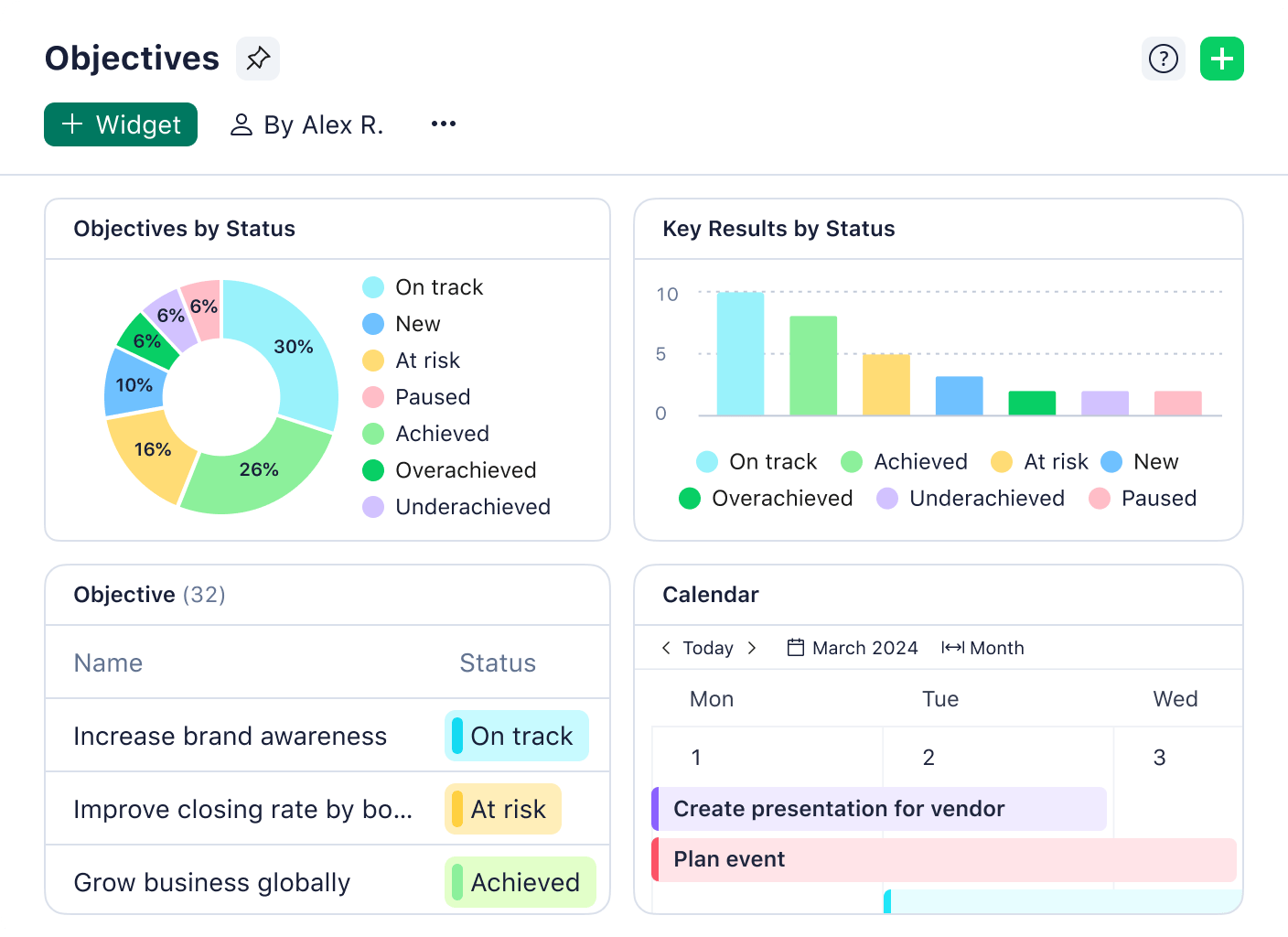
- Native proofing and approvals: Annotate, review, and sign off on work directly in the platform — no third-party tools required
- Workflow automation: Build automations from start to finish, including dynamic request forms that route incoming work automatically to the right team
- Advanced resource management: Track workloads, allocate capacity, and prevent burnout across teams
- Wrike Lock: Enterprise-grade encryption key ownership for organizations with strict data governance requirements
- 400+ integrations: Connects with the tools your teams already use, including Adobe Creative Cloud, Salesforce, Power BI, and Tableau
Start your free two-week trial with Wrike or sign up for a free plan today.
Frequently asked questions (FAQs) about ClickUp vs. Monday
What’s better, ClickUp or Monday.com?
It depends on what your team needs. ClickUp is the stronger option for teams that want more advanced features, greater customization, and a more generous free plan. Monday.com tends to be the better choice for teams that prioritize ease of use and faster adoption.
Is ClickUp harder to use than Monday.com?
Generally, yes. ClickUp has a steeper learning curve due to its extensive feature set and configuration options. Monday.com is faster to set up and easier to hand off to non-technical users. That said, it doesn’t offer the same breadth of features or flexibility.
Does ClickUp or Monday.com offer a free plan?
Both tools offer free plans, but ClickUp’s is significantly more generous. ClickUp’s free plan supports unlimited users and unlimited tasks, and includes basic automations and multiple project views to help teams streamline their work from day one. Monday.com’s free plan caps at two users and three boards, with no access to automations or integrations.
What is a good alternative to ClickUp and Monday.com?
Wrike is a strong alternative to both ClickUp and Monday.com, particularly for larger teams or enterprise organizations. It’s better suited for managing complex, cross-functional work, with features for native proofing, advanced reporting, and automated request management. If you’re also considering Asana, check out our full breakdown of Wrike vs. Asana.