Marketing campaign calendars are essential for ensuring that marketing operations flow smoothly and businesses reach their audiences with ease. From the start of a marketing campaign to the very last post, a complete and rounded campaign calendar guarantees that tasks are never left unfinished.
With Wrike’s pre-built marketing calendar template, you can begin formulating the basis of even the most complex marketing campaign. From annual marketing calendars to simpler weekly campaign plans, Wrike’s template gives you everything you need for a cohesive, omnichannel marketing structure.
Why you need this marketing calendar template
Missed deadlines
An easy-to-follow marketing plan calendar will help each team member understand when their campaign tasks are due. Keep your team on track with Gantt charts that let them see deadlines clearly and avoid roadblocks.
Poor communication
Excellent communication with clients is essential for a successful marketing agency. With the marketing calendar template, lead data is clearly visible with a dashboard so you can share campaign performance with clients.
Disjointed teamwork
Successful marketing campaigns require seamless teamwork. Use the marketing schedule template to bring your team together into a single platform where they can brainstorm ideas and clear roadblocks together.
How to use the marketing calendar template in Wrike
Wrike’s marketing schedule template will help you organize your marketing activities quickly and easily.With just a few clicks, you can set deadlines and improve your campaigns straight away.
Here’s how to use the marketing calendar template.
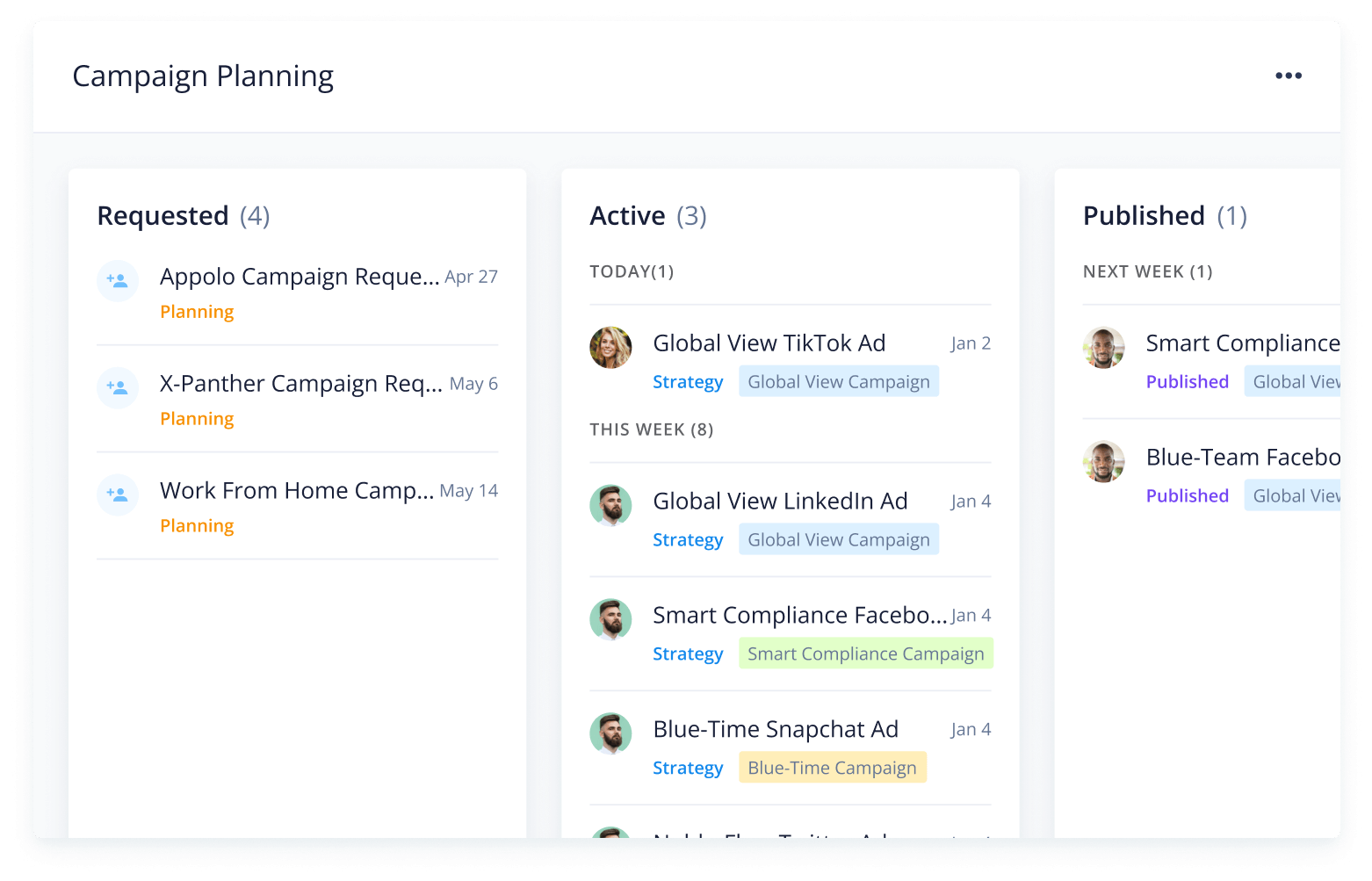
Wrike’s comprehensive marketing calendar template makes organizing your campaign tasks and events a simple process.
Follow these three simple steps to get started.
Step 1: Manage requests
Are your task requests getting lost in your inbox? Start by organizing your intake with automated request forms that allow for customized fields such as client name, relevant campaign, and budget.
Assign tasks to team members, set start and due dates, and use the calendar view to get a clear understanding of deadlines.
Step 2: Organize information
Tired of wasting time sifting through emails, looking for critical campaign information? Organize task or event information in a single place using Wrike’s folder system.
Sort campaign information by client name or search for relevant information without leaving Wrike.
Step 3: Plan your campaign schedule
Once your information is clearly organized, you can set up your marketing planning calendar within Wrike so each task has a set due date and the relevant information is right where you need it.
Interactive Gantt charts make visualizing complex project deadlines a breeze and can help your team understand dependencies that could cause project roadblocks.
Make Wrike work for you
Our marketing calendar template offers a robust and complete solution for all kinds of marketing campaigns, but we also offer a variety of other features that will improve the way you work.
Have a look at these other project management features that will support your marketing campaigns.
Wrike’s software can be easily tailored to meet your marketing team’s specific requirements. Discover our powerful project management platform today.
Resources for marketing teams
IURO Constructora Integral case study
Learn how construction design company IURO increased team collaboration and stakeholder visibility with Wrike’s project management platform.
Marketing transformation eBook
Discover the key disciplines marketers need to focus on to jump-start business transformation. Find out how teams are leveraging collaborative work management to overcome challenges.
Marketing Architects case study
Read about how Marketing Architects used Wrike to increase efficiency in their processes by 40% by automating approvals and increasing team communication.
The marketing calendar template helps marketing teams organize incoming requests, plan digital campaigns, and monitor campaign performance.
Wrike’s marketing calendar template includes a range of features you can tailor to your team’s needs, including a request form, workflow, and dashboard.
No downloading required. Simply sign up with your business email address to begin. If you’re new to Wrike, you can start your free two-week trial today.
How to install this template in your account
You can only access this template when you create a new space. You can access the use case templates gallery through the space creation wizard. When you opt to create a new space, the template gallery opens by default.
Click the “+” button in the upper-right corner of your workspace.
Select “Space.”
On the page that opens, hover over the use case you want and click “Preview.” Look for the “Campaign Management” template in the list (use the search bar if needed).
Now, you can see more information about the use case. Click “Select” to create a space.
Yes, there are.
To use this template, you need to have at least the Business plan or up. Check our plans here.
You must have the required permission to create a public space in your account.
If the template contains account-level custom fields, custom item types, workflows, request forms, or automation, you must have the permission required to create those items.
This template is only available when the workspace language is set to English.
Check the prerequisites above. If you don’t match one of the prerequisites, talk to your space admin or your account owner. If you match all the prerequisites and you still can’t see the “Campaign Management“ template, feel free to reach out to the Wrike support team.
Unlock the power of Wrike’s templates
Use our smart search tool to explore versatile templates, designed for easy customization and streamlined project management.
Wrike enhances its website search experience using Google's Vertex AI Search and Conversation generative AI service. Users are cautioned that generative AI might produce inappropriate, inaccurate, offensive, or unintended results, and are advised against submitting explicit, harmful, offensive, or illegal content as search input. Neither Wrike nor Google uses your search inputs to train its machine learning models or for advertising purposes, but search activities may be collected and/or stored via cookies in accordance with our Privacy Policy if you previously registered on our website. These cookies can be deleted through your browser settings. Wrike's search service is not designed to be used in connection with your personal data or any sensitive data of any kind, which users must refrain from inputting.