

- The critical path method (CPM) is a scheduling technique that maps task dependencies to pinpoint which activities can’t slip without pushing back the finish date.
- The critical path is the longest chain of dependent tasks in a project, and it determines the shortest possible time the project can take.
- The core CPM formulas are EF = ES + duration for the forward pass, LS = LF − duration for the backward pass, and float = LF − EF (or LS − ES) for slack time.
- CPM works best during the planning phase for projects with complex, parallel dependencies, well-defined task estimates, and a fixed deadline.
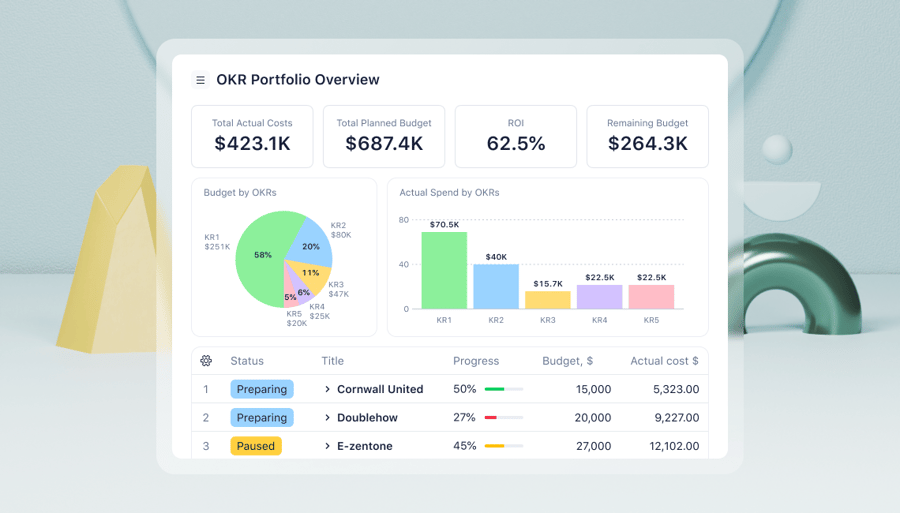
- Wrike enhances CPM implementation by automatically calculating the critical path from task dependencies and surfacing it on a Gantt chart.
The critical path is the longest sequence of dependent tasks in a project. It sets the minimum possible duration, and any delay to a task on the critical path delays the end date by the same amount.
That’s what separates a critical task from a non-critical one: critical tasks sit on this path and have zero float, meaning they can’t slip, while non-critical tasks have positive float and some room to move. Knowing which is which answers three questions:
- Which tasks can and can’t slip?
- Where can your team reallocate resources?
- How long will the project take at a minimum?
This guide covers how the critical path method works, the formulas behind the forward and backward pass, when to use it over a Gantt chart or PERT chart, and how Wrike automates the calculations for you.
What is the critical path method?
The critical path method (CPM) is a project scheduling technique that identifies the longest sequence of dependent tasks to determine the shortest time a project can take. It’s also known as critical path analysis (CPA).
Any team in any industry can use the critical path methodology to manage complex projects. What’s more, a good project management software platform can take a project’s CPM data and turn it into a visual representation of the tasks, their dependencies, and the critical path, making it easy to understand and manage the project at a glance.
In the CPM, tasks are categorized as critical or non-critical:
- Critical tasks must be completed on time to ensure the project is finished on schedule. Any delay in a critical task will delay the whole project.
- Non-critical tasks have some flexibility in their scheduling, so they’re less likely to delay project completion.
The CPM is especially valuable for projects with numerous interdependent activities, as it allows project managers to see potential bottlenecks and plan resource allocation more effectively.
For example, imagine you’re manufacturing a new product. Tasks like finalizing the product design, building the prototype, testing, and launching are all linked because none of these stages can begin before the tasks that precede them in the activity sequence are completed. CPA helps you determine the chain of tasks that will keep you on schedule and single out the tasks that have wiggle room if that schedule starts to slip.
By identifying the critical path, project managers can prioritize tasks, mitigate risks, and ensure a project progresses and completes on time.
Why use critical path analysis (CPA)?
Critical path analysis (or CPA) helps identify the tasks that directly impact a project’s finish date, so teams can focus on the work that drives delivery. It does this by:
- Improving the accuracy of your project scheduling
- Highlighting potential delays before they happen
- Ensuring teams focus on the most time-sensitive work at each stage of the project
Since it plays such a key role in project scheduling, critical path analysis is also important for avoiding bottlenecks that can hamstring projects and cause late finishes.
When to use the critical path method (CPM)
CPM isn’t the right tool for every project; it works best under specific conditions. Recognizing them upfront saves you the effort of visualizing and managing a critical path for a project that doesn’t need one.
Complex dependencies are the first signal that CPM would be a beneficial project management technique to deploy.
CPM pays off when a project has multiple task sequences running in parallel that still need to be coordinated.
A software upgrade project with development, infrastructure, and data migration tracks running at once is a good example. It’s easy to fall into a situation where one track sets the pace for all the others if you haven’t mapped the dependencies at the beginning of the project.
That coordination only works if you also have well-defined, estimable tasks. CPM needs realistic duration estimates to produce a reliable critical path, which means it works best when the project scope is clear enough for a team to say a task will take three days, not “somewhere between two days and two weeks.”
A kitchen renovation with fixed contractor quotes tends to have tasks that are clear enough for CPM; a brand-new R&D effort usually doesn’t.
Clear estimates matter most when you’re working against fixed, non-negotiable deadlines. Regulatory filings, product launch dates, and contract milestones don’t move, and CPM tells you exactly which tasks have zero room to slip before you’re at risk of missing those hard deadlines.
That same deadline pressure is also why CPM gives you a progress baseline to work with. The critical path you calculate at the start of a project becomes the reference point for tracking actual progress. Without that baseline, “Are we on schedule?” is a guess. With it, you can point to the exact task that’s behind and how many days of buffer are left.
Of course, all of this depends on building the critical path during the project planning phase, before work begins, while the schedule can still be adjusted. Once a project is underway and tasks are in motion, it can be useful to recalculate the critical path, but the earlier you build it, the more decisions it can actually influence.
As we said above, CPM isn’t the right fit everywhere. Specifically:
- Early-stage R&D, where task durations are genuinely unknown, doesn’t give CPM the estimates it needs to work. You can’t calculate a reliable critical path around “we’re not sure how long this experiment will take.”
- Small projects with few dependencies don’t justify the time and expense of the CPM. If a project has five tasks and two of them depend on each other, building a full network diagram will take longer than just running the project.
- Highly dynamic projects, where scope changes weekly, will outpace a critical path faster than you can update it. Agile sprints with shifting priorities are a common example. Some teams still apply CPM at the release level, mapping the critical path across major milestones while leaving individual sprints to Agile planning. This gives them a fixed-deadline view without forcing story-level estimates into a rigid schedule.
Benefits of using the critical path method in project management
The CPM offers many benefits that can make your project management significantly more effective:
- CPM provides a clear visualization of the project timeline, typically presented as a flowchart. By illustrating the sequence and duration of each task, the CPM allows project managers to gain a comprehensive understanding of the project’s flow, making it easier to plan and manage resources effectively.
- CPM clearly identifies critical tasks. This not only helps prioritize tasks but also enables proactive management of potential delays. By understanding which jobs can be delayed without affecting the overall timeline, project managers can better manage changes or issues that arise during the project’s lifecycle.
- CPM aids in risk management. Highlighting the critical path allows project managers to foresee potential bottlenecks or delays and proactively mitigate them. This can lead to a significant reduction in project downtime and the associated costs.
- CPM promotes better communication within the project team. With a clear visual representation of the project’s timeline, team members can better understand their roles, responsibilities, and how their tasks fit into the overall project. This can lead to improved collaboration, efficiency, and overall project success.
Limitations of CPM
While CPM is a proven scheduling method, it has key limitations that project managers should keep in mind when planning and executing complex work. In the real world, projects aren’t always linear, data isn’t always perfect, and teams are juggling more than just task sequences.
This table shows how that can play out in practice.
|
Limitation |
Reason |
Mitigation |
|
Relies on accurate data |
CPM only works as well as the data it’s built on. If task durations, dependencies, or deadlines are inaccurate, the critical path becomes unreliable. |
Revisit estimates regularly against actual task completion times, and update the critical path as soon as new data comes in. |
|
Less flexible for dynamic projects |
In fast-moving or Agile environments, CPM can feel too rigid. Every change to the plan requires teams to rework task sequences, which can slow down work that needs to move quickly. |
Apply CPM at the release or milestone level instead of the sprint level, so the schedule absorbs day-to-day scope changes without a full rework. |
|
May neglect non-critical tasks |
CPM focuses attention on critical tasks, but that can lead to neglecting non-critical ones. Even if they don’t affect the timeline directly, delays in these areas can still impact quality. |
Track float on non-critical tasks alongside the critical path, and set a threshold, so shrinking float gets attention before it becomes a problem. |
|
Limited resource management insight |
CPM doesn’t account for team capacity. It can sequence tasks perfectly on paper, but if the same person is assigned to multiple critical tasks at once, the schedule falls apart. |
Pair CPM with resource leveling, so the schedule accounts for who’s actually available before locking in the critical path. |
How to find a project’s critical path
If you’ve ever wondered which tasks could make or break your project deadline, the critical path can show you exactly where delays will matter most.
Here’s how to calculate it.
Step 1: Identify all tasks required to complete the project
Start by listing all the functions or activities that need to be completed for the project’s successful conclusion, also known as a work breakdown structure. The WBS is a roadmap that guides a team during project execution.
To give a visual example, your WBS might look something like this:

Step 2: Determine the sequence of tasks
Next, identify the order in which the tasks need to be performed. Some tasks may depend on the completion of others before they can begin, while others may run at the same time. This step is crucial in understanding the dependencies and relationships between tasks.
Step 3: Estimate the duration of each task
Assign a time estimate to each task. This should be the total time required to complete each task from start to finish. Make sure to account for any potential delays or issues that may arise by incorporating buffers or contingency time into your estimates.
Two techniques can help project managers turn those estimates into an actual schedule: the forward pass and the backward pass.
The forward pass calculates the earliest each task can start (early start, or ES) and finish (early finish, or EF), working left to right through the network:
EF = ES + duration
The earliest start time of a task equals the earliest finish of its latest-finishing predecessor. For the very first task in the project, ES = 0. When a task has multiple predecessors, take the largest EF among them as its ES, since a task can’t start until every predecessor feeding into it is completed.
The backward pass works right-to-left from the project end date, finding the latest each task can start (late start, or LS) and finish (late finish, or LF) without delaying the project.
LS = LF − duration
The latest finish of the final task equals the project duration, which is the EF you calculated in the forward pass. When a task has multiple successors, take the smallest LS among them as its LF, since the task has to finish in time for the earliest of those successors to start on schedule.
Together, the forward and backward passes give you every task’s ES, EF, LS, and LF, which is what you need to calculate float in Step 6.
Step 4: Draw a network diagram of the critical path
Using the information from the previous steps, draw a network diagram. This visual representation should depict all the tasks, their sequence, and their dependencies. Each task is represented as a node on the diagram, and the arrows between nodes represent the task dependencies.

Step 5: Identify the critical path
The critical path is the longest path from the start to the end of the project, passing through all the essential tasks to the project’s completion. In other words, the longest sequence of tasks determines the minimum time needed to complete the project.
You can see the critical path displayed on this diagram:

Here are the task dependencies based on the example above:
- Tasks A and B can run in parallel
- Task D is dependent on A
- Task C is dependent on B
- Tasks C and D can run in parallel
- Task E is dependent on D
- Task F is dependent on E
The critical path in the example above is 10 days because tasks A–F will take 10 days to complete. If two paths tie on duration, both are critical paths, and must be monitored with equal attention.
Step 6: Calculate the float
The total float, or slack, is the amount of time you can delay a task without delaying the project’s completion. Tasks on the critical path will have zero float, meaning they can’t be delayed without impacting the project timeline. Non-crucial tasks may have some float, allowing for some flexibility in scheduling.
You calculate total float from the ES, EF, LS, and LF you found in Step 3:
Total float = LF − EF (or equivalently, LS − ES)
This calculation asks a simple question: how much later could this task finish than its scheduled finish time before it delays the project?
Say a task has an earliest finish (EF) of day 5, but the backward pass shows its latest finish (LF) can be as late as day 8. That’s 8 − 5 = 3 days of total float. The task could run three days behind its earliest possible finish, and the project would still land on time.
Free float is a narrower version of the same idea. Instead of asking how much delay the whole project can absorb, it asks how much delay the very next task can absorb before its own start gets pushed back.
Free float = ES (next task) − EF (current task)
Take that same task finishing on day 5. If the next task in the sequence has an earliest start (ES) of day 6, the free float is 6 − 5 = 1 day. You could delay the first task by one day without affecting when the next task starts, even though the total float showed three days available before the whole project felt it.
That gap between the two numbers is important. A task can have three days of total float but only one day of free float, because delaying it further would still be fine for the project’s overall deadline, but it would start bumping into the next task’s schedule. Zero float on either measure means no room to move.
A quick way to read the result once you’ve calculated it:
- Zero float means the task is on the critical path and can’t slip.
- Positive float means the task has room to move without affecting things downstream (free float) or the whole project (total float).
- Negative float means the task is already behind schedule, and something needs to change now.
Step 7: Monitor the critical path
Once the project is underway, closely monitoring the critical path tasks is essential. Any delays in these tasks will directly impact the project timeline. Regularly update and review the critical path to help identify potential issues early and keep the project on track.
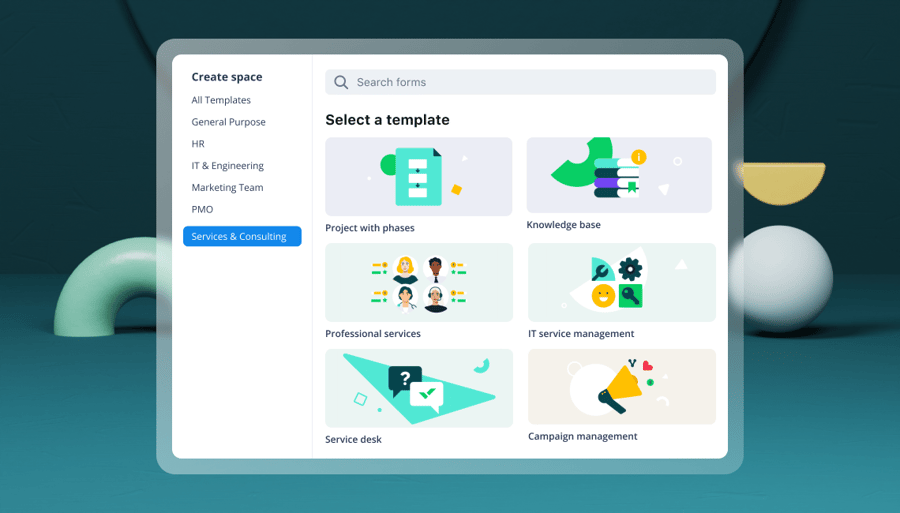
Consider using Wrike’s project scheduling template to further augment this process. This prestructured template simplifies identifying your project’s critical path, saving time and enhancing your project planning efficiency.
Examples of the critical path method in action
Now we’ll demonstrate with a simple, real-life critical path method schedule and example: planning a party. How should someone plan and execute this project?
1. Define the project scope
First, define all the tasks that must be finished to complete the project. For example, if you were throwing a party, your task list might look like this:
- Choose a date and venue
- Make the ultimate playlist
- Set up the sound system
- Invite your friends
- Buy the food and drinks
- Cook your famous casserole
- Host the party
When you look at these tasks individually, you realize that some cannot be started until others are completed. We’ve designated these relationships in the table below:
|
Task name |
Dependent on |
|
Choose a date and venue |
N/A |
|
Make the ultimate playlist |
N/A |
|
Set up your sound system |
N/A |
|
Invite your friends |
Choose the date and venue |
|
Buy the food and drinks |
Invite your friends |
|
Cook your famous casserole |
Buy the food and drinks |
|
Host the party |
Casserole and sound system |
The actions “Invite your friends,” “Buy the food and drinks,” “Cook your famous casserole,” and “Host the party” form a sequence of tasks that must be performed in a specific order to ensure a successful result. Such tasks are called sequential activities.
Together with the start of the project (“Choose a date and venue”), these tasks are the most critical steps in completing the project, so they are included on the critical path.
2. Define different project paths
You can have multiple critical paths in a project and several paths running concurrently. This can result from multiple task dependencies or separate sequences that run for the same duration.
Various project paths surface that need to be completed when planning a party. For example, one path could involve tasks related to booking the venue, such as researching options, visiting potential locations, and finalizing the booking.
Another path might focus on catering, which includes deciding the menu, finding a caterer, and arranging delivery. Another path could target entertainment, including tasks such as hiring a DJ or band and planning games or activities.
While separate, each of these paths is an integral part of the overall project and must be coordinated effectively to ensure a successful party. By clearly defining these different project paths, you can better manage the tasks and timelines associated with each.
3. Consider the resource constraints
Traditional critical path schedules in project management are based only on causal dependencies. We’ve already marked these dependencies in our plan. (e.g., it’s impossible to cook the casserole without buying the ingredients).
However, a project may have limited resources that need to be considered, such as calculating load in resource planning. These limitations will create more dependencies, often referred to as resource constraints.
If you work on a team, you can split the project work between team members. In our example, while you’re choosing a date and venue and inviting people, one of your friends can make a playlist, and another can get the food and drinks in parallel. However, if you’re the only person responsible for the project, you face a resource constraint because you can’t be in two places at once.
4. Calculate the length of your project
Let’s assume you have to do everything by yourself. We estimated the activity duration of each task. Also, we determined the approximate start time for each task on the critical path. Here’s what we came up with:
|
Task |
Duration |
Start |
|
Choose a date and venue |
2 hours |
Monday |
|
Make the ultimate playlist |
3 hours |
Monday |
|
Set up your sound system |
1 hour |
Monday |
|
Invite your friends |
2 days |
Monday |
|
Buy the food and drinks |
1 day |
Tuesday |
|
Cook your famous casserole |
2 hours |
Wednesday |
|
Host the party |
2 hours |
Wednesday |
Now, if you add up the duration of all the critical tasks to find the project duration, you’ll get the approximate time you need to complete the whole project – in this case, three days and six hours, since “Make the ultimate playlist” and “Set up the sound system” are not on the critical path.
5. Leave space for flexibility
The critical path method was developed in the late 1950s for complex but fairly predictable projects. However, we rarely manage such projects in real life. Let’s say you plan to redecorate your living room with a friend.
Your task list may look like this:
- Get rid of the old furniture
- Paint the walls
- Fix the ceiling
- Install the new furniture
Your friend’s responsibilities are to:
- Choose the new curtains
- Hang the new curtains
The current tasks form a subproject and can be treated as a non-critical path. Your friend can “choose the new curtains” and “hang the new curtains” at any time before the end of your project. The curtains task, which has flexible start and end dates, is considered float. These tasks are parallel and will not be placed on the critical path.
Here’s how this project would look on a Gantt chart:

If any of the parallel tasks were significantly delayed, it would prevent our entire project from being completed on time. Therefore, you should always keep an eye on parallel tasks.
6. Adjust to changes in the critical path
Let’s assume that choosing the curtains took our friend longer than initially expected. This will delay the project’s completion.
The redecoration is incomplete without the new curtains, so the path that was previously non-critical becomes critical. The initial critical path changes.
To monitor your non-critical tasks, your project schedule must be up to date.
That’s the only way you’ll know exactly where your project is at any given moment and whether it will be delivered as initially planned.
7. Compress the schedule (if necessary)
If a project deadline is moved up, you might need to expedite tasks. While this is not an optimal scenario, there are two ways to accomplish schedule compression within the CPM framework:
- Fast-tracking: This involves overlapping parallel tasks originally planned to be done sequentially to shorten the project duration. Fast-tracking can potentially increase project risk due to dependencies between tasks.
- Crashing: This involves allocating additional resources (such as people or equipment) to critical activities to accelerate their completion. Crashes often lead to increased costs, so it’s important to inform stakeholders of any budget changes.
The party planning example works well for walking through the mechanics of CPM step by step. But the method looks a little different when applied to the kinds of projects most teams are actually running. Here’s how the critical path shows up in three common professional contexts.
Critical path method in construction
On a construction project, the critical path typically runs straight through the structural sequence: excavation, foundation, framing, and roof. Each of those tasks depends on the one before it, and none of them can be compressed much without added cost or risk. A delayed concrete pour pushes every subsequent structural task back by the same number of days, and the project’s finish date moves with it.
Interior finishing work often sits off the critical path instead. Tasks like painting, flooring, and fixture installation still need to happen, but they typically have float, since they can be resequenced or run in parallel without affecting the handover date. A delayed tile delivery is a good example. It’s a real problem for the finishing crew’s schedule, but it usually doesn’t affect the project’s overall deadline as much as a delayed pour.
Critical path method in IT/software
A system migration or software rollout usually has three tracks running at once: development, infrastructure setup, and user training. Each track has its own internal sequence, but they don’t all carry the same weight when it comes to the project’s finish date.
The critical path usually runs through whichever track takes the longest, which is often data migration or the core build. Training tends to have float, since it can’t meaningfully start until the system is ready, but the training team can usually compress or shift their own schedule within that window without delaying go-live. If infrastructure setup or data migration slips, though, the whole project slips with it, since nothing downstream can start until that track finishes.
Critical path method in marketing campaign management
A campaign launch typically runs creative production, media buying, and legal review in parallel. Creative and media buying tend to get the most planning attention, since they’re the visible, deadline-driven parts of the work.
Legal review is the one that quietly becomes the critical path bottleneck. It’s often estimated optimistically or scheduled as an afterthought, only to become the task that determines when the campaign can actually go live. Building legal review into the critical path from the start, rather than rushing it in at the end, gives the team an honest view of whether the launch date is realistic.
Critical path vs. PERT vs. Gantt charts
CPM, the program evaluation and review technique (PERT), and Gantt charts are valuable project management tools. However, each has distinct characteristics and is better suited to different types of projects.
|
Feature |
CPM |
PERT |
Gantt charts |
|
Primary purpose |
Identify the longest path of dependent tasks to determine project duration |
Estimate project duration under uncertainty |
Visually map tasks and timelines |
|
Time estimation |
Fixed (deterministic) task durations |
Three estimates: optimistic, most likely, pessimistic |
Task durations shown as fixed bars |
|
Best for |
Projects with predictable timelines (e.g., construction, manufacturing) |
Projects with uncertain task durations (e.g., R&D, innovation) |
Any project needing visual task tracking |
|
Handles uncertainty |
No – assumes durations are known |
Yes – built for uncertain or variable timelines |
No – does not account for time variability |
|
Focus |
Critical tasks that determine the project’s end date |
Probabilistic outcomes and flexibility |
Timeline visibility and progress tracking |
|
Shows task dependencies |
Yes |
Yes |
Yes, but less detailed |
|
Ease of use for terms |
Moderate – requires analysis |
Moderate – more complex due to multiple estimates |
High – easy to interpret and communicate |
|
Supports visual progress tracking |
Limited |
Limited |
Yes – intuitive progress view |
CPM is a deterministic approach that assumes a fixed time frame for each task. This makes it ideal for projects with well-known task durations and little variability.
The CPM focuses on the critical path, meaning the sequence of activities or tasks that determines the project’s shortest possible duration. Identifying this path allows project managers to prioritize tasks directly impacting the project’s critical path timeline.
PERT is similar to CPM in that both are used to visualize the project timeline and the work to be done. However, with PERT, you create three different time estimates for the project:
- The shortest possible amount of time each task will take
- The most probable amount of time
- The longest time tasks might take if things don’t go as planned
This makes PERT ideal for research and development projects or any other project with uncertain task durations.
While both methods help in project planning and scheduling, PERT’s ability to handle uncertainty makes it more flexible in the face of potential changes or delays. The CPM’s focus on the critical path can make it easier to manage and control tasks critical to the project’s timeline.
Gantt charts, on the other hand, are primarily visual tools used for illustrating the project schedule. Rather than analyzing time variability or task dependencies in depth, as in PERT or CPM, Gantt charts provide a clear timeline that maps tasks along a horizontal time axis.
They make it easy to track progress, understand overlaps, and see who is responsible for what, especially in team settings. When paired with CPM, a Gantt chart tool can help visualize the critical path and make complex schedules more accessible to stakeholders.
The choice between CPM, PERT, or Gantt charts should be based on the nature of your project and the level of certainty or uncertainty in task durations.
Tools and templates
You don’t need to build a critical path diagram from scratch to benefit from CPM. Today’s project management platforms offer built-in tools and templates that make it easy to map dependencies, identify the critical path, and adjust timelines as work evolves.
Look for tools that offer:
- Visual timeline views (like Gantt charts)
- Dependency mapping
- Task duration tracking
- Automated critical path calculation
- Real-time updates across teams
Modern platforms are also incorporating artificial intelligence to streamline CPM-based planning. For example, some AI project management tools can analyze task data to suggest dependencies, flag bottlenecks, or recommend timeline adjustments based on workload and progress.
If you’re exploring options, here are a few types of solutions to consider:
- Wrike: Our platform offers an advanced Gantt chart tool, dynamic timelines, and built-in critical path visualization. With features like task dependencies, real-time updates, and AI-powered Work Intelligence®, Wrike makes it easy to manage complex workflows with clarity and precision.
- Microsoft Project: A longtime staple in enterprise project management, it provides robust scheduling tools and detailed critical path analysis.
- Smartsheet: Smartsheet combines spreadsheet-style project tracking with Gantt views and dependency management suitable for CPM planning.
- AI-enhanced planning tools: Emerging platforms now include AI agents with capabilities that support smart scheduling, risk prediction, and task reallocation.
- CPM templates: You can also find downloadable or built-in CPM templates that help teams get started quickly, especially for recurring project types like product launches or cross-functional implementations.
Using the right tools not only makes CPM easier to implement but also helps teams stay aligned, adapt faster, and deliver with greater confidence.
CPM success stories
This case study provides a practical example of the critical path method in action and illustrates its potential in managing large-scale, complex projects.
The Hoover Dam
The Hoover Dam, constructed between 1931 and 1936, is a testament to the power of effective project management. While James E. Kelley and Morgan R. Walker hadn’t formally defined the critical path method at the time the dam was built, the principles of its essential algorithm were applied during construction.
The project had many activities, each with dependent tasks and timelines. The project managers had to coordinate these activities to ensure the project was completed on time and within budget. They effectively identified the project’s critical path, focusing resources and attention on the tasks that would cause the most significant delays if not completed on time.
The Hoover Dam was completed two years ahead of schedule despite the project’s complexity. This early completion was primarily due to the effective use of what we now know as the critical path method, making it a compelling case study for successfully implementing this technique.
How Wrike can help you implement the critical path method
Manually determining a project’s critical path isn’t exactly a quick process. That’s why Wrike has a feature that automatically determines your critical path. To use this feature, all you have to do is input these essential elements in your project schedule on Wrike:
- Start and end dates of all project tasks
- Duration of each task
- Task relationships or dependencies
To further facilitate the process, we’ve also designed a prebuilt template for project scheduling to help you progress through the steps of building your critical path.
Our project scheduling template helps you quickly visualize the critical path on a Gantt chart, assign tasks to team members, and drag and drop activities to ensure proper resource management throughout your project.
Find out more about how Wrike can help your team find the critical path to a successful project. Book a demo today, or try Wrike free.
Frequently asked questions (FAQs) about the critical path method
What is the formula for the critical path method?
There’s no single formula, but the critical path method involves several calculations, including the forward pass, the backward pass, and the float. To find the critical path, calculate the earliest start (ES), earliest finish (EF), latest start (LS), latest finish (LF), and float for each task.
- EF = ES + duration (Earliest finish = earliest start + task duration)
- LS = LF – duration (Latest start = latest finished - duration)
- Earliest Start (ES): The maximum EF of all immediate predecessor tasks (If there’s no predecessor, ES = 0)
- Latest Finish (LF): The minimum LS of all successor tasks (For the final task, LF = its EF)
- LF - EF = total float
- ES - EF = free float
What are the four key elements of the critical path method?
The four key elements are tasks, durations, dependencies, and the critical path itself. Tasks and durations tell you what needs to happen and how long each piece takes, while dependencies map how those tasks connect. Together, they let you calculate the critical path, which is the sequence that directly determines the project’s finish date.
What’s the difference between the critical path and float on non-critical activities?
The critical path includes tasks with zero float, meaning they must stay on schedule or the project’s finish date slips. Non-critical tasks have positive float, so some can be delayed without affecting the overall timeline. That float shrinks as a project progresses, so a non-critical task today can become critical if its buffer gets used up.
How do you compute the critical path forward pass and backward pass?
You compute the critical path by running a forward pass, then a backward pass, then comparing the results. The forward pass calculates the earliest start and finish time for each task, working from the beginning of the project forward. The backward pass then works from the project’s end date backward to find the latest start and finish times for each task, and any task whose two sets of numbers match has zero float and sits on the critical path.
Critical path vs. float: What’s the difference?
The critical path controls the project’s overall duration, while float measures how much a task can slip without delaying that duration. Only non-critical tasks have float, since critical tasks have zero room to move by definition. A task with high float can absorb delays or resourcing changes without any risk to the finish date.
Why is CPM used?
CPM is used because it tells project managers exactly which tasks control the project’s finish date and which ones have room to flex. That distinction lets teams plan schedules, prioritize work, and reallocate resources with actual data instead of guesswork. It’s especially useful on complex projects, where it’s not obvious just by looking at a task list which delays would actually push back the deadline.
Can a project have more than one critical path?
Yes, a project can have more than one critical path if two or more task sequences tie for the longest duration. When that happens, both paths have zero float, and both need equal monitoring, since a delay on either one pushes back the project’s finish date.
What is critical path drag?
Critical path drag is the amount of time a specific task on the critical path adds to the overall project duration. It tells you exactly how much shorter the project would be if that task could be shortened or removed, which makes it useful for deciding where to focus schedule compression efforts.
What is the difference between CPM and PERT?
CPM uses fixed, single-point duration estimates for each task, while PERT uses three estimates (optimistic, most likely, and pessimistic) to account for uncertainty. CPM suits projects with predictable timelines, like construction, while PERT fits projects like R&D where task durations are genuinely uncertain.
When should I use CPM vs. a Gantt chart?
Use CPM when you need to identify which tasks directly control the project’s finish date and where the schedule has no room to slip. Use a Gantt chart when you need a visual timeline to communicate progress and task overlaps to stakeholders. Many teams use both together, since a Gantt chart can display the critical path once CPM has calculated it.
Does CPM work for Agile projects?
CPM doesn’t fit well at the sprint level, since Agile scope changes too often for a fixed critical path to keep up. It can still work at the release level, though, where teams map the critical path across major milestones while leaving day-to-day sprint planning to Agile methods.
What is resource leveling, and how does it relate to CPM?
Resource leveling is the process of adjusting a project schedule to account for limited team capacity, rather than assuming unlimited resources are available for every task. CPM calculates the critical path solely based on task dependencies, so it can produce a schedule where the same person is assigned to two “critical” tasks at once, which isn’t actually achievable. Resource leveling adjusts start dates around those conflicts, which can shift the critical path itself once real capacity constraints are factored in.