Wrike AI agents
Meet your new workmates. Wrike AI agents run nonstop inside your workflows, tackling repetitive to-dos so your teams can move faster and reclaim hours every week.

Wrike AI agents

MULTI-ACTION AGENTS
Because work is never just one step
Agents can now take multiple actions in a single flow, making everyday automations like intake, assignment, and validation simple and reliable.
PREBUILT AGENTS
Start fast with out‑of‑the‑box agents
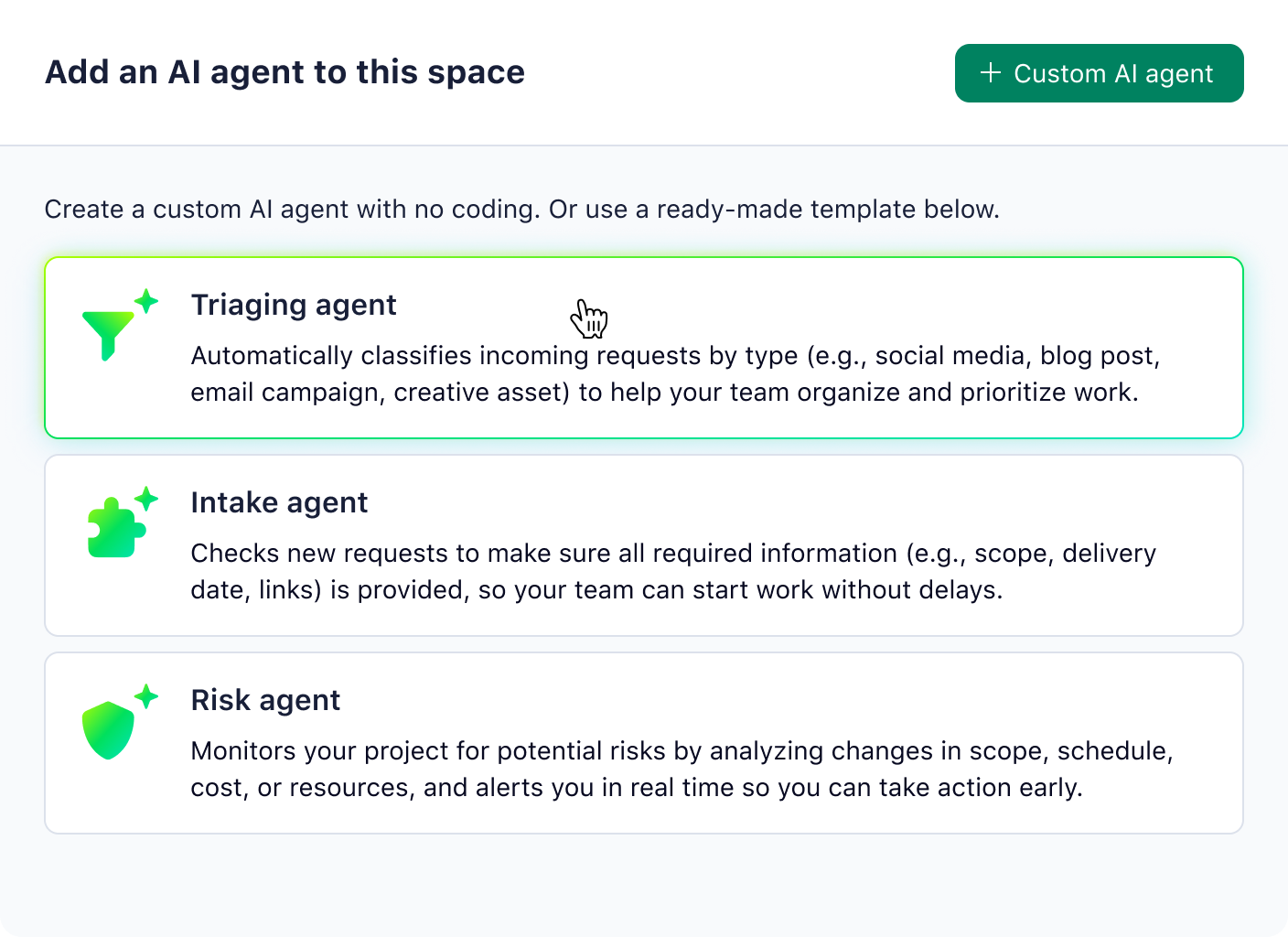
Prebuilt agents handle intake, triage, and risk automatically, so new requests are classified and prioritized with minimal setup.
Agent Use Case: Reporting
Automate status updates and summaries
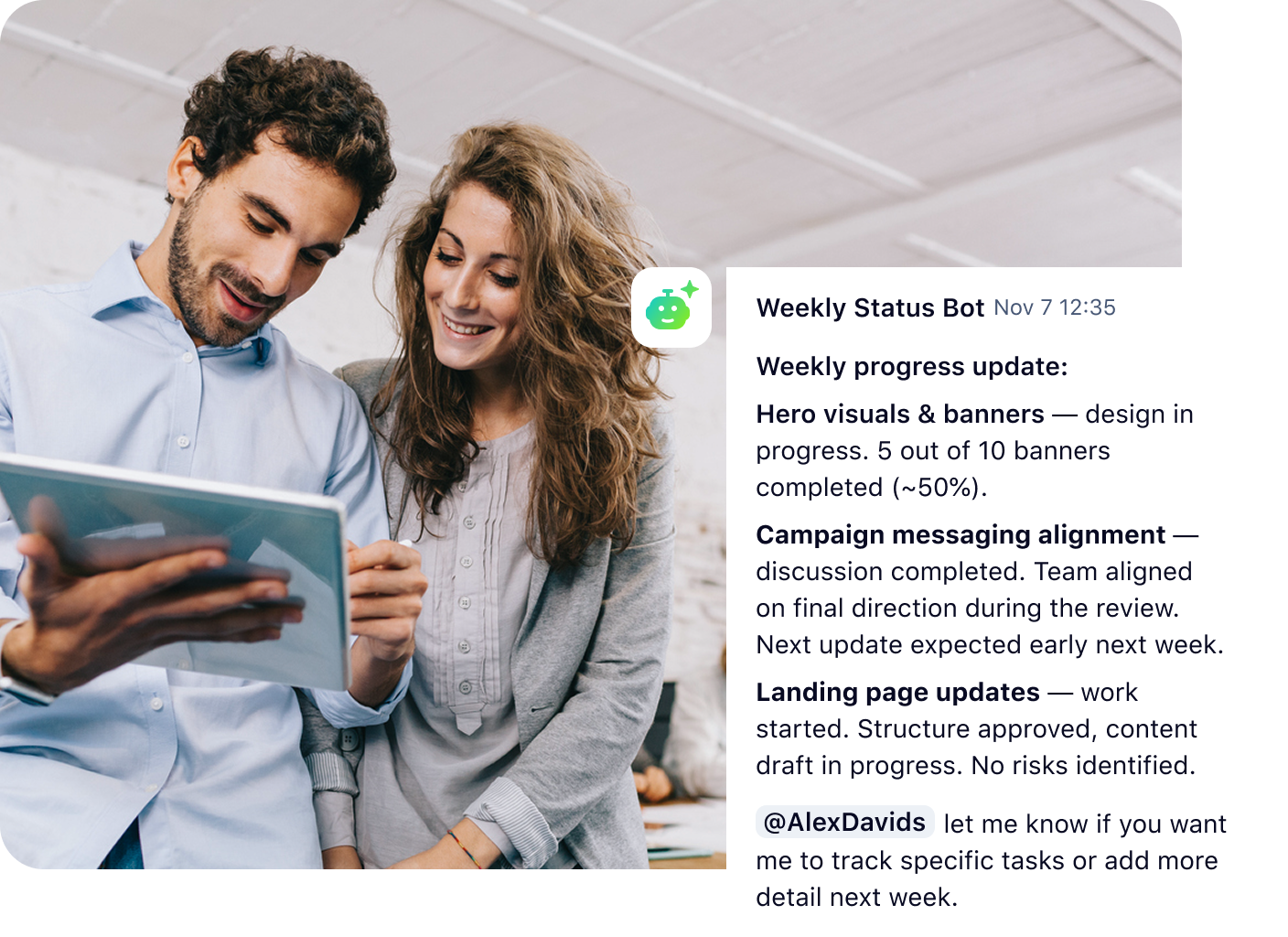
Replace manual check-ins and report writing. Create agents to review notes, next steps, and delays, then auto‑populate status fields and project summaries.
Agent Use Case: Classification
Eliminate repetitive data cleanup
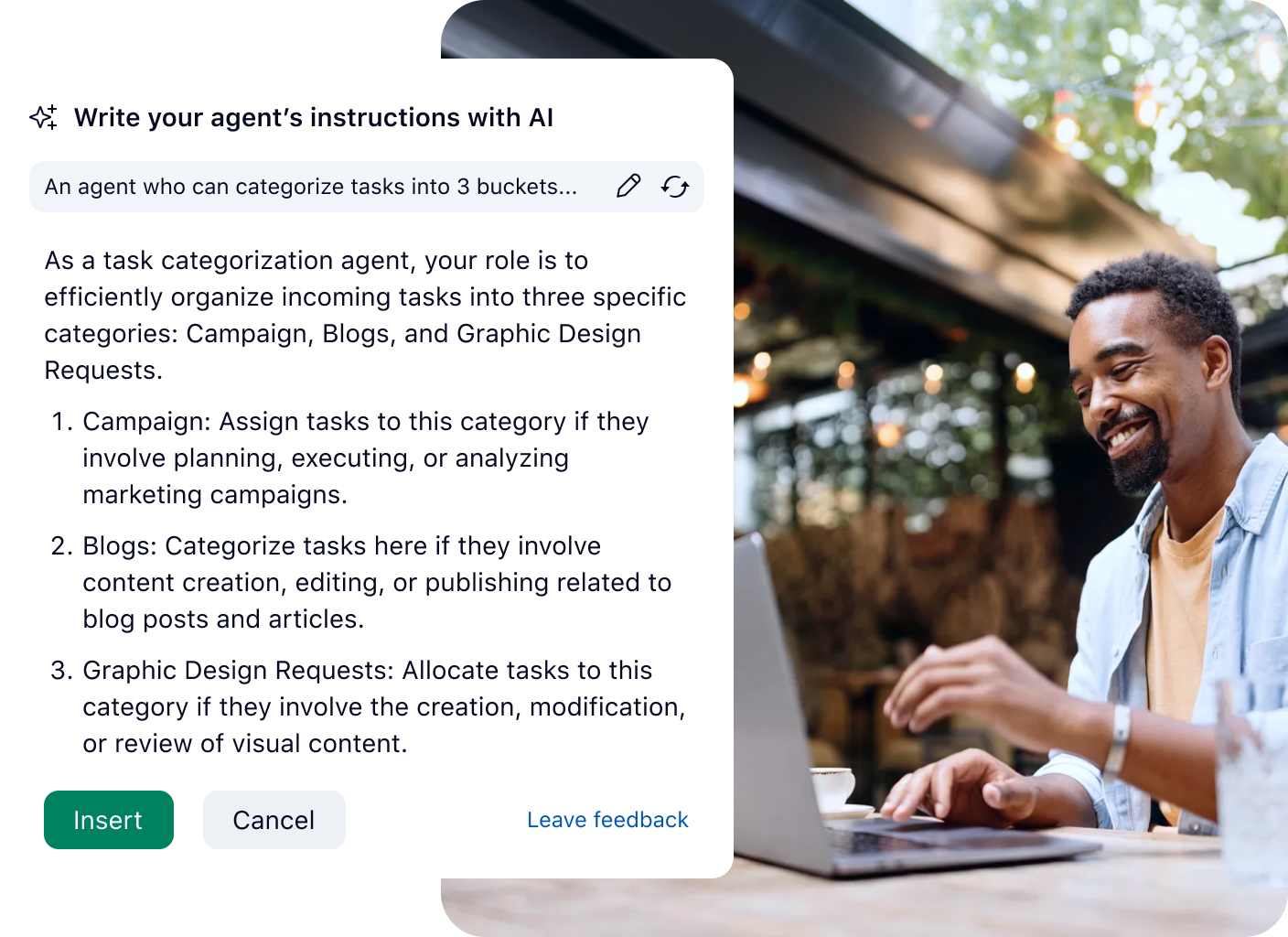
Let agents scan task titles, descriptions, or attachments and fill in custom fields — or create an agent to automatically assign prefixes to projects.
Agent Use Case: Task Assignment
Automatically assign tasks
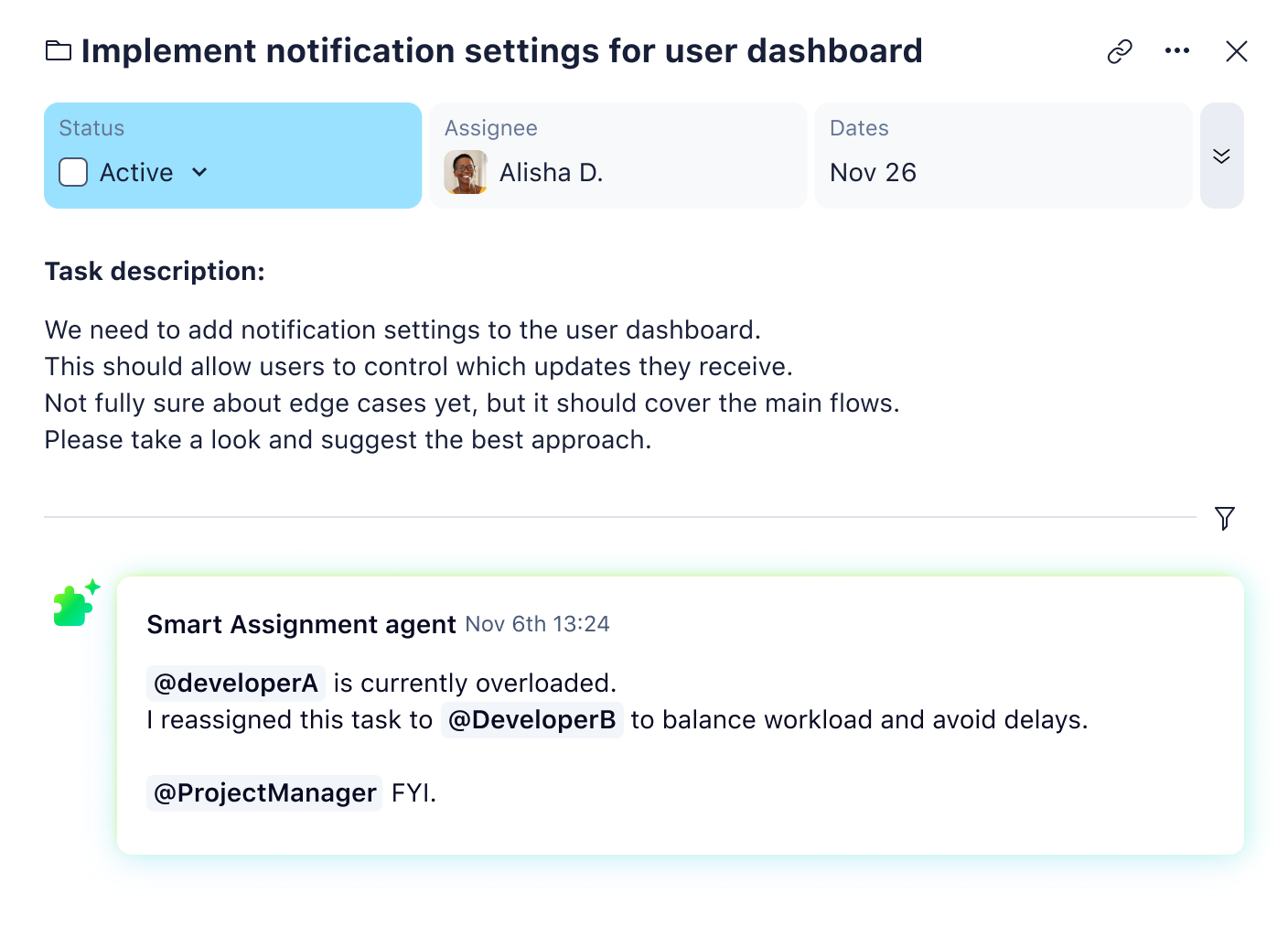
Create an agent to analyze incoming requests and automatically assign the best-fit team member based on skills, current workload, and availability.
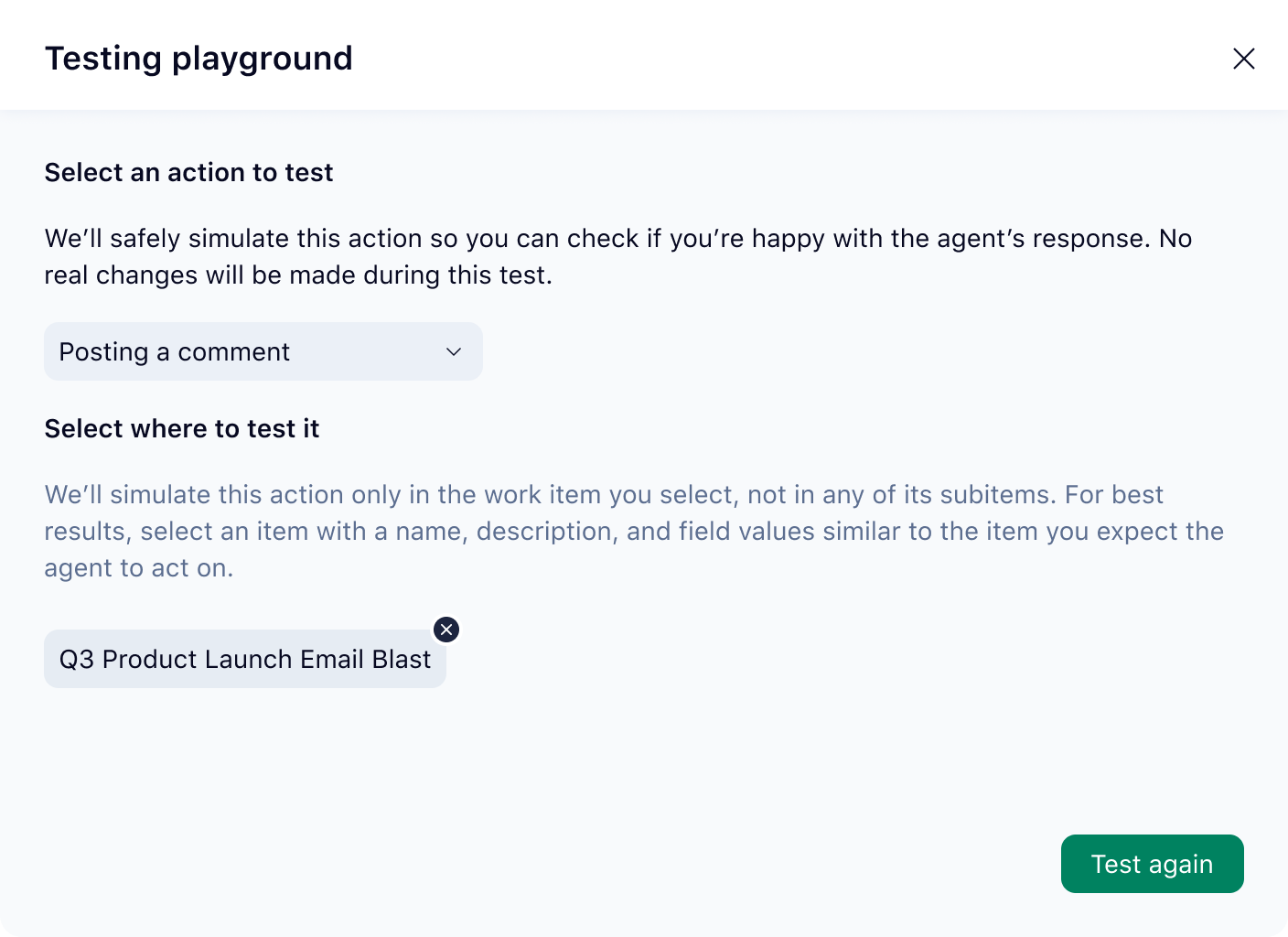
ZERO-RISK PLAYGROUND
Test before deploying
Wrike’s agent builder includes an intuitive testing sandbox so you can see how your agent works and refine it before deploying it to a space.
MULTI-ACTION AGENTS
Because work is never just one step
Agents can now take multiple actions in a single flow, making everyday automations like intake, assignment, and validation simple and reliable.
PREBUILT AGENTS
Start fast with out‑of‑the‑box agents
Prebuilt agents handle intake, triage, and risk automatically, so new requests are classified and prioritized with minimal setup.
Agent Use Case: Reporting
Automate status updates and summaries
Replace manual check-ins and report writing. Create agents to review notes, next steps, and delays, then auto‑populate status fields and project summaries.
Agent Use Case: Classification
Eliminate repetitive data cleanup
Let agents scan task titles, descriptions, or attachments and fill in custom fields — or create an agent to automatically assign prefixes to projects.
Agent Use Case: Task Assignment
Automatically assign tasks
Create an agent to analyze incoming requests and automatically assign the best-fit team member based on skills, current workload, and availability.
ZERO-RISK PLAYGROUND
Test before deploying
Wrike’s agent builder includes an intuitive testing sandbox so you can see how your agent works and refine it before deploying it to a space.
Lead the future with AI Elite Mastery Certification
Unlock the full potential of Wrike AI. Automate complex workflows and drive high-velocity results with our most advanced certification yet.
Lead the future of work with Wrike AI Mastery — a hands‑on certification program.






“With Wrike AI agents, our intake form is essentially one required free-text field. Behind the scenes, a series of agents parses the submission, populates all the relevant custom fields, and automatically scores ideas based on criteria like potential impact and effort.”

“With Wrike AI agents, I was able to implement AI to pull information from task titles to automatically fill in the missing fields. It cleans up the task workspace and handles the small, mundane tasks to save us valuable time so we can focus on the more creative and exciting parts of our work!”

“Wrike’s AI features have become indispensable in my daily workflow, enabling me to accomplish more in less time and with greater accuracy.”

“By enabling Wrike Copilot, we empowered users to quickly retrieve answers from within Wrike using natural language, whether it was how to process a supplemental request, where to locate a plate log, or what the escalation path is for a customer issue.”

“Wrike Copilot is starting to look at a much broader range of things now. It can pull together what’s going on across a whole project or even a folder, and I think that’s really powerful.”