Key takeaways:
- What is Wrike? Wrike is a top-tier project management platform designed for streamlined project execution and team collaboration.
- How does Miro fit in? Miro is ideal for brainstorming and planning, but not a dedicated project management tool — it’s best to use both software solutions according to their strengths.
- Why should anybody integrate Wrike and Miro? Integration allows automatic syncing of ideas from Miro to Wrike, eliminating the need for tedious copy-pasting of post-it notes after brainstorming sessions.
- How can I save on licenses? Integration ensures all team members have access to the correct tools, potentially reducing unnecessary software licensing costs.
- How can I integrate Wrike and Miro? Use the Wrike Sync add-on from Unito to connect Miro to Wrike seamlessly — no coding required — for efficient workflows.
Wrike is one of the best work hubs out there. It has features all teams love, a smooth learning curve, and acts as a powerhouse in managing projects. But even the star players need a little backup, and that’s where tools like Miro come in.
While Miro’s a great place to conduct brainstorming sessions, roadmap planning, and retrospectives, going from planning to execution isn’t always as easy. And it almost always involves a ton of copying and pasting.
By connecting Miro boards with Wrike, you can go from planning to execution faster with less work. Here’s why that matters — and how you can do it:
- Reason #1: You should always be using the best tool for the job
- Reason #2: No one should have to copy-paste a brainstorm
- Reason #3: You could save money on licenses
Reason #1: You should always be using the best tool for the job
Your team is using Wrike for a reason — because it’s a best-in-class project management solution.
But just as Miro isn’t specifically built to manage projects, Wrike doesn’t have all the brainstorming features Miro does. It’s best to use each respective app for its intended purpose. With the right integration solution, you can make sure that’s the case for every team.
So, instead of trying to make your tools do everything, help them stay in their lane. Everyone will be happier for it.
Reason #2: No one should have to copy-paste a brainstorm
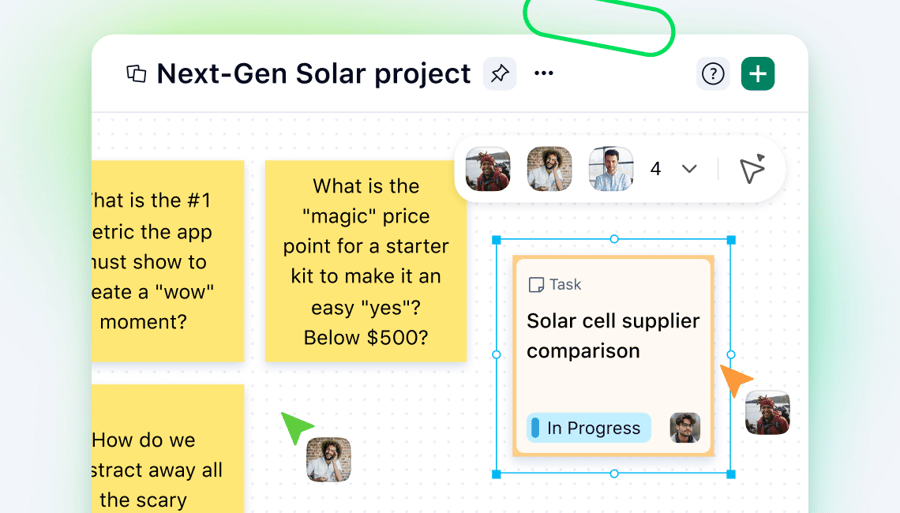
Imagine you’ve just finished a brainstorming session. Everything makes sense, you’ve got some great ideas, and you’re excited about what comes next. But have you ever gone back to look at a brainstorming board after the session’s over?
It’s often a mess with post-its everywhere, half-scrawled notes you meant to clean up, and sections that don’t even make sense anymore. And it’s going to be someone’s job to organize all this, so they can copy and paste it into Wrike — where the work is actually going to get done.
Wouldn’t you rather get the project started than spend time copying and pasting data over?
You could also try and make brainstorming sessions follow a more rigid structure, but then you’d probably lose out on creativity and maybe miss some of the best ideas. So what do you do?
You integrate Miro with Wrike. That way, the ideas you select for future work automatically get synced to your Wrike projects. From there, you can flesh them out, build your task hierarchy, scope your projects, and get things done — without copying and pasting.
Reason #3: You could save money on licenses
How tight is your app budget right now? Are you already being asked to find places to cut spending?
Whether you’ve got teams in Wrike and Miro or you’re working with consultants, you might be overpaying for licenses. After all, not everyone who needs Wrike to execute work needs a Miro license, especially if all they do is check in on a brainstorm from time to time. Same thing with contractors who help you brainstorm. Do they need a Wrike license? Do you even want to give them access to your Wrike projects?
When you have an integration solution, you can make sure that every contributor has access only to the tools they absolutely need without missing the context they require to do their work. That means everyone can do their best work from their favorite tool.
So, you need an integration. Where do you look?

How to integrate Miro with Wrike using Wrike Sync by Unito
You don’t need to get a new tool to sync Miro cards with Wrike tasks. The Wrike Sync add-on from Unito lets you seamlessly sync Wrike tasks with Miro. This is available as a paid add-on to our Business and Pinnacle price plans, and it comes with our Apex plan.
Wrike Sync by Unito is a no-code workflow management solution that lets you connect tools like Wrike, Miro, Jira, BitBucket, Salesforce, and more with your Wrike projects.
As long as you’re an account owner, enabling Wrike Sync is easy:
- Visit the Subscription panel of your Wrike settings and enable the Wrike Syncs trial.
- Click Create flow to start linking your Wrike projects with Miro and get more out of both tools. Here’s more information on doing that.
Ready to integrate Miro with Wrike and turn ideas into action?
Your brainstorm sessions shouldn’t require a bunch of extra manual work or copying and pasting post-it notes into Wrike. By connecting Wrike to your Miro boards using Wrike Sync, you can accomplish more, faster, by moving from the brainstorming stage to your project automatically, without switching tools.
To get started, request a free trial of Wrike Sync and follow the two-step instructions above. You’ll be glad you did.
Integrating Miro with Wrike FAQs
What is the difference between Miro and Wrike?
Miro is an online whiteboard where teams shape ideas through brainstorming, mapping, and visual planning. Wrike is a project management platform that turns those ideas into action — converting them into tasks, workflows, and trackable projects from start to finish.
What are the benefits of connecting Miro with Wrike?
Connecting Miro with Wrike automatically syncs the two solutions, turning selected ideas into actionable work. This helps teams move from planning to execution faster, skip copy-pasting, reduce tool switching, and stay aligned. It can also cut costs by ensuring people only need licenses for the tools they actually use.
How do you integrate Miro with Wrike?
Use Wrike Sync by Unito (no-code). Account owners can enable it in Wrike settings > Subscription, then create a flow to link Miro boards and Wrike projects so items sync into Wrike.
What is Miro used for?
Miro is an online whiteboard used for brainstorming sessions, workshops, roadmap planning, and retrospectives.