Share Microsoft Project File Online

Published by Daria  |  Tuesday, 05 August, 2008
If you ever have tried to use Microsoft Project, you know that it’s not very easy to share a Microsoft Project file with your team. You need to purchase and install Microsoft Project Server and a bunch of other applications, such as Microsoft Office Project Web Access. On average, the ability to share your plans will cost you between $4,998 and $85,892, plus a lot of your time and patience.

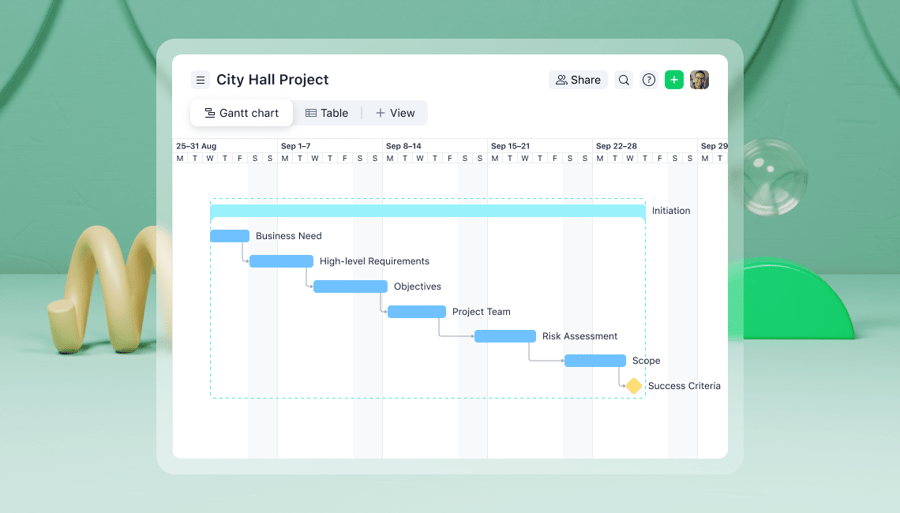
The good news is now you can share a Microsoft Project file with your team in minutes, and it will cost you only $ 11.99 per team member (with a year-to-year subscription)! Wrike’s new Enterprise version makes sharing Microsoft Project Gantt charts incredibly easy.

Signing up for a Wrike account takes a just few minutes, but it will save hours of your team’s precious working time. If you already have a Wrike account, it will be even easier to upgrade. With the new enterprise version, you can just upload your existing Microsoft Project file to Wrike. To do so click on the “MS Project” icon in the upper right hand corner of your workspace. 


Your file will be converted into a Dynamic TimelineTM that any member of your team can access and change. You can work on your Microsoft Project file together with your team online. The timeline will reflect all the tasks’ dates and dependencies. This feature makes the transfer to Wrike’s online project management software painless for you and millions of other Microsoft Project users.


Category: Project Management, New Features, FAQ
  • Email to a friend
  • reddit
  • StumbleUpon
  • Digg
  • MySpace
  • del_ico_us

7 Comments
  • Published by Torgrim Sandvoll, Sunday, 10 August, 2008
    Hi,

    Which fileformats and MS project versions are supported?

    Have a nice day!
  • Published by Andrew Filev, Sunday, 10 August, 2008
    MPP: Microsoft Project 2000-2003
  • Published by Gene, Wednesday, 29 July, 2009
    It is a big help for me..
  • Published by George, Wednesday, 29 July, 2009
    this is what i was looking for. thanks!
  • Published by Home Directory , Wednesday, 29 July, 2009
    Very nice post, really helpful Thanks !
  • Published by William John Rockett, Wednesday, 02 September, 2009
    Good, worked well for me and saved a lot of work.

    What I would like to see in the near future is to be able to download WRIKE to MS Project (not via Excel with all the Mapping hazards) and maybe MS Project Syncronisation.
  • Published by Daria, Wednesday, 02 September, 2009
    Thanks for the suggestion, William John! We've added your voice to our customer requests' database.
Back to posts
Add your comment
Name (required)
Email

Notify me of follow-up comments via email
How much is 2+2?
If you see this, leave this form field blank and invest in CSS support.