Capgemini reports 95% on-time delivery rate and customer satisfaction with Wrike’s integrated project management solution

Published by Daria   |  Thursday, 08 May, 2008
Global companies like Capgemini often have decentralized systems of dealing with customer requests. Often, the whole customer support process is based on informal submission of requests. Support teams tend to use traditional communication channels, such as email, phone calls, in-person conversations, etc.  Everyone on the team manages his or her own requests and project workload.  Usually, team members are also required to report back on all of the projects they are working on.

Capgemini, one of the world's foremost providers of consulting, technology and outsourcing services, realized that this process can be improved with Wrike’s help. We recently discussed how Capgemini was able to streamline its client support processes with Daniel Stevens, Director of Marketing Services, Capgemini North America. Daniel noted that the North American Marketing Services team needed an end-to-end system to manage their internal support requests. Wrike streamlined the process thanks to its powerful email integration capabilities. The marketing team became more productive, since now all emailed tasks are populated into properly structured project plans that get shared with every member of the team.

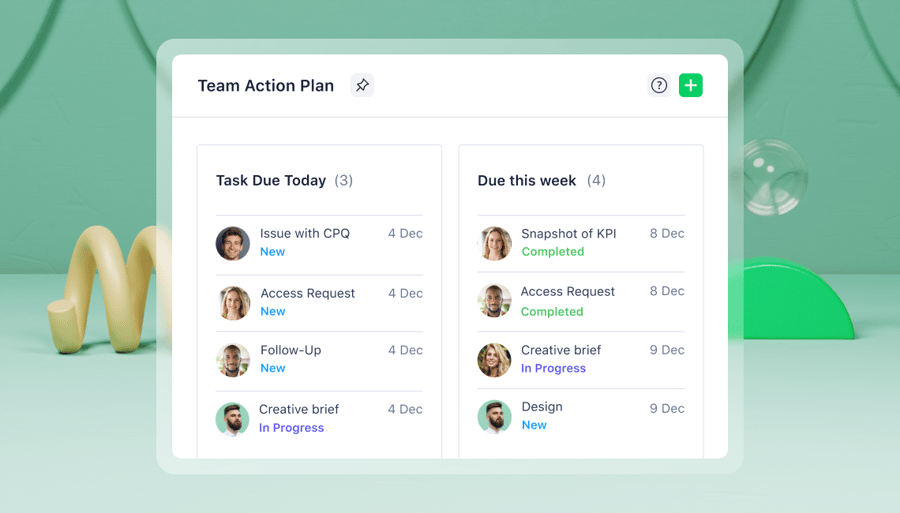
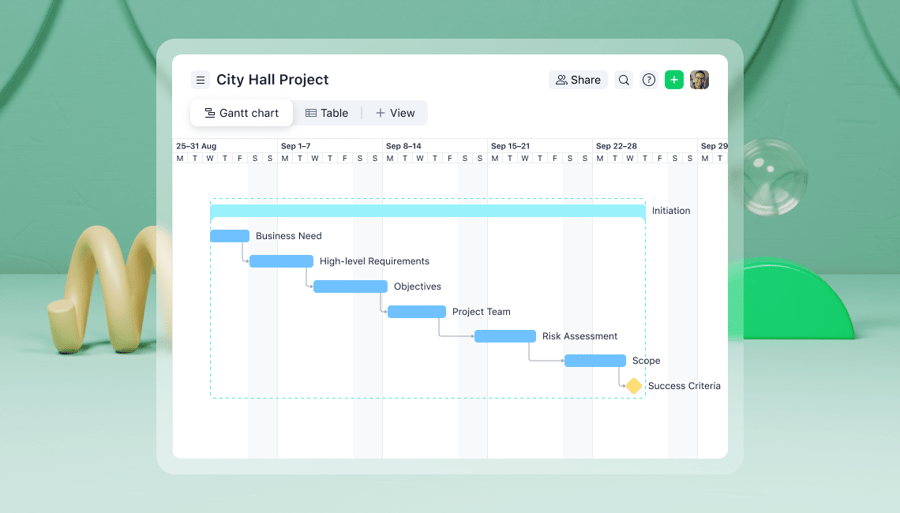
“In addition to the integration capabilities with our internal request process mentioned earlier, the biggest benefit with Wrike is the high level of visibility of the support requests that channel into our team. We are now able to visualize the workload requirements of the entire team and any team member in several ways: using Wrike’s dashboard, the graphical timeline and the option to sort our tasks and projects by person, by due date, by client, etc. Wrike’s unique ability to group tasks and projects differently lets us look at our current and prior efforts from different perspectives,” pointed out Daniel. “The application easily allows us to analyze our active and completed projects/tasks and run ad-hoc reports to use in our quarterly value reports that we share with our team and others within Capgemini. Wrike lets us spend less time on project management and more time on providing strategic marketing services to our internal clients.


Read the full story: “Capgemini maximizes marketing team productivity with Wrike’s unique, integrated project management solution.”

The Enterprise 2.0 Launch Pad: Vote for Wrike!

Published by Daria   |  Monday, 05 May, 2008

We are happy to announce that Wrike is taking part in The Enterprise 2.0 Launch Pad!


The Launch Pad is organized for companies developing new products to compete for the chance to present them in front of the largest audience in the Enterprise 2.0 community. The companies with the most astounding tools and technologies present their video pitches. The winner will receive a free turnkey Pod at the 2009 Enterprise 2.0 Conference Demo Pavilion. Since we designed Wrike to fully support collective intelligence, emergent structures, transparency, agility and other Enterprise 2.0 ideas, Launch Pad is a great opportunity for us to tell people about how Wrike can change project management.

The first round vote starts on May 5th, and the final conference will be held June 9-12 in Boston. The first round vote finishes on May 12th, so vote for Wrike now
Category:

Now Wrike Users Can Easily Print a Timeline

Published by Valerie   |  Sunday, 04 May, 2008
We are delighted to tell you that we have released a new feature –  timeline printing.

To get a printed version of a timeline, you no longer need to take its screenshot and paste it from a clipboard to Word/Paint/etc. to be able to print it afterward.

Thanks to the new Wrike feature, all you have to do is  click on the “Print” icon in the upper right corner of a timeline view. You instantly get a graphic file in the PNG format, ready to print. It evidently saves you time and effort.

Besides, an additional size option allows you to have your timeline printed in the scale you need. You can choose the necessary scale for  the timeline view by selecting weeks, months, quarters or years in zoom.


So, you quickly get a handy printed version of your project plan that can be helpful at meetings and presentations.

The timeline printing feature is our response to our users’ numerous requests that we are always willing to listen to. We are glad to develop the most practical project management tool the way users need it.

MarineMotion.com Uses Wrike To Track Its Sales Leads And Control Customer Interactios

Published by Valerie   |  Monday, 28 April, 2008
Many companies try to manage their businesses by collecting data into spreadsheets and e-mailing them around. The seamless simplicity of this method can bring a huge mess very soon. Information becomes duplicated on the employees’ computers, and managers spend plenty of time getting status updates. The entire process becomes uncontrollable. As a result, organization may quickly become rigid and inefficient. This can seriously limit a company’s growth.

MarineMotion.com, a multi-media portal for boat and yacht brokers and dealers, acted wisely. Instead of using spreadsheets, it decided to implement a project management solution to increase sales. Sales manager Bob Hirsh told us about how MarineMotion.com uses Wrike to keep its customers satisfied. “We have customers in different parts of the world. Right now, we are working on 20 plus projects run by distributed teams. To increase sales and to keep our customers satisfied, we need to carefully sort lots of information. The introduction of Wrike was an enormous leap forward for us. Now I can better manage my distributed team, increase revenues, complete projects faster and build better communications with clients. As Wrike spans through all our departments, it is easy for me to get a complete picture and guide the business. Wrike is very agile and incredibly powerful project management software. Once you get the hang of it, it is simple and easy to use. Wrike saves us time and money, and helps to make the right decisions on time,” he says.

Read the full story “Efficient collaboration of a distributed sales team and clients helps speed up business growth.”

Category:

Ever More People Choose Wrike over Basecamp for a Project Management Solution

Published by Daria   |  Tuesday, 22 April, 2008

Recently Ryan Erwin, thoroughly Chinafied American business geek as he calls himself, published a post confirming that Wrike is the best choice for project management.

Ryan wrote: “TODAY, Wrike has become a better Project Management solution than BaseCamp or GoPlan - Wrike’s got everything they’ve got, along with excellent Email integration that they don’t!”

Thank you, Ryan for your appreciation and for helping us make Wrike the best project management software. Your feedback is always welcome.

Category:

About.com Recommends the Best Project and Task Management Software

Published by Daria   |  Friday, 11 April, 2008
Wrike's becoming more and more popular. Now you can read Greg Go's recommendation of a better choice for project management software at About.com. About.com is an online neighborhood of hundreds of helpful experts, eager to share their wealth of knowledge with visitors. It is also a hugely famous New York Times publication, as it gets over 53 million readers a month.

Greg Go, an on-line business expert at About.com and Liferemix.com, has published a great review of Wrike, comparing it with Basecamp. The full review appeared at Liferemix - a well-known life-hacking blog. Greg points out how Wrike is different from other project management solutions and underlines that these differences make it a better choice for Web workers.


Category:

Wrike Forums Have Been Launched

Published by Valerie   |  Friday, 04 April, 2008
Today, we have launched Wrike Forums, so you can share your experience in using Wrike. We created the forums to unite Wrike users together for sharing thoughts, ideas and technical assistance and to help the community grow.

The forums cover the most important topics, such as announcements about new features and fixes, tips and tricks for using Wrike in project management and business management. Forums allow you to share best practices in using Wrike, find great project management ideas, make feature requests, vote for  other users’ suggestions and help us prioritize upcoming features to better meet your needs.

Wrike was designed as the most practical project management software. We hope that the forums will bring you a lot of useful ideas and help you deliver your projects even more successfully.

You are welcome to create topics and leave messages at Wrike Forums. Official, free e-mail support is still provided via support at team.wrike.com.

Appulate Uses Wrike To Get Full Insight Into Business

Published by Valerie   |  Friday, 28 March, 2008
Appulate is the leading national provider of innovative insurance technologies. They were looking for a project management solution that  would enable them to track all the tasks, including marketing, sales, change requests and bugs in one single place.

Wrike allows Appulate’s management team to clearly see what is going on in every department and understand what each member of the team is busy with at the moment.  “We used several different applications, including e-mail, Microsoft Project and Excel, for tracking development, marketing and sales. Some of those applications were really hard to adapt to the work process in our organization. The real challenge was to get the whole picture of what was going on in the company. We made the right choice by purchasing the Wrike subscription,” says Nic Bryson, director of marketing for Appulate Inc.

Read the full story “Full insight into business boosts productivity and triples the number of customers."
Category:

Dashboard Improvements

Published by Valerie   |  Friday, 28 March, 2008
A lot of users asked us to change the dashboard, so it shows the tasks that are due today, plus ones that are supposed to be worked on today. This was a very good idea, so we have changed the dashboard logic.
 
In order to finish important tasks on time, you need to proceed to them when they are scheduled. If a task will take you a week to complete, Wrike will now show it you from Monday to Friday, not just on Friday when the task is supposed to be done. So you can at least keep an eye on the task, since it is hardly possible to do a one-week task in one day.
 
The same changes apply to your daily “to-do” e-mails: they now show overdue tasks and tasks that are planned for today.

If you do not want to see some of your tasks on the Dashboard, you can change the task's start date or split big tasks into smaller ones. Splitting tasks into sub-tasks is an excellent project management practice. It helps you schedule projects more accurately and gives you a better visibility into the progress.

You can keep notes, ideas and other non-actionable items away from the dashboard. In this case, you just need to remove their start date and duration.  
Category:

Timeline Changes

Published by Valerie   |  Monday, 17 March, 2008
Please note that important system, interface and data changes in Wrike are coming on March 24. We received numerous user requests during the last few months to make task-scheduling simpler.

To make implementation of the following changes smooth and convenient for you, we inform you in advance and welcome your feedback 

What will be improved?

  1. Wrike will work correctly with weekends after the release on March, 24. Only business days will be counted when calculating the end date of a task, based on its duration and start date. So, if you create a 2-day task on Friday, the end date will be set for Monday.
  2. You will be able to add milestones to your timeline. A milestone is a task that has a due date, but not a start date and duration.
  3. Items that have no start date, due date or duration will not be displayed on a timeline. So your notes, ideas, contacts, inventory and other non-actionable items from your Wrike workspace will not mess with tasks on the timeline.
  4. Due date and end date will be the same thing. This change will make planning and rescheduling of your tasks in Wrike much easier and faster.
Before the release on March 24 After the release on March 24
The end date is the end of the task bar on the timeline chart. It is calculated automatically as the start date plus duration. It is not displayed in the task edit form, but you can change it by modifying the task's start date or duration. The due date and the end date are the same thing. It is displayed as the end of the task bar on a timeline. The due date (=end date) is calculated automatically as the start date plus duration. You can change it in the task edit form and on the timeline.
The due date is the task deadline. You can change it in the task edit form and on the timeline.


What will be changed in my data?

  • In order to implement the mentioned improvements, we will need to introduce a number of changes to the existing data in the system.

    First, we will need to bring existing and new tasks into a common format. For some of your tasks that were created before the March 24 release, the due date and duration will be changed according to the special rules. This will happen only once during the release. You can find a detailed description below
Before the release on March 24 After the release on March 24
1. For tasks with a 1-day duration and a due date, the duration will be prolonged until the due date.
img img
2. For tasks that have a due date and more than 1-day duration, the new due date will be set as the current end date.
img img
3. Tasks that do not have a due date will be visualized on the timeline without changes.
img img
  • After March 24, Wrike will correctly work with the weekends. This is another feature that was often requested by our users. Only business days will be counted when calculating the end date of a task, based on its duration and start date. So, if you create a 2-day task on Friday, the end date will be set for Monday.

    For smooth implementation of the feature, some changes will be made over the existing tasks whose duration includes weekends. This will happen only once during the release.
Before the release on March 24 After the release on March 24
4. For tasks that start on the weekend, the start date will be moved to Monday while the end date will stay the same.
img img
5. For tasks that end during the weekend, the due date will be moved to Friday while the start date will stay the same.
img img
6. For tasks whose duration includes weekends, the actual duration will be reduced by the total weekend’s time period. However, the task's graphical visualization will stay the same on a timeline.
img img
  • After the transformation, the end date and the due date will be merged, so the tasks without a due date created before March, 24 will be marked as overdue on your dashboard. This means that initially the dashboard and "to do" e-mails may display more overdue tasks. You can quickly reschedule those overdue tasks from the dashboard. You can do this by clicking on the "Reschedule for today", "tomorrow," or "next week", links. Alternatively, you can mark tasks as completed, if they are already done, by clicking the box on the left.
img

We hope that you will be pleased with these changes in Wrike. You can leave your feedback in the comments to this post or send it to support at team.wrike.com.
Category:

FREE 30-Day trial

of the full-featured Wrike professional version


Categories:

Recent posts:
Subscribe
rss
Search in this blog
technorati

For many of us, something as simple as a way to track the progress of tasks and projects, as well as easily share information with others, is all that is needed to help make a successful project. Wrike is a Web-based application that makes it simple to trigger projects and tasks from the medium in which most projects and tasks originate, namely e-mail."


Add to Technorati Favorites
Add to Pageflakes