Managing incoming and outgoing payments can be complicated without proper systems and processes in place. Are invoices getting lost or bills paid late?
Do you ever struggle with:
Handling multiple invoices?
Storing invoices in an accessible location?
Paying vendors in a timely manner?
Eliminate these obstacles with invoice tracking from Wrike.
Store, view, and prioritize all of your invoices in one central hub
Include individual payment information for each payee for future invoices
Use our invoice management template to set dates and reminders for each invoice to ensure timely payments
Why you need this invoice tracking template
Customize invoice information
Inefficient processes for managing bills can mean delayed or missed payments. Quickly upload invoices to the invoice tracker and mark their due dates and urgency to better meet deadlines.
Monitor payment patterns
Low visibility across invoices can result in overpayment in certain categories. Monitor your spending and determine where you could cut back in future by regularly updating your invoice tracker.
Separate payment types
Using several locations to store payment info can increase confusion. Use your invoice tracker template to separate invoices into different payment types: accounts payable or accounts receivable.
Does your team lack a central space for categorizing and managing invoices? Are you using an inefficient process to track upcoming payments?
Wrike’s invoice tracker template creates a single location for storing, managing, and monitoring your company’s or department’s invoices to help ensure timely payments.
Managing invoices for your business can be complicated because invoices often come from a variety of sources and are due at different times. Tracking invoices requires an efficient and robust process that can help you stay on top of payments.
This invoice tracking template sets up an easy-to-use system for storing, monitoring, and processing invoices.
Step 1: Log invoices with a request form
Designated employees can use the request form to log invoices, providing a range of information that will help sort and process invoices for payment. Submit details such as the purchase order number, vendor name, the date the invoice was submitted, and due date.
Step 2: Attach the invoice for added visibility
Avoid scrambling to find invoices — use the Wrike invoice tracking template to store them all in a single, secure, and accessible folder. Simply attach the invoice to the request form so original invoices are stored in one place.
Step 3: View and sort invoices easily
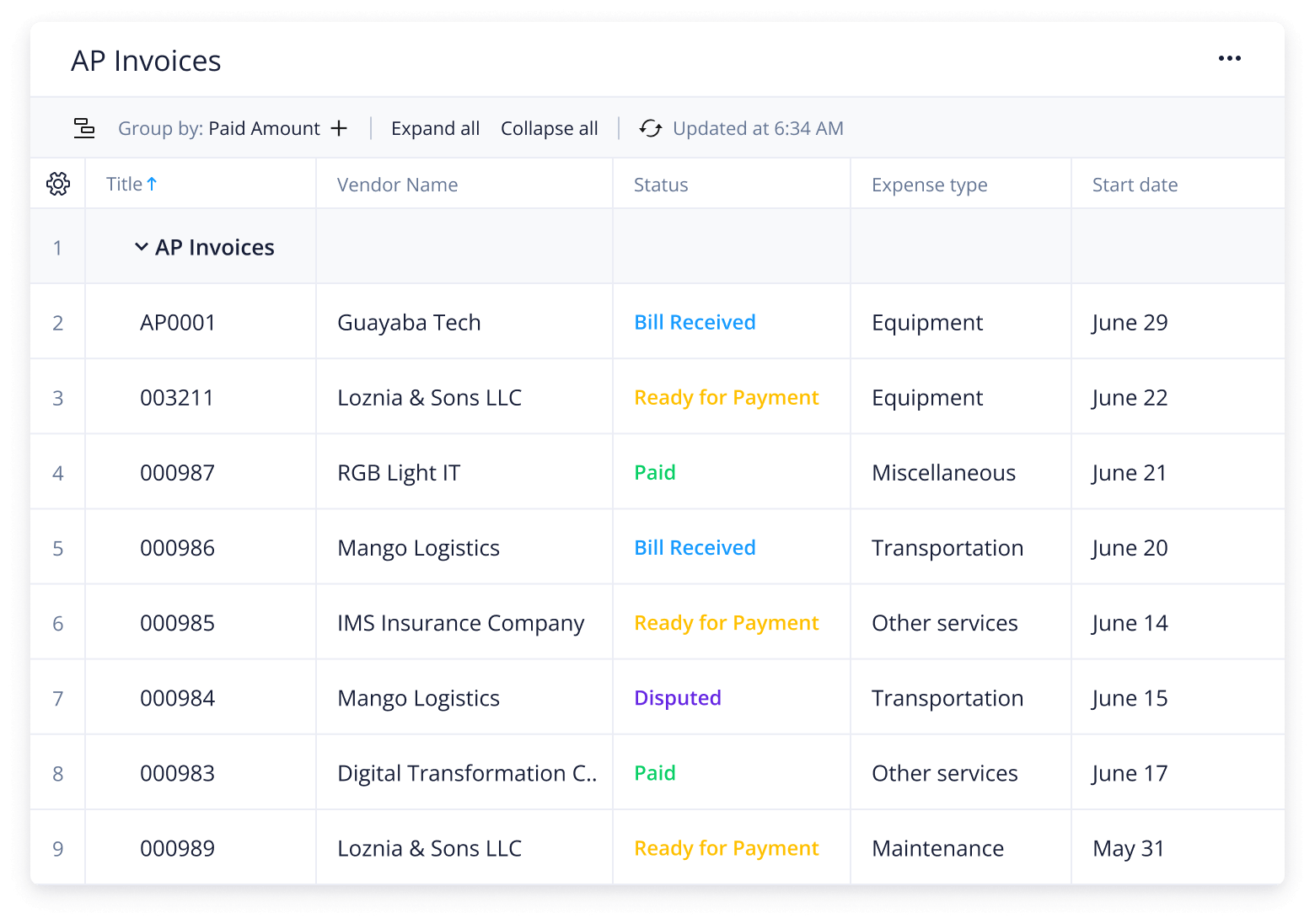
Once invoices and relevant information have been uploaded, view and sort them by category in a custom dashboard for increased visibility. Categorize invoices by urgency, expense type, payment status, outstanding amount, and days overdue. This table will automatically update with every invoice that is submitted through the request form.
Make Wrike work for you
Did you know Wrike can streamline other areas of your work as well? Our powerful work management software can improve processes and increase efficiency across your team, department, and company. Try features such as:
Automated reports
Customizable workflows
Shared Kanban boards
Wrike can be adjusted to suit any of your team’s processes. Our user-friendly interface allows you to personalize and improve your daily work.
The invoice tracking template is used for storing, categorizing, and monitoring invoices.
The invoice tracker includes a customizable request form, a folder for storing and sorting invoices, two pre-built dashboards, and a table view for added visibility.
The invoice tracking template improves management for both accounts receivable and accounts payable invoices.