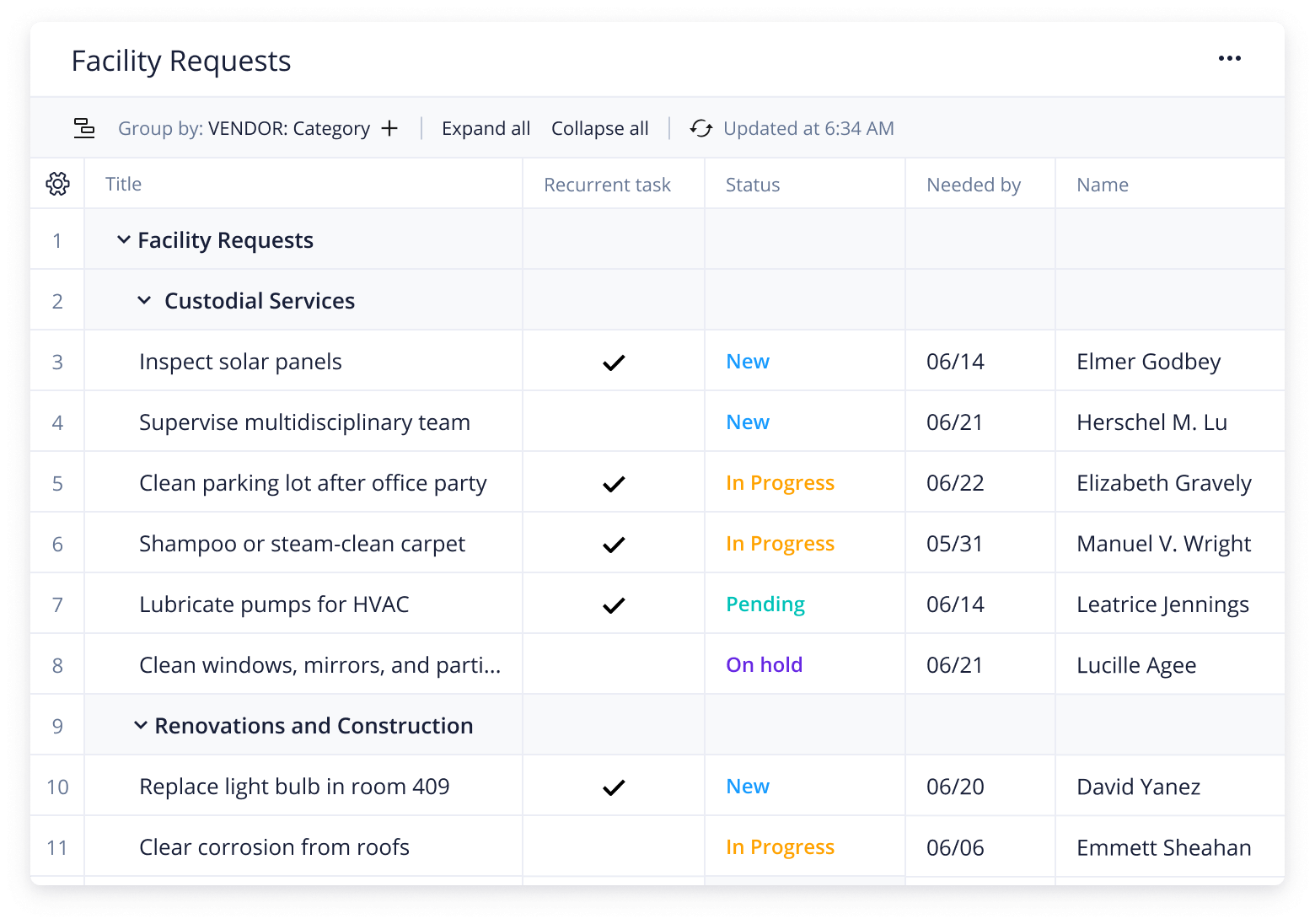
Working in facility management typically involves engaging in the complicated task of collecting and monitoring a wide range of details and resources. Are critical pieces of information falling through the cracks?
Does your team ever struggle with:
Tracking every project?
Completing tasks?
Visualizing the big picture?
Eliminate these obstacles with Wrike’s facilities management template.
Track every step of your facilities management process
Provide visibility for your entire team with project and request details so everyone stays on the same page
Gauge progress by centralizing project information in a single, secure place
Why you need this facilities management template
Centralize information
When requests and details are communicated via email, they’re often missed or forgotten. With a facilities management template, you can centralize your communication and gather all the information your team will need in one secure hub.
Prioritize projects and tasks
Are important facilities tasks getting overlooked because of your team’s busy workload? Wrike’s template allows you to stay on top of tasks and their associated due dates, ensuring things don’t slip through the cracks.
Enable a 360° perspective
Gain a full view of all your facility requests and resources by storing them in one place. The facilities management template offers a range of views that allow you to understand the breadth of your organization’s needs.
Managing multiple facilities usually involves collecting information from various departments and prioritizing resources to make sure every task is accomplished on time. Ensuring facilities are managed effectively requires a robust and user-friendly process.
Wrike’s facilities management template sets up an efficient system for collecting key details and prioritizing tasks and resources.
Step 1: Collate details with a request form
Use the custom request form designed to collect information from other departments and teams about their facilities needs. Simply have requesters input critical information, including contact details and resource requirements. These requests will be automatically turned into tasks that are stored in projects depending on the service required.
Step 2: View facilities tasks with a dashboard
Manage facilities with a custom dashboard that allows you to view tasks in progress. Tasks will be divided into categories, including custodial services, special events, and more. You can view requests by category, or by tasks that are outstanding. Easily visualize each due date so you can prioritize resources to accomplish each task on time.
Use the in-built report to assess facilities usage and team progress for future improvements.
Step 3: Access contact details in a single folder
When you need to access information about third-party vendors or contractors, simply navigate to the Resources folder and view their contact details, the services they provide, and any details that will be important to your ongoing relationship.
Make Wrike work for you
Wrike is designed to streamline and simplify other areas of your work, improving processes across your team, department, or company. Discover features such as:
Customizable workflows
Versatile Gantt charts
Time tracking
Wrike can be easily adjusted to meet any of your team’s needs. Our user-friendly features help bring efficiency and productivity to your daily work.