There’s a running joke in the business world about the questionable value of meetings. For many, they seem to be ineffective at driving action and accountability.
A project notes template could be the answer, improving the efficiency of your meetings and providing the structure you need to turn plans into action.
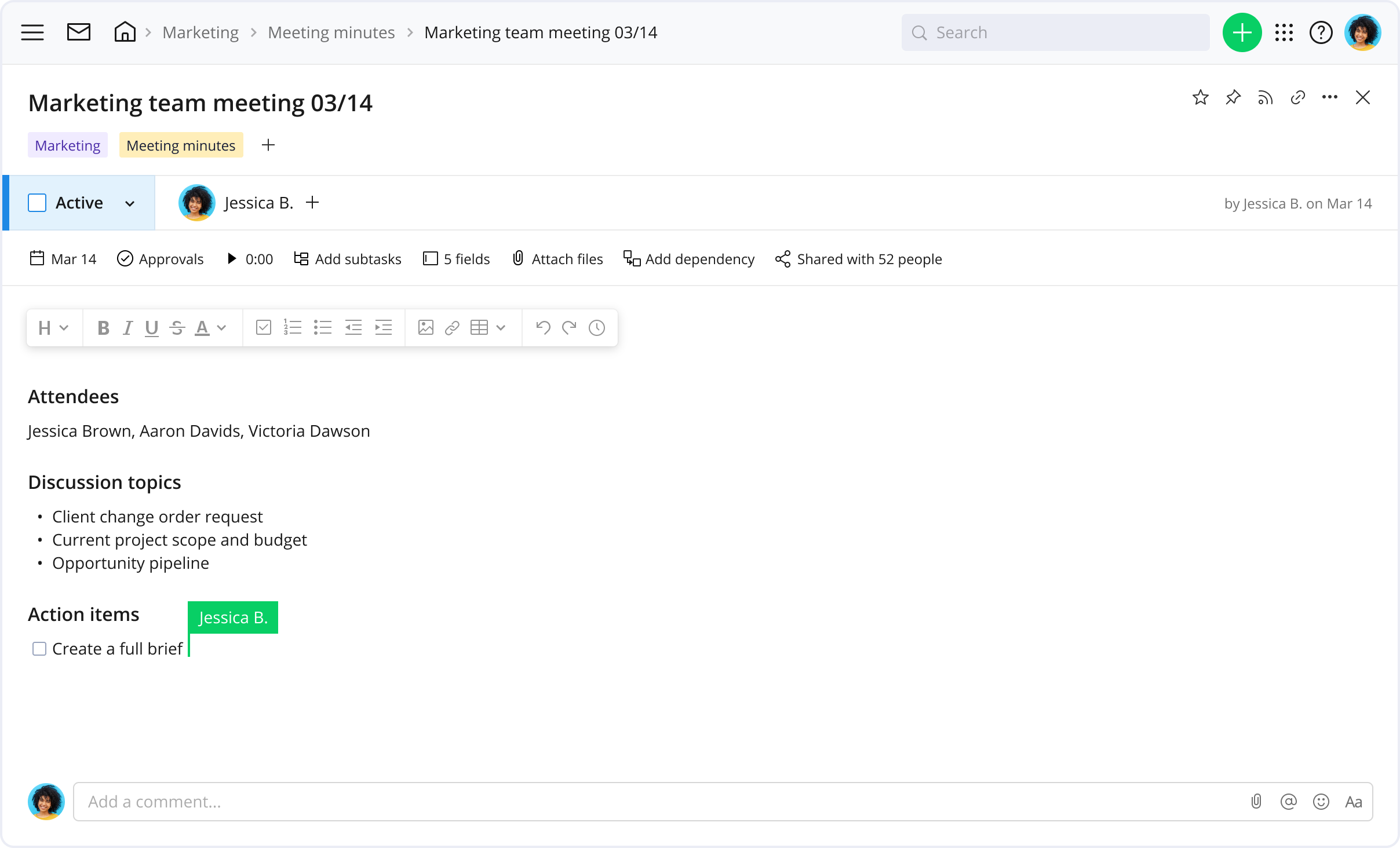
Wrike’s meeting notes template with actionable items captures all the relevant information. Create tasks and subtasks from action items, then tag them into folders to keep notes organized and aligned with your work goals.
Our meeting takeaways template also features task assignment, calendars, and @mentions, which enable accountability for all involved. Wrike is accessible 24/7 through both desktop and mobile, ensuring all team members can benefit, even if they’re on the go!
Why you need Wrike to plan your meeting minutes
Explore Wrike’s project management features today and find out how they can help your team plan effective meetings.
Automate your action item creation
With Wrike’s AI subtask creation, you can add structure to your meeting minutes in no time. Our software sifts through your notes to detect action items and turn them into subtasks.
Streamline communication with shareable meeting notes
Struggling to remember what was discussed in that Zoom call? Store all meeting notes in Wrike. Notes can be tagged in specific folders, making them easily searchable and shareable.
Simplify task management
Assign meetings as tasks to all necessary personnel well in advance. Create additional tasks to follow up on any action items and @mention team members to address issues quickly.
Customize your meeting minutes format
Add custom fields to track specific tags for your meeting minutes, such as story points. Use these data as filters to find the right information at any time. Update settings to make data private or share with teammates.
How to write meeting minutes using Wrike’s template
Tailor Wrike’s template for meeting notes with action items so that it works best for you and your team.
We have created an extensive guide on how to use this specific template.
In this section we’ll cover how to:
Develop a meeting agenda
Record all relevant meeting information
Share meeting notes
Ensure action items are followed up on
Create your meeting
Start by creating a parent folder in Wrike named “Meeting minutes.” Within this parent folder, create a task for each meeting you hold. Title each task with the name of the meeting and date. The description area within the task is where you’ll structure your agenda. Begin by writing:
Meeting name
Date
Location
All Invited and/or in attendance
Make sure to tag your meeting notes into any project folders that the meeting is related to for easy access and context.
Craft your agenda
What is the purpose of this meeting? Be specific. List any objectives or main talking points. Create a checkbox next to each agenda item. As you conduct your meeting, check off each item to ensure it was properly covered.
Record the meeting minutes
Create four sections:
Discussion topics Summarize all relevant discussion points here. List any opportunities, issues, or concerns
Main takeaways What were the main insights? Were any key decisions made? Record those details here
Action items What needs to be done now? Who is responsible? Identify next steps, who's completing them, and when they should be done by. After the meeting concludes, use this section to create and assign tasks to specific team members. *NEW! Use our AI to automate task creation
Follow up Write the next meeting date or milestone here. It’s important to set a time to reconvene to ensure progress and follow-through
Filter meetings through specific custom fields
Track specific tags for your meetings, like location, chairperson, and other details with custom fields.
Turn action items into tasks
Using the action items in your meeting notes, create new tasks in relevant projects and assign them to team members with due dates. Automate this process with our easy-to-use AI
Include the permalink of the meeting notes task for context
In the meeting notes task, @mention team members assigned tasks with the link to the tasks. This provides clarity and visibility to all involved and promotes accountability to the assignee
Project management resources
Turbocharge team meetings with Wrike’s useful assets.
Blog post: How to Drive Action Items in Meeting Minutes
Handbook: Make Your Meetings More Actionable With Wrike
Case study: How Dare Used Wrike to Centralize Information
Make sure to record all the following information:
Meeting name
Date
Location
All Invited and/or in attendance
Meeting agenda: A list of objectives or main talking points
List of topics actually discussed
Main takeaways
Action items: Next steps, who’s completing them, and due date
Follow up with the next meeting date
Poor follow-through, information gaps, and unavailable meeting notes can hinder productivity. Wrike’s meeting notes template with actionable items is for individuals and teams who want to turn meetings into concrete plans.
Setting up your project notes template is simple — just enter your email and begin turning meeting minutes into action items. These meeting notes can be stored within Wrike, where team members and stakeholders can access them at any time.
Wrike’s meeting minutes template with actionable items is suitable for businesses of any size. Every business, be it an enterprise, startup, or agency, needs resources to help keep meetings on track, deliver information to stakeholders, and follow up with action items.