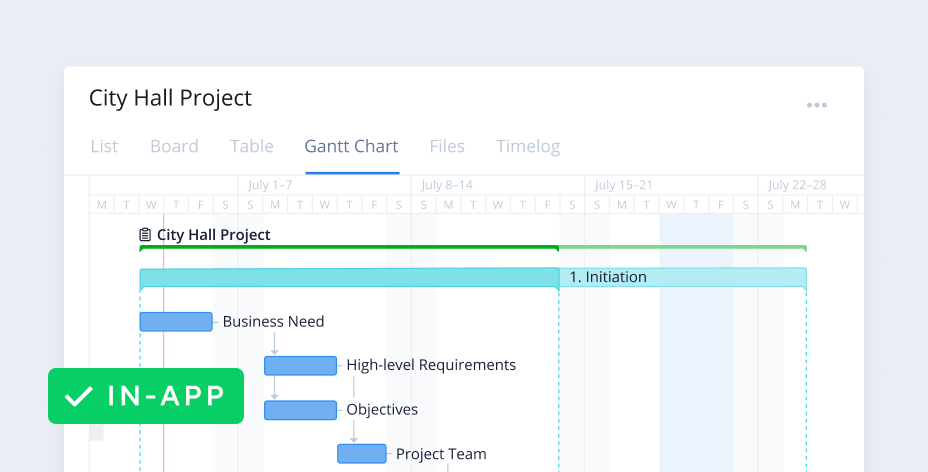
Gantt chart software: manage projects without barriers
Wrike’s Gantt chart software manages impactful work from beginning to end and helps users create workflows without limits.
DEPENDENCIES AND MILESTONES
Create dependencies and milestones
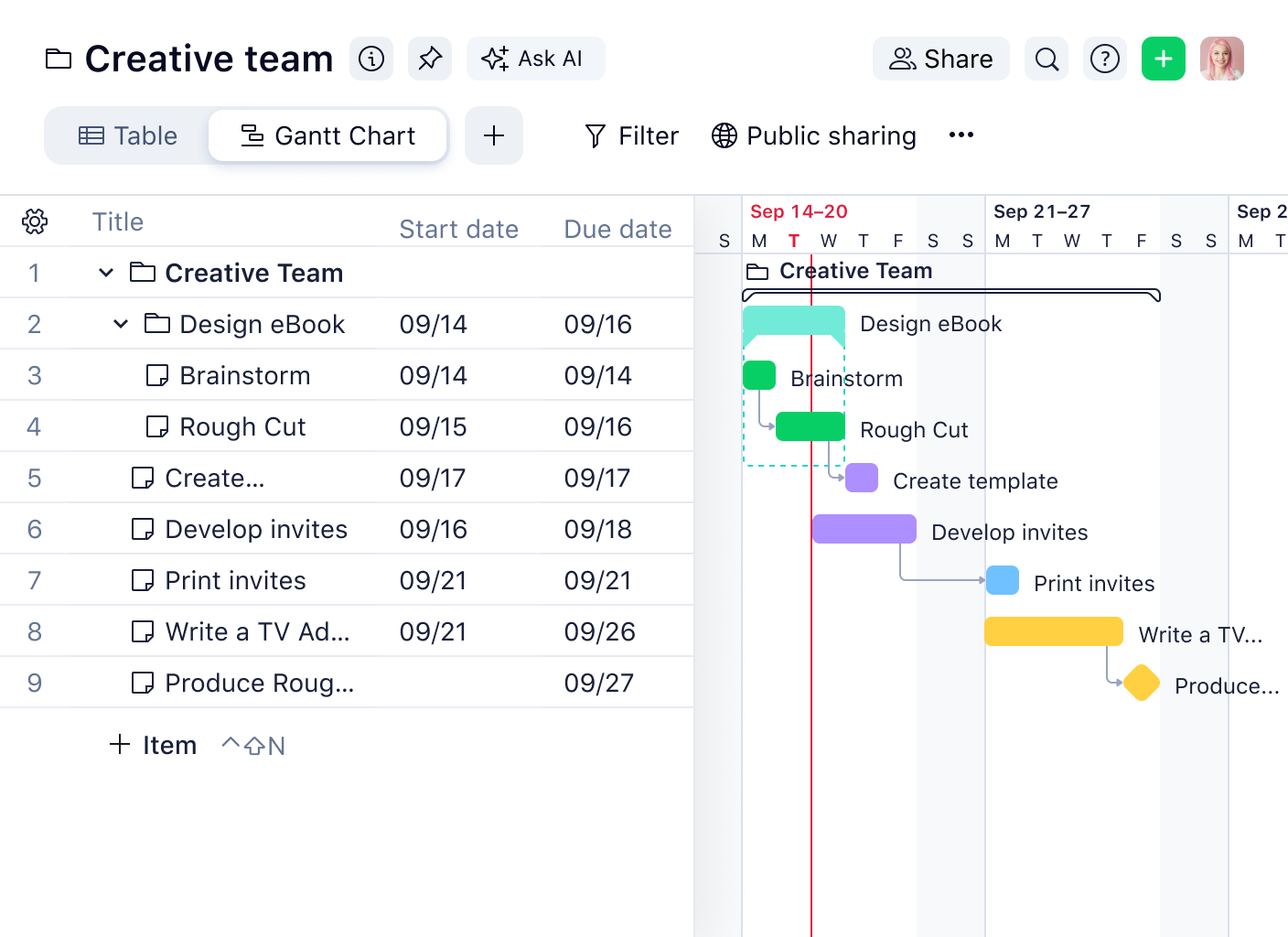
Wrike Gantt chart tools allow you to create task dependencies, which will be automatically scheduled after the related task.
Visualizing milestones gives you a better understanding of your project’s progress. Milestones are perfect for marking major events in your project, such as the end of a project phase, important decision points in a project management, or critical events.
COLLABORATION
Share and communicate easily
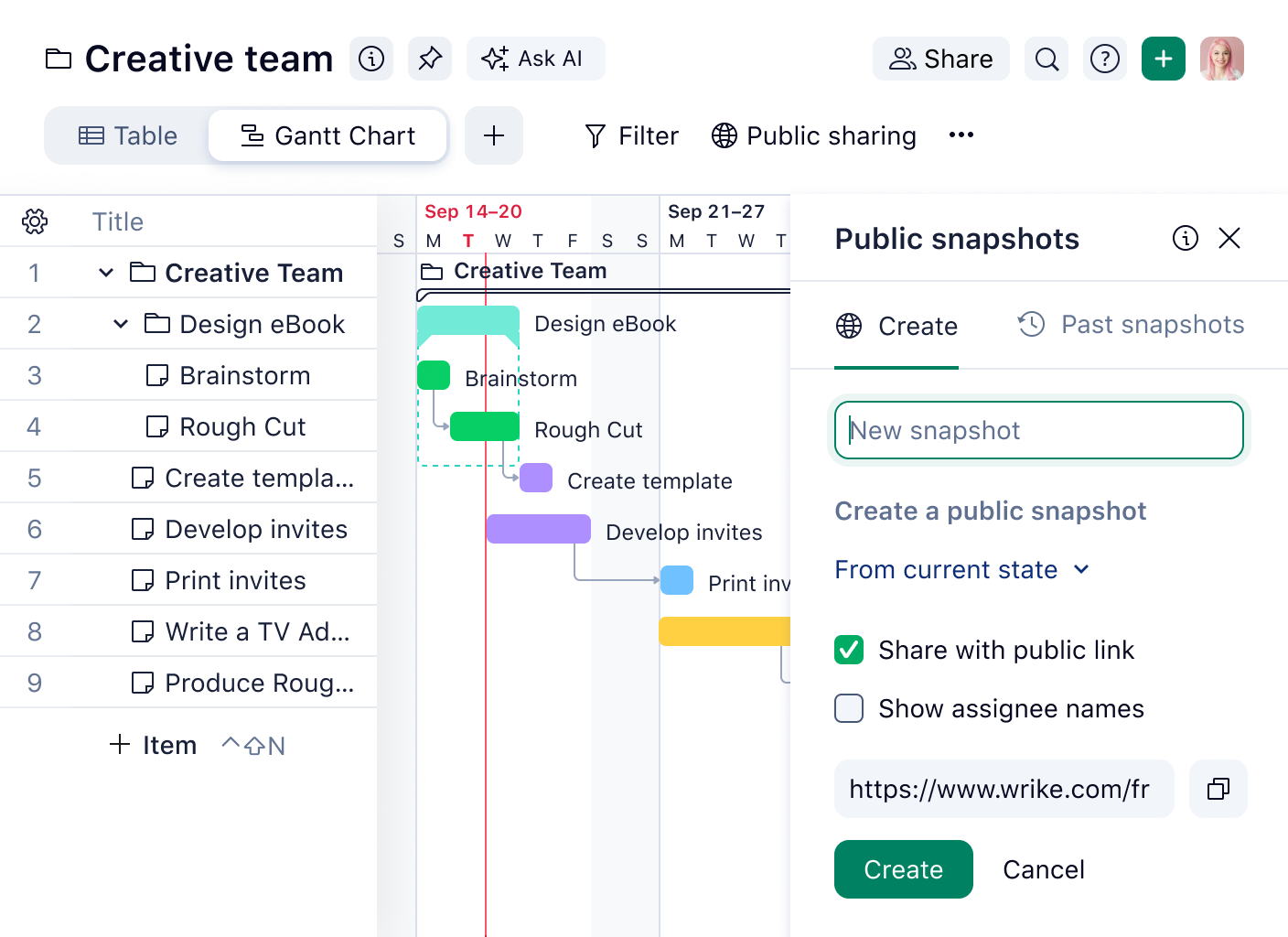
Wrike’s Gantt chart software makes it easy to share work with anyone inside or outside your organization via secure public links or snapshots of your current timeline. Use grouping to quickly organize your view, and when you adjust assignees, dates, or project duration, your team members will know straight away. Need a hard copy of your online Gantt chart? No problem — simply print it out!
IMPORT FILES
Import all your data
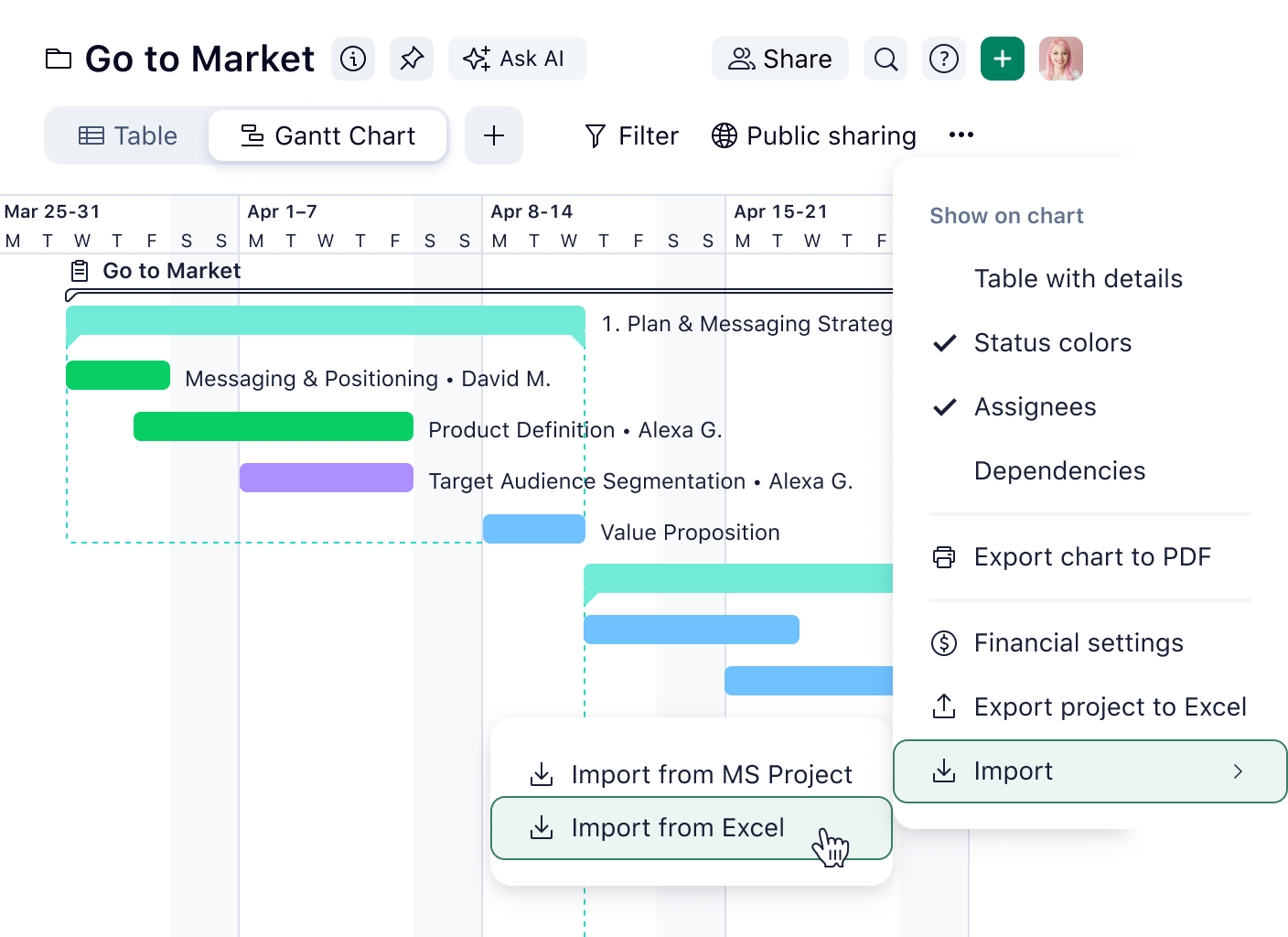
With Wrike’s Gantt charts, there’s no need to manually copy information from spreadsheets and other project management applications. Import files and all your durations, dependencies, and responsible parties will automatically be carried over to our Gantt chart software.

With our drag-and-drop builder, project managers can visualize progress and dependencies. Our simple user interface allows you to use critical path analysis to spot bottlenecks.

Wrike’s Gantt chart software allows you to control multiple project plans from one platform, using critical path analysis, snapshots, and baselining.

Add .MPP, .MPX, and .XML tasks to Wrike. All your durations, dependencies, and responsible parties will be carried over to your Gantt chart.



“With Wrike’s timeline view [Gantt chart], the entire planning process can be visualized and adjusted. It’s easy to see how tasks are related to one another. TeamViewer’s marketing squad finds this incredibly useful: depicting the dependencies and status gives you a good overview of what needs to be done and what’s going to happen.”

“The timeline view in Wrike was always really great because you could visualize it, you could simply drag and drop, you could slide the dates over, and you could create dependencies in a graphical way, as opposed to having to go through a bunch of UI. Just being able to literally grab the arrow and drag it was always really helpful.”

“We work faster, update key dates for deliverables much more quickly, and eliminate human error. We’ve likely saved around 200 or more hours per year in our launch prep.”



Wrike has the most powerful Gantt chart software on the market. Here is a roundup of the market leaders for Gantt charts.