

User rights in Wrike

Published by Valerie  |  Wednesday, 05 December, 2007

Wrike supports an open and collaborative environment.

From its beginning, Wrike has embraced an open and collaborative environment. Collaboration makes your team more agile, helps you to adjust to ever-changing market conditions  and brings you better results. That is why Wrike is a very powerful platform for managing small and medium businesses that encourage team members’ initiative, aiming to obtain more for less time and money.

You can collaborate with people from different accounts.

You can easily collaborate with your business partner who already subscribed himself and his team to Wrike. You also can easily collaborate with team members to whom you granted a professional subscription to Wrike. Likewise, You can easily collaborate with your spouse, who has a free Wrike account. You also can invite your friends to collaborate on your shared tasks. Apparently, you will be able to collaborate with your friends, whether they decide to keep their free accounts or upgrade to the professional version. No other project management software offers such an opportunity to you.

Our software, Wrike, is more like email where people’s accounts may be registered with different companies, but they still can email each other.

Share exactly what you want with exactly who you want.

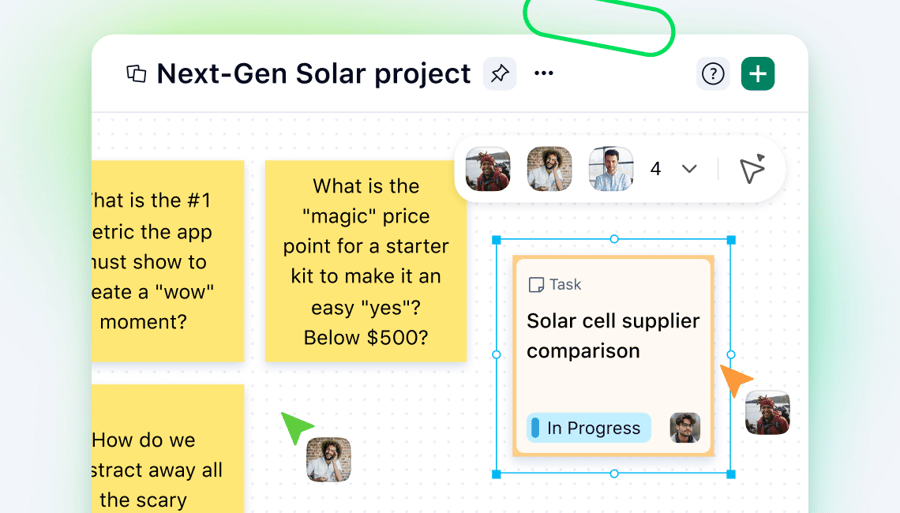
Wrike allows you to manage the access rights of your associates within every part of your plans. Depending on your needs, these rights can be managed on the level of a concrete task, a folder with tasks or an entire project. You have one workspace, no matter how many tasks or projects you are involved in. You can share one task with your partner, another task with one of your clients and your support team, and a third task with your HR manager and project leader. This gives you unique visibility of all of your projects in one account.


Wrike is based on the Wiki model.

Taking into account all the above said, it becomes evident why Wrike does not have granular user rights. Granular rights would create formal boundaries on contributing projects and collaborating on tasks. So, at the moment, we use the wiki model. If you give a person access to the task, a person can easily update it. To boost confidence and avoid surprise situations, you can always turn to revisions and bring the content back. It works very well for thousands of our customers.


You can get the best of project collaboration with Wrike. Thanks to Wrike, your business will become more flexible, mobile and transparent. Transparent business means openness to customers, openness to new markets, openness to new techniques and openness to learning. Your organization becomes empowered and more competitive with Wrike.

Also read: Ultimate Benefit that You Obtain with Wrike.

Category: Highlighted Posts, Tips and Tricks, FAQ, Collaboration
  • Email to a friend
  • reddit
  • StumbleUpon
  • Digg
  • myspace
  • facebook
  • del_ico_us

7   Comments
  • Published by Drew, Friday, 07 December, 2007
    Guys, the user rights in Wrike are really great! The idea is much better than the one used in Basecamp . The best thing I like is that you can connect as many people as you like in your own collaborative network. What’s good every member of your team is able to do the very same in Wrike. However, here’s something that you can improve. I have a 15-users subscription and it was really hard for me to figure out how to grant my paid accounts to my team members. I’m sure I wasn’t the only one. You should make this procedure clearer.
  • Published by Charlie B, Friday, 14 December, 2007
    your product looks interesting. However, My question is this, I have been using Communiclique's software and the feature that they have that I make the most use of is the VoIP technology. I am really happy with their overall software. Do you integrate VoIP into your product?
  • Published by Andrew Filev, Friday, 14 December, 2007
    You can use Skype along with Wrike to get a VoIP. We do that every day.
  • Published by Johan Staureby, Wednesday, 16 July, 2008
    I would also like you to ellaborate a bit more about the user model.

    We run a web agency. When we create a new project we add our clients contact persons to the project so they can follow the progress of the project and add tasks.

    Do we need a professional license for all the people we work with?

    We have 80+ customers which amounts to around 200 people we are communicating with on a regular basis.

    Do we need 200+ professional licenses?
  • Published by Andrew Filev, Thursday, 17 July, 2008
    Johan,

    You can plug all of your clients using Wrike's free accounts. It's as easy as typing client's e-mail in the folder's "shared with" field. Wrike will do the rest (create a free account, send an invatation).

    Andrew
  • Published by Johan Staureby, Friday, 18 July, 2008
    Hi again :0)

    Ok.. and how will Wrike notify me / my clients once the free account is not enough?
  • Published by Andrew Filev, Friday, 18 July, 2008
    Johan,

    A client will not miss a dialog box saying that he can only create 20 tasks and that he reached the limit. At that point of time, client can either upgrade his account or ask you to upgrade his account.

    Right now you can share unlimited number of tasks and folders with free accounts. They can also edit unlimited number of tasks.

    Andrew
 
Back to posts
Add your comment
Name (required)
Email

Notify me of follow-up comments via email
Type the word you see below (required)
captcha

FREE 30-Day trial

of the full-featured Wrike professional version


Categories:

Recent posts:
Subscribe
rss
Search in this blog
technorati

The service from Wrike has been fantastic. In the early stages, I wrote a number of enhancement requests. Each of those messages was taken with seriousness. [Wrike team] was continuously, promptly and courteously responding on each of the issues."