

How to better organize projects and events in Wrike

Published by Valerie  |  Friday, 19 October, 2007
We designed Wrike to be easily customizable. Often we receive messages from our users who say that the product is awesome, so our efforts are appreciated, and we are moving in the right direction.

We are sure that you love things that are able to meet your unique needs. However, when you have a blank sheet and a network of tasks in mind, it might be hard to organize it effectively from the very beginning. What is great, in Wrike, you can start with several tasks and make the ground hierarchy around them. You can also have multiple hierarchies for the same project, slicing in terms of client, product, process, etc. Your project organization can grow organically and adapt to changes and new reporting requirements. Here are some tips on how to start planning in Wrike.

General suggestions
Your greatest benefit is that you don’t need to determine the full plan from the very beginning. You can start with a very simple plan and then gradually advance it. At first, you can keep your tasks in a list in “My Folders”. If a task requires collaboration, you share it with your associates. They will access and contribute to the task from their own workspaces.

When you find yourself creating many tasks related to a certain subject or a particular team, create a folder and include these tasks there. Currently, you can do this by including necessary tasks in folders one by one. This way, you don’t miss or skip any task. Very soon we’ll make this process even more convenient for you and release drag-and-drop functionality.

When this topic is also full of diverse tasks, you can create subfolders. Vice versa, you can move the existing folder level down and convert it into the subfolder. This can be useful when your areas of responsibility grow and you want to join several folders into one parent folder.

We have prepared some examples of how you can organize your plans in Wrike. Let's start from projects and events.

Organizing projects and events
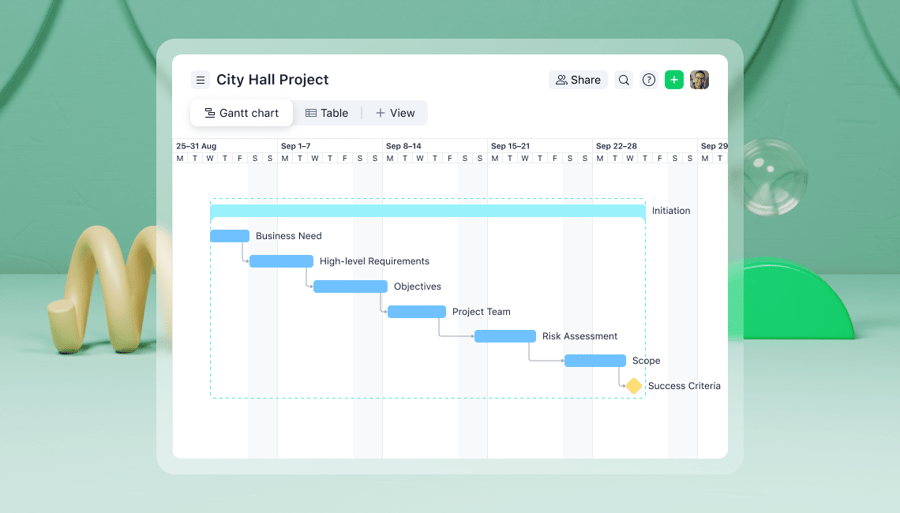
When you plan a project, define the parts that require similar actions first. For example, if you are organizing an event, these parts might be: Budget, Handouts, Participants, Promotion and Speakers. These parts are usually listed in the event general checklist.

Then you can extend your plan with additional details, such as promotion channels and so on. You create subfolders for them, so you have a well-structured plan that consists of lists of related, actionable items.

You can share the entire event plan with your team to give them the whole picture of the project status. You can also separately share every part of the plan with its responsible party only, your partners and relevant contractors.
____

You might be also interested in How to organize work of departments, How to customize statusesHow to organize goals and milestonesHow to organize client projects in Wrike.
Category: Tips and Tricks, Project Management
  • Email to a friend
  • reddit
  • StumbleUpon
  • Digg
  • MySpace
  • del_ico_us

1 Comment
  • Published by Ezra, Wednesday, 05 December, 2007
    Drag-n-drop would certainly be nice! I'm so looking forward to its release!
Back to posts
Add your comment
Name (required)
Email

Notify me of follow-up comments via email
How much is 2+2?
If you see this, leave this form field blank and invest in CSS support.